
Explore Our Best Laptops by Use Case
This guide to Best Gaming Laptops Under $1,000 in 2026: 8 Top Picks for 1080p Gaming is part of our curated laptop recommendations by use case. Explore more expert comparisons and buying guides covering gaming laptops, budget systems, RTX graphics, 1080p gaming, performance, displays, and value-focused laptop recommendations.Best Gaming Laptops Under $1,000 in 2026: 8 Top Picks for 1080p Gaming
The best gaming laptop under $1,000 in 2026 is not simply the model with the most powerful GPU name on the spec sheet. At this price, the overall configuration matters: graphics performance, processor capability, memory, storage, display refresh rate, cooling, and the way those components work together can make a significant difference in real-world 1080p gaming.From competitive games and esports titles to demanding modern releases, this guide focuses on gaming laptops that target the 1080p experience while staying close to a $1,000 budget. The selection also includes different hardware approaches, including NVIDIA GeForce RTX graphics and AMD Radeon graphics, so you can compare what each configuration offers rather than relying on GPU branding alone.
In this guide, we've selected the best gaming laptops under $1,000 in 2026 based on graphics hardware, processor performance, memory capacity, storage, display refresh rate, gaming-oriented features, cooling considerations, portability, upgrade potential, and overall value. We also looked closely at the specific configurations available in this price segment, because two laptops with the same GPU can deliver very different levels of usability depending on their RAM, CPU, display, and storage configuration.The lineup ranges from affordable RTX 2050 systems such as the Acer Nitro V ANV15-51-57C8 and ASUS TUF Gaming F15, to more capable RTX 3050 and Radeon RX 6550M configurations, and several RTX 4050 laptops designed to provide more graphics headroom for modern 1080p gaming. The HP Victus 15 with RTX 4050 and 16GB of RAM, Lenovo LOQ with RTX 4050, ASUS TUF Gaming F16, and Acer Nitro V with RTX 4050 and a 165Hz display give buyers several ways to approach the upper end of this budget.
Acer Nitro V ANV15-51-57C8
Affordable 1080p Gaming with a Core i5 Processor and 144Hz Display
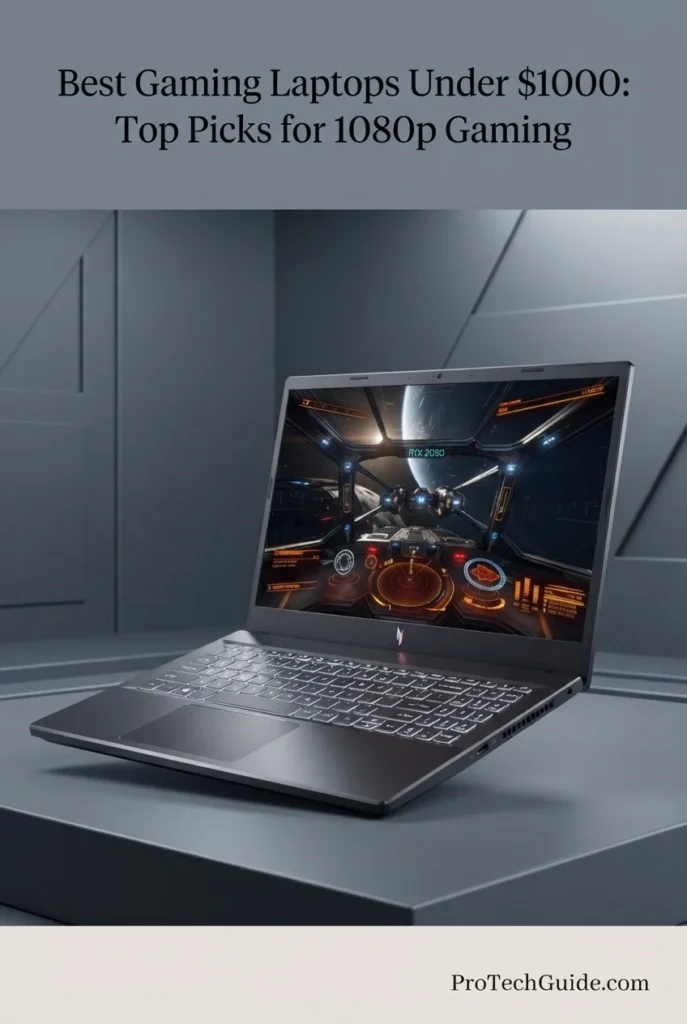
The Acer Nitro V ANV15-51-57C8 with the Intel Core i5-13420H, NVIDIA GeForce RTX 2050 Laptop GPU, 8GB DDR5 memory, and 512GB PCIe Gen 4 SSD is our entry-level choice for buyers who want a dedicated NVIDIA GPU and a high-refresh-rate display without moving into the higher price tiers of the gaming laptop market. Its 15.6-inch Full HD IPS display runs at 144Hz, while the 13th-generation Core i5 processor and RTX 2050 provide a practical foundation for 1080p gaming, everyday productivity, and gaming-focused workloads. The configuration is particularly interesting because its two DDR5 memory slots and support for up to 32GB provide a clear upgrade path beyond the included 8GB configuration.
The Acer Nitro V ANV15-51-57C8 earns our Best Budget RTX 2050 Gaming Laptop position because it combines a dedicated RTX GPU, a capable 13th-generation Core i5 processor, a 144Hz Full HD IPS display, DDR5 memory, and PCIe Gen 4 storage in a configuration designed around accessible gaming performance. Its biggest limitation is the included 8GB of RAM, but the two memory slots and support for up to 32GB make that limitation more manageable for buyers willing to upgrade later.
Compared with the ASUS TUF Gaming F15 with the older Core i5-11400H and RTX 2050, this Nitro V uses a newer 13th-generation Intel processor, DDR5 memory, PCIe Gen 4 storage, and Thunderbolt 4 connectivity. Against the more powerful RTX 3050 and RTX 4050 laptops in this guide, however, the RTX 2050 sits at the entry level of the lineup, making this Acer better suited to buyers prioritizing a lower-cost path to dedicated 1080p gaming rather than maximum graphics performance.
Key Features
HP Victus 15 Gaming Laptop
Ryzen 5 Performance with Radeon RX 6550M and 144Hz FreeSync Premium
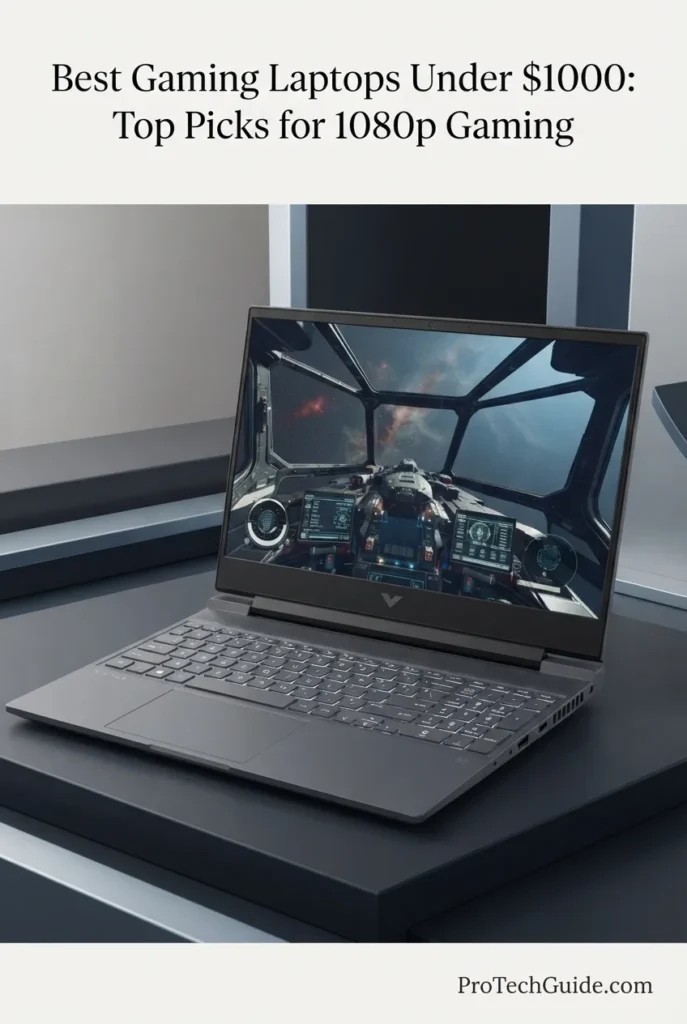
The HP Victus 15 with the AMD Ryzen 5 7535HS, Radeon RX 6550M, 8GB DDR5 memory, and 512GB SSD is our dedicated AMD recommendation for 1080p gaming under $1,000 in 2026. Its six-core Ryzen processor, 4GB GDDR6 Radeon graphics, 15.6-inch Full HD IPS display, 144Hz refresh rate, and AMD FreeSync Premium technology create a well-matched gaming platform for buyers who want an AMD-based alternative to the NVIDIA configurations in this guide. The combination is particularly compelling for gamers who prioritize a high-refresh-rate 1080p display and smooth gameplay while keeping the system within a mainstream gaming-laptop price range.
The HP Victus 15 earns our Best AMD Radeon Gaming Laptop position because it combines the Ryzen 5 7535HS with a dedicated Radeon RX 6550M, a 144Hz Full HD IPS display, and AMD FreeSync Premium in a mainstream 15.6-inch gaming platform. It provides a genuine AMD alternative within this guide rather than simply offering another variation of the NVIDIA configurations. Its primary consideration is the included 8GB of DDR5 memory, which makes memory capacity an important factor for buyers planning to run newer games alongside heavier multitasking workloads.
Compared with the RTX 2050-based Acer Nitro V and ASUS TUF Gaming F15, the HP Victus moves to a different AMD graphics platform with the Radeon RX 6550M and pairs it with a newer Ryzen 5 7535HS processor. Compared with the RTX 3050 and RTX 4050 laptops elsewhere in this guide, its gaming performance depends on the individual title, settings, drivers, and workload, so the Victus is best viewed as a dedicated AMD alternative rather than a direct replacement for every NVIDIA configuration.
Key Features
HP Victus 15-FA100
RTX 4050 Gaming Performance with 16GB RAM and a 144Hz Display

The HP Victus 15-FA100 with the Intel Core i5-13420H, NVIDIA GeForce RTX 4050 6GB, 16GB DDR4 memory, and 512GB NVMe SSD is our RTX 4050 recommendation for 1080p gaming under $1,000 in 2026. Its 13th-generation Intel processor, Ada Lovelace-based RTX 4050 Laptop GPU, 16GB of memory, and 15.6-inch Full HD 144Hz IPS display create a well-balanced configuration for modern PC gaming. The 16GB RAM capacity is particularly important at this price point because it provides more headroom for current games, launchers, browsers, voice applications, and background tasks without relying on an immediate memory upgrade.
The HP Victus 15-FA100 earns our Best RTX 4050 Gaming Laptop position because its configuration gets the most important gaming components into balance: an 8-core Core i5 processor, RTX 4050 6GB graphics, 16GB DDR4 memory, 512GB NVMe storage, and a 144Hz Full HD IPS display. Rather than pairing the RTX 4050 with only 8GB of system memory, this configuration starts with 16GB, making it a more complete out-of-the-box platform for modern 1080p gaming and multitasking.
Compared with the Acer Nitro V ANV15-51-57C8 with RTX 2050, the HP Victus moves to NVIDIA's newer RTX 4050 Laptop GPU platform with 6GB of GDDR6 memory and Ada Lovelace features including DLSS 3. It also doubles the system memory to 16GB. Compared with the other RTX 4050 configurations in this guide, its combination of 16GB RAM and a 144Hz Full HD display makes it a straightforward 1080p gaming configuration, while its DDR4 memory platform and 250-nit, 45% NTSC display remain important considerations for buyers evaluating the complete system rather than the GPU alone.
Key Features
ASUS TUF Gaming F15 FX506HF-ES51
Durable 1080p Gaming with RTX 2050 Graphics and a 144Hz Display
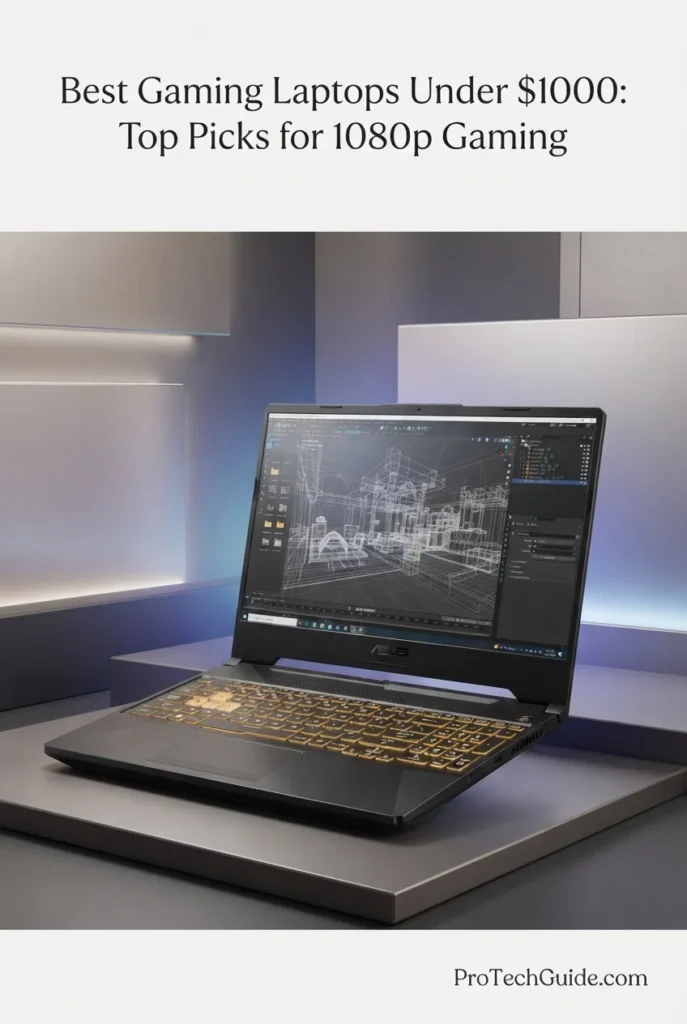
The ASUS TUF Gaming F15 FX506HF-ES51 with the Intel Core i5-11400H, NVIDIA GeForce RTX 2050 4GB, 8GB DDR4-3200 memory, and 512GB PCIe NVMe SSD is our durability-focused RTX 2050 gaming laptop for buyers who want a dedicated NVIDIA GPU and the rugged design philosophy of the TUF Gaming line. Its 6-core Intel processor, RTX 2050 configured at up to 70W with Dynamic Boost, 15.6-inch Full HD 144Hz display, and MIL-STD-810H testing give it a distinct identity within this entry-level gaming lineup. The 90Wh four-cell battery is also unusually substantial for this class, while Thunderbolt 4, Wi-Fi 6, and multiple USB ports provide a strong connectivity foundation for a desktop-style gaming setup.
The ASUS TUF Gaming F15 FX506HF-ES51 earns our Best Durable RTX 2050 Gaming Laptop position because it combines dedicated RTX graphics, a 144Hz Full HD display, a 6-core Core i5 processor, a large 90Wh battery, Thunderbolt 4 connectivity, and the durability-focused design associated with the TUF Gaming line. Its 8GB memory capacity and older 11th-generation processor make it clearly an entry-level configuration in 2026, but its 70W RTX 2050 implementation and rugged platform give it a distinct role among affordable gaming systems.
Compared with the Acer Nitro V ANV15-51-57C8, this ASUS uses the older Core i5-11400H and a PCIe Gen 3 storage platform, while the Acer uses a newer 13th-generation Core i5 processor, DDR5 memory, and PCIe Gen 4 storage. The TUF Gaming F15 differentiates itself through its 70W RTX 2050 configuration with Dynamic Boost, 90Wh battery, Thunderbolt 4 connectivity, and MIL-STD-810H durability testing. Against the RTX 3050 and RTX 4050 systems in this guide, however, the RTX 2050 remains an entry-level graphics solution, so this model should be evaluated as a durable budget gaming platform rather than a high-performance gaming machine.
Key Features
ASUS TUF Gaming A15 FA506NC-DS53
RTX 3050 Gaming with 16GB DDR5 and a 144Hz Display

The ASUS TUF Gaming A15 FA506NC-DS53 with the AMD Ryzen 5 7535HS, NVIDIA GeForce RTX 3050 4GB, 16GB DDR5 memory, and 512GB PCIe Gen 4 SSD is our dedicated RTX 3050 pick for buyers who want a stronger entry-level gaming configuration without moving into RTX 4050 pricing tiers. Its 6-core Ryzen processor, RTX 3050 Laptop GPU with up to 75W maximum TGP, 16GB of DDR5 memory, 512GB PCIe Gen 4 storage, and 15.6-inch Full HD 144Hz display create a well-balanced platform for 1080p gaming. The 16GB memory configuration is particularly valuable because it gives this TUF A15 substantially more out-of-the-box headroom than the 8GB configurations found on several other systems in this guide.
The ASUS TUF Gaming A15 FA506NC-DS53 earns our Best RTX 3050 Gaming Laptop position because it combines an RTX 3050 Laptop GPU with 16GB DDR5 memory, a Ryzen 5 7535HS processor, PCIe Gen 4 storage, and a 144Hz Full HD Adaptive-Sync display. While the RTX 3050 remains below the RTX 4050 systems in this guide, this particular configuration avoids the common 8GB starting point and delivers a more complete out-of-the-box platform for 1080p gaming and multitasking.
Compared with the ASUS TUF Gaming F15 FX506HF-ES51 with RTX 2050 graphics, this A15 moves to the more capable RTX 3050 platform, upgrades the system to 16GB DDR5 memory, and uses a PCIe Gen 4 SSD. Compared with the RTX 4050 laptops in this guide, however, the RTX 3050 remains an older Ampere-based graphics solution with 4GB of GDDR6 memory. Its strongest differentiator is therefore the balanced combination of RTX 3050 graphics, 16GB DDR5 memory, Ryzen 5 processing, and a 144Hz gaming display rather than maximum GPU performance.
Key Features
Lenovo LOQ 15.6-inch Gaming Laptop
RTX 4050 Gaming Performance with 12GB DDR5 and a 144Hz Display

The Lenovo LOQ 15.6-inch Gaming Laptop with the AMD Ryzen 5 7235HS, NVIDIA GeForce RTX 4050, 12GB of DDR5 memory, and 512GB SSD is a strong value-oriented configuration for 1080p gaming in 2026. Its RTX 4050 Laptop GPU with 6GB of GDDR6 memory provides a substantially higher graphics tier than the RTX 2050 and RTX 3050 configurations elsewhere in this guide, while the Ryzen 5 7235HS provides a 4-core, 8-thread CPU platform for gaming and everyday productivity. The 15.6-inch Full HD 144Hz display is well matched to the hardware, while 12GB of DDR5 memory gives the system more multitasking capacity than many entry-level 8GB gaming laptops. The configuration also includes a 512GB SSD, Windows 11 Home, a backlit keyboard, and a bundled mouse pad.
The Lenovo LOQ earns our Best Value RTX 4050 Gaming Laptop designation because it combines the higher-tier RTX 4050 Laptop GPU with 12GB of DDR5 memory, a Ryzen 5 7235HS processor, a 512GB SSD, and a 144Hz Full HD display in a value-focused configuration. For buyers prioritizing 1080p gaming performance and dedicated RTX 40-series graphics, it offers a more capable GPU platform than the RTX 2050 and RTX 3050 laptops in this guide while retaining a practical 15.6-inch gaming format.
Compared with the Acer Nitro V ANV15-51-57C8 and ASUS TUF Gaming F15 FX506HF-ES51, this Lenovo configuration moves up to an RTX 4050 with 6GB of GDDR6 memory, placing it in a higher graphics class than their RTX 2050 GPUs. Compared with the HP Victus 15-FA100, it offers the same RTX 4050 GPU class but uses a different CPU and provides 12GB rather than 16GB of memory. The Lenovo therefore occupies a distinct position for buyers who prioritize RTX 4050 graphics while seeking a value-oriented configuration.
Key Features
ASUS TUF Gaming F16
16-Inch 16:10 Gaming with RTX 4050 and a 144Hz Display

The ASUS TUF Gaming F16 with the Intel Core 5 210H processor, NVIDIA GeForce RTX 4050, 8GB DDR5 memory, and 512GB PCIe Gen4 SSD is our standout choice for gamers who want a larger 16-inch 16:10 gaming display without leaving the RTX 4050 class. Its RTX 4050 Laptop GPU is configured with a maximum TGP of up to 115W, while the 16-inch 1920 × 1200 IPS-level panel combines a 144Hz refresh rate with 100% sRGB coverage and Adaptive-Sync for a responsive gaming experience. The Core 5 210H provides an 8-core CPU platform, while Wi-Fi 6, Thunderbolt connectivity, HDMI, Ethernet, a backlit keyboard, and MIL-STD-810H testing give the F16 a practical feature set for gaming and everyday computing. The main limitation of this specific configuration is its 8GB of DDR5 memory, which leaves less multitasking headroom than the 12GB and 16GB alternatives in this guide.
The ASUS TUF Gaming F16 earns our Best 16-Inch RTX 4050 Gaming Laptop designation because it combines a higher-power RTX 4050 configuration with a 16-inch 16:10 144Hz display, 100% sRGB coverage, Adaptive-Sync, and TUF's durability-focused design. The larger panel distinguishes it from the 15.6-inch RTX 4050 systems in this guide, while the RTX 4050 provides a substantially higher graphics tier than the RTX 2050 and RTX 3050 configurations. Its 8GB memory configuration is the primary compromise and should be considered when comparing it with laptops offering 12GB or 16GB out of the box.
Compared with the Lenovo LOQ 15.6-inch Gaming Laptop, this ASUS configuration offers a larger 16-inch 16:10 display and a higher maximum RTX 4050 TGP, while the Lenovo provides 12GB of DDR5 memory. Compared with the HP Victus 15-FA100, both use an RTX 4050 Laptop GPU, but the TUF Gaming F16 differentiates itself with its 16-inch 16:10 panel, 100% sRGB coverage, Adaptive-Sync, and up to 115W GPU configuration. The F16 is therefore particularly relevant for buyers who place greater emphasis on display format, gaming panel characteristics, and GPU power.
Key Features
Acer Nitro V 15
High-Refresh 1080p Gaming with RTX 4050 Graphics and a 165Hz IPS Display

The Acer Nitro V 15 with the Intel Core i5-13420H, NVIDIA GeForce RTX 4050, 8GB DDR5 RAM, and 512GB SSD is our pick for high-refresh 1080p gaming in 2026. Its 13th Gen Intel processor, dedicated RTX 4050 graphics, 15.6-inch Full HD IPS display with a 165Hz refresh rate, and fast SSD create a well-balanced platform for competitive gaming, modern 1080p titles, everyday productivity, and entertainment. The 165Hz panel is the standout feature, providing a higher refresh ceiling than the 144Hz displays found on several competing laptops in this guide. Windows 11 Pro also gives this configuration a more business-oriented operating environment, while the included 128GB 9H docking station adds external accessory value without being counted toward the laptop's internal storage.
The Acer Nitro V 15 earns our Best 165Hz RTX 4050 Gaming Laptop award because it combines the RTX 4050 with a 165Hz Full HD IPS display, giving gamers a higher refresh rate than the 144Hz configurations represented elsewhere in this guide. The Core i5-13420H and 512GB SSD provide a solid foundation for 1080p gaming and everyday productivity, while Windows 11 Pro adds flexibility for users who also need a more professional Windows environment. The main consideration is its 8GB RAM configuration, which is modest for a modern gaming laptop and should be considered when evaluating long-term multitasking needs.
Compared with the HP Victus 15-FA100, Lenovo LOQ 15.6-inch, and ASUS TUF Gaming F16, this Acer Nitro V 15 shares the RTX 4050 graphics platform but differentiates itself with its 165Hz 15.6-inch IPS display and Windows 11 Pro configuration. The HP Victus provides 16GB RAM out of the box, the Lenovo LOQ offers 12GB, and the ASUS TUF F16 uses a larger 16-inch 16:10 display, making each configuration better suited to a different priority. The Acer is therefore most relevant to buyers who place particular emphasis on high-refresh 1080p gaming rather than maximum out-of-box memory capacity or a larger display.
Key Features
Best Gaming Laptops Under $1,000 in 2026
Ranked by GPU Performance, CPU Performance, RAM Capacity, 1080p Gaming, Display Refresh Rate, Storage, Thermals, Connectivity & Overall Value
Choosing the right gaming laptop under $1,000 in 2026 requires more than comparing GPU names. The processor, graphics power, system memory, SSD capacity, display refresh rate, cooling system, connectivity, and overall configuration all influence the real-world gaming experience. We evaluated these eight laptops around the workloads that matter most in this price category, including modern 1080p gaming, competitive titles, esports, multitasking, streaming, everyday productivity, and long gaming sessions. The result is a focused comparison designed to help you identify the configuration that best matches your gaming priorities without treating every RTX 4050, RTX 3050, or RTX 2050 laptop as equivalent.
| Laptop | CPU & Key Specs | Best For | Why It Wins | Editor's Verdict |
|---|---|---|---|---|
Best Budget RTX 2050Acer Nitro V ANV15-51-57C8Check Price | Intel Core i5-13420H RTX 2050 4GB 8GB DDR5 512GB PCIe Gen4 SSD 15.6" FHD IPS 144Hz | Entry-Level Gaming 1080p Gaming Esports Budget Buyers | The Acer Nitro V ANV15-51-57C8 provides a practical entry point into dedicated NVIDIA gaming graphics with a Core i5-13420H, RTX 2050, 8GB DDR5, 512GB PCIe Gen4 SSD, and 144Hz Full HD IPS display. Its dual-fan cooling system, Wi-Fi 6, Thunderbolt 4, HDMI 2.1, and multiple connectivity options give it a well-rounded gaming configuration at the entry level. | Best Budget RTX 2050 Gaming Laptop |
Best AMD Gaming LaptopHP Victus 15 Gaming LaptopCheck Price | AMD Ryzen 5 7535HS Radeon RX 6550M 8GB DDR5 512GB SSD 15.6" FHD IPS 144Hz | AMD Gaming 1080p Gaming Esports FreeSync Gaming | The HP Victus 15 offers an AMD-focused gaming configuration built around the Ryzen 5 7535HS and dedicated Radeon RX 6550M graphics. Its 144Hz Full HD IPS panel adds AMD FreeSync Premium support, while Wi-Fi 6, Ethernet, a backlit keyboard, and a practical port selection make it a versatile option for 1080p gaming and everyday use. | Best AMD Radeon Gaming Laptop |
Best RTX 4050HP Victus 15-FA100 (2024)Check Price | Intel Core i5-13420H RTX 4050 6GB 16GB DDR4 512GB NVMe SSD 15.6" FHD IPS 144Hz | 1080p Gaming Multitasking RTX Gaming 16GB RAM Users | The HP Victus 15-FA100 combines RTX 4050 graphics with 16GB of RAM, giving it one of the more complete out-of-box configurations in this comparison. Its Core i5-13420H, 512GB NVMe SSD, 144Hz IPS display, Wi-Fi 6, Gigabit Ethernet, and backlit full-size keyboard create a balanced platform for 1080p gaming, productivity, and multitasking without requiring an immediate memory upgrade. | Best RTX 4050 Gaming Laptop |
Best TUF EntryASUS TUF Gaming F15 FX506HF-ES51Check Price | Intel Core i5-11400H RTX 2050 4GB 8GB DDR4 512GB PCIe Gen3 SSD 15.6" FHD 144Hz | Budget Gaming TUF Durability 1080p Gaming Long Sessions | The ASUS TUF Gaming F15 pairs an RTX 2050 with a 70W configuration, a large 90Wh battery, a 144Hz Full HD display, and the TUF family's MIL-STD-810H testing. Its Thunderbolt 4 connectivity adds flexibility for external devices and displays, while the robust chassis-oriented design makes it a distinctive option among entry-level gaming configurations. | Best Durable RTX 2050 Gaming Laptop |
Best RTX 3050ASUS TUF Gaming A15 FA506NC-DS53Check Price | AMD Ryzen 5 7535HS RTX 3050 4GB 16GB DDR5 512GB PCIe Gen4 SSD 15.6" FHD 144Hz | RTX 3050 Gaming 16GB RAM 1080p Gaming Esports | The ASUS TUF Gaming A15 stands out with its combination of Ryzen 5 7535HS processing, RTX 3050 graphics, 16GB DDR5-4800 memory, and a 512GB PCIe Gen4 SSD. Its 144Hz Full HD display with Adaptive-Sync and MIL-STD-810H testing add gaming and durability-focused features that complement the core performance configuration. | Best RTX 3050 Gaming Laptop |
Best Value RTX 4050Lenovo LOQ 15.6-inch Gaming LaptopCheck Price | AMD Ryzen 5 7235HS RTX 4050 6GB 12GB DDR5 512GB SSD 15.6" FHD 144Hz | RTX 4050 Value 1080p Gaming Everyday Gaming Balanced Configurations | The Lenovo LOQ combines RTX 4050 graphics with 12GB of DDR5 memory and a Ryzen 5 7235HS processor in a straightforward 15.6-inch gaming configuration. Its 144Hz Full HD display, 512GB SSD, backlit keyboard, numeric keypad, Wi-Fi connectivity, HDMI, and multiple USB ports create a practical setup for gamers who want RTX 4050-class graphics without moving into higher-priced configurations. | Best Value RTX 4050 Gaming Laptop |
Best 16-InchASUS TUF Gaming F16Check Price | Intel Core 5 210H RTX 4050 6GB 8GB DDR5 512GB PCIe Gen4 SSD 16" 1920×1200 IPS 144Hz | 16-Inch Gaming 16:10 Gaming High-Refresh Gaming Larger Displays | The ASUS TUF Gaming F16 differentiates itself with a larger 16-inch 16:10 display running at 1920×1200 and 144Hz, paired with an RTX 4050 configured for up to 115W maximum TGP. Its 100% sRGB claim, Adaptive-Sync, MIL-STD-810H testing, Arc Flow cooling system, Wi-Fi 6, and broad connectivity make it particularly distinctive for users who prioritize screen size and gaming-focused hardware. | Best 16-Inch RTX 4050 Gaming Laptop |
Best 165HzAcer Nitro V 15Check Price | Intel Core i5-13420H RTX 4050 8GB DDR5 512GB SSD 15.6" FHD IPS 165Hz | High-Refresh Gaming Competitive Gaming 1080p Gaming Windows 11 Pro | The Acer Nitro V 15 focuses on high-refresh 1080p gaming with an RTX 4050 and a 15.6-inch Full HD IPS panel running at 165Hz. Its Core i5-13420H, 512GB SSD, Wi-Fi 6, Thunderbolt 4, HDMI 2.1, dual-fan cooling, and Windows 11 Pro create a versatile gaming and productivity platform. The included 128GB 9H docking station is an external bundle accessory and is not included in the laptop's 512GB internal storage figure. | Best 165Hz RTX 4050 Gaming Laptop |
Recommended Next Reads
Finished comparing the best gaming laptops under $1,000? Explore our related gaming laptop and hardware guides covering RTX 4050 systems, higher-performance gaming machines, budget laptops, ASUS gaming hardware, graphics cards, and complete gaming PC builds.
Whether you're choosing your first dedicated gaming laptop, comparing RTX 4050 configurations, looking for more powerful hardware, or deciding between a laptop and desktop gaming setup, these guides provide additional context on performance, GPUs, budgets, and the hardware behind modern gaming systems.
6 Best RTX 4050 Gaming Laptops Under $1000 in 2026
Compare dedicated RTX 4050 gaming laptops in the same price range, with a closer look at GPU performance, configurations, displays, thermals, and overall gaming value.
Explore RTX 4050 Gaming Laptops →Best Gaming Laptops Under $2500 in 2026
Explore more powerful gaming laptops with higher-tier RTX graphics, faster processors, advanced displays, and additional performance headroom beyond the $1,000 category.
Explore Gaming Laptops Under $2500 →Budget Laptop Buying GuideBest Laptops Under $1000 in 2026
Compare the broader sub-$1,000 laptop market across gaming, productivity, students, everyday use, performance, and overall value.
Explore Laptops Under $1000 →ASUS Laptop GuideBest ASUS Laptops in 2026
Explore ASUS laptops across gaming, productivity, performance, portability, and different budgets, including the TUF Gaming family featured in this guide.
Explore ASUS Laptops →GPU PerformanceBest GPUs Under $400 in 2026
Compare modern NVIDIA and Radeon graphics options and understand the GPU hardware behind high-FPS gaming and budget-focused performance systems.
Explore GPUs Under $400 →Laptop vs. Desktop GamingBest PC Build Under $1000 in 2026
Explore a complete sub-$1,000 gaming PC approach for readers deciding whether a desktop build offers the right balance of FPS, upgradeability, and long-term hardware flexibility.
Explore the $1000 Gaming PC Build →Gaming Laptop HubBest Gaming Laptops in 2026
Return to the broader gaming laptop hub to explore additional gaming-focused recommendations across performance levels, budgets, and hardware configurations.
Explore the Gaming Laptop Guide →EDITOR'S FINAL RECOMMENDATIONS
After comparing these eight gaming laptops across GPU performance, CPU capability, RAM capacity, SSD storage, 1080p gaming, display refresh rate, display quality, cooling, connectivity, portability, and overall configuration, these are our final recommendations for gaming under $1,000 in 2026. The right choice depends on whether you prioritize RTX 4050 performance, 16GB of memory, a high-refresh display, AMD Radeon graphics, a larger 16:10 screen, or an entry-level gaming configuration.
HP Victus 15-FA100 (2024)
The strongest overall configuration in this group for gamers who want a well-balanced combination of 1080p gaming performance, memory capacity, modern graphics, and everyday usability. Its RTX 4050 Laptop GPU, 16GB of RAM, Core i5-13420H processor, 512GB NVMe SSD, and 144Hz Full HD display create a capable foundation for modern games while the 16GB configuration provides more multitasking headroom than the 8GB systems in this comparison.
- ✓ Intel Core i5-13420H
- ✓ NVIDIA GeForce RTX 4050 6GB
- ✓ 16GB DDR4 Memory
- ✓ 15.6-inch FHD IPS 144Hz Display
Acer Nitro V 15
The high-refresh choice for gamers who want RTX 4050 graphics paired with a faster 165Hz Full HD IPS display. Its Core i5-13420H processor, RTX 4050 GPU, 512GB SSD, and Windows 11 Pro make it a strong 1080p gaming platform, particularly for players who value smooth motion and competitive gaming responsiveness. The 8GB RAM configuration remains its main limitation for heavier multitasking.
- ✓ Intel Core i5-13420H
- ✓ NVIDIA GeForce RTX 4050
- ✓ 8GB RAM
- ✓ 15.6-inch FHD IPS 165Hz Display
Lenovo LOQ 15.6-inch Gaming Laptop
The value-focused RTX 4050 option for gamers who want dedicated NVIDIA graphics without moving beyond the $1,000 category. Its RTX 4050, 12GB of DDR5 memory, Ryzen 5 7235HS processor, 512GB SSD, and 144Hz Full HD display provide a practical configuration for 1080p gaming, while the 12GB memory capacity sits between the 8GB and 16GB configurations represented elsewhere in this guide.
- ✓ AMD Ryzen 5 7235HS
- ✓ NVIDIA GeForce RTX 4050 6GB
- ✓ 12GB DDR5 Memory
- ✓ 15.6-inch FHD 144Hz Display
ASUS TUF Gaming A15 FA506NC-DS53
A strong alternative for gamers who want 16GB of DDR5 memory in a configuration built around the RTX 3050. Its Ryzen 5 7535HS processor, 4GB RTX 3050 Laptop GPU, 16GB DDR5 memory, 512GB PCIe Gen4 SSD, and 144Hz Adaptive-Sync display make it a balanced option for 1080p gaming, especially for users who place greater importance on out-of-the-box memory capacity than stepping up to an RTX 4050.
- ✓ AMD Ryzen 5 7535HS
- ✓ NVIDIA GeForce RTX 3050 4GB
- ✓ 16GB DDR5 Memory
- ✓ 15.6-inch FHD 144Hz Adaptive-Sync Display
ASUS TUF Gaming F16
The large-screen choice for gamers who prefer a 16-inch 16:10 display over the traditional 15.6-inch 16:9 format. Its RTX 4050 can operate at up to 115W, while the 1920x1200 144Hz panel provides additional vertical workspace and 100% sRGB coverage according to the listing. The 8GB RAM configuration is the principal trade-off for users who also perform heavier multitasking.
- ✓ Intel Core 5 210H
- ✓ NVIDIA GeForce RTX 4050 6GB
- ✓ 8GB DDR5 Memory
- ✓ 16-inch 1920x1200 144Hz 16:10 Display
HP Victus 15 Gaming Laptop
The AMD-focused alternative for gamers who want a Ryzen processor and dedicated Radeon graphics instead of an NVIDIA GeForce configuration. Its Ryzen 5 7535HS processor, Radeon RX 6550M, 8GB DDR5 memory, 512GB SSD, and 144Hz FreeSync Premium display form a straightforward 1080p gaming setup, with AMD FreeSync Premium adding a display synchronization feature suited to compatible gaming workloads.
- ✓ AMD Ryzen 5 7535HS
- ✓ AMD Radeon RX 6550M Graphics
- ✓ 8GB DDR5 Memory
- ✓ 15.6-inch FHD IPS 144Hz FreeSync Premium Display
Acer Nitro V ANV15-51-57C8
The entry-level NVIDIA option for gamers looking for a dedicated RTX GPU and a 144Hz Full HD display at a lower tier of the market. Its Core i5-13420H processor, RTX 2050 4GB, 8GB DDR5 memory, 512GB Gen4 SSD, and dual-fan cooling provide a practical foundation for 1080p gaming. Two RAM slots and two M.2 slots also give this specific configuration useful hardware flexibility.
- ✓ Intel Core i5-13420H
- ✓ NVIDIA GeForce RTX 2050 4GB
- ✓ 8GB DDR5 Memory
- ✓ 15.6-inch FHD IPS 144Hz Display
ASUS TUF Gaming F15 FX506HF-ES51
The TUF Gaming F15 is the choice for gamers who want an entry-level RTX 2050 system with a durable-oriented chassis and a large 90Wh battery. Its Core i5-11400H processor, RTX 2050 4GB, 8GB DDR4 memory, 512GB PCIe Gen3 SSD, and 144Hz Full HD display cover the fundamentals of 1080p gaming, while MIL-STD-810H testing is part of the platform's durability positioning.
- ✓ Intel Core i5-11400H
- ✓ NVIDIA GeForce RTX 2050 4GB
- ✓ 8GB DDR4 Memory
- ✓ 15.6-inch FHD 144Hz Display
Which gaming laptop under $1,000 should you buy?
HP Victus 15-FA100
Acer Nitro V 15
Lenovo LOQ 15.6-inch
ASUS TUF Gaming A15
ASUS TUF Gaming F16
HP Victus 15
Acer Nitro V ANV15-51-57C8
ASUS TUF Gaming F15
- Choose the HP Victus 15-FA100 if you want the most balanced combination of RTX 4050 graphics, 16GB RAM, Core i5 processing, 512GB NVMe storage, and a 144Hz Full HD display for modern 1080p gaming and everyday use.
- Choose the Acer Nitro V 15 if a 165Hz display is a major priority and you want an RTX 4050 configuration designed around high-refresh 1080p gaming. Its 8GB RAM is the main consideration for heavier multitasking.
- Choose the Lenovo LOQ 15.6-inch if you want an RTX 4050 gaming laptop with 12GB of DDR5 memory and a 144Hz Full HD display, creating a middle ground between the 8GB and 16GB configurations in this comparison.
- Choose the ASUS TUF Gaming A15 if 16GB of DDR5 memory and an RTX 3050 configuration better match your budget and gaming requirements. Its Ryzen 5 7535HS processor and 144Hz Adaptive-Sync display round out the configuration.
- Choose the ASUS TUF Gaming F16 if you prefer a larger 16-inch 16:10 workspace and want an RTX 4050 capable of operating at up to 115W. The 8GB RAM configuration should be considered when planning heavier multitasking workloads.
- Choose the HP Victus 15 if you specifically want an AMD-based gaming laptop with a Ryzen 5 7535HS processor, Radeon RX 6550M graphics, and a 144Hz FreeSync Premium display.
- Choose the Acer Nitro V ANV15-51-57C8 if you want an entry-level RTX 2050 gaming laptop with a 144Hz IPS display, 512GB Gen4 SSD, and useful hardware flexibility through two RAM slots and two M.2 storage slots.
- Choose the ASUS TUF Gaming F15 FX506HF-ES51 if you prefer the TUF platform and want an RTX 2050 configuration with a 90Wh battery, 144Hz display, and durability-oriented design. Its older Core i5-11400H platform and 8GB DDR4 memory place it firmly in the entry-level category.
EDITOR'S FINAL VERDICT
After comparing GPU performance, CPU capability, RAM capacity, SSD storage, 1080p gaming performance, display refresh rate, display quality, cooling, connectivity, portability, and overall configuration, one conclusion stands out:The best gaming laptop under $1,000 is not simply the model with the highest GPU name or the fastest advertised display. It is the configuration that provides the right balance of graphics performance, processor capability, memory, storage, display quality, cooling, and overall usability for the games and workloads you actually play.
Modern 1080p gaming laptops in this price category span several performance tiers. RTX 4050 systems provide the highest GPU tier represented in this comparison, while RTX 3050 and RTX 2050 configurations offer progressively more entry-level dedicated graphics options. AMD also provides an alternative through the Radeon RX 6550M, while display choices range from traditional 15.6-inch 16:9 panels to a larger 16-inch 16:10 screen and refresh rates from 144Hz to 165Hz.
For most gamers buying under $1,000 in 2026, an RTX 4050 configuration with at least 8GB of RAM is the performance target to consider, while 16GB provides a more comfortable starting point for modern gaming, multitasking, and longer-term use. A fast 512GB SSD, high-refresh display, effective cooling, and the right CPU are also important because two laptops with the same GPU name can still deliver different overall experiences depending on their complete configuration.- Choose the HP Victus 15-FA100 if you want the strongest overall combination of RTX 4050 graphics, 16GB RAM, Core i5 processing, 512GB NVMe storage, and a 144Hz Full HD display for modern 1080p gaming and everyday use.
- Choose the Acer Nitro V 15 if a 165Hz display is a major priority and you want RTX 4050 graphics paired with a high-refresh 1080p IPS panel. Its 8GB RAM configuration is the main consideration for heavier multitasking.
- Choose the Lenovo LOQ 15.6-inch if you want an RTX 4050 configuration with 12GB of DDR5 memory and a 144Hz Full HD display, providing a practical middle ground between the 8GB and 16GB systems in this guide.
- Choose the ASUS TUF Gaming A15 if you want 16GB of DDR5 memory with an RTX 3050 and Ryzen 5 7535HS, making it a straightforward option for gamers who prioritize memory capacity while remaining in a lower GPU tier than the RTX 4050 systems.
Top Gaming Laptop Recommendations Under $1,000 (2026)
HP Victus 15-FA100 (2024)
Our Editor's Choice for this guide because its RTX 4050 Laptop GPU, 16GB of RAM, Core i5-13420H processor, 512GB NVMe SSD, and 144Hz Full HD display create a well-balanced configuration for modern 1080p gaming. The 16GB memory capacity also gives it additional headroom for gaming alongside browsers, launchers, voice chat, streaming tools, and everyday applications.
- ✓ Intel Core i5-13420H
- ✓ NVIDIA GeForce RTX 4050 6GB
- ✓ 16GB DDR4 Memory
- ✓ 15.6-inch FHD IPS 144Hz Display
Acer Nitro V 15
The high-refresh recommendation for gamers who want RTX 4050 graphics combined with a 165Hz Full HD IPS display. Its Core i5-13420H processor, 512GB SSD, Windows 11 Pro, and dedicated RTX graphics create a capable 1080p gaming platform, while the 165Hz panel makes it particularly relevant for competitive and fast-moving games.
- ✓ Intel Core i5-13420H
- ✓ NVIDIA GeForce RTX 4050
- ✓ 8GB RAM
- ✓ 15.6-inch FHD IPS 165Hz Display
Lenovo LOQ 15.6-inch Gaming Laptop
The value-focused RTX 4050 recommendation for gamers who want dedicated NVIDIA graphics, 12GB of DDR5 memory, and a 144Hz Full HD display. Its Ryzen 5 7235HS processor and 512GB SSD complete a practical configuration aimed at 1080p gaming without moving into higher-priced gaming laptop territory.
- ✓ AMD Ryzen 5 7235HS
- ✓ NVIDIA GeForce RTX 4050 6GB
- ✓ 12GB DDR5 Memory
- ✓ 15.6-inch FHD 144Hz Display
- ✓ You want the most balanced overall configuration in this comparison
- ✓ You want an RTX 4050 Laptop GPU with 6GB of dedicated graphics memory
- ✓ You prefer 16GB of RAM out of the box for gaming and multitasking
- ✓ You want a 15.6-inch 144Hz Full HD display and 512GB NVMe SSD
- ✓ A 165Hz display is one of your primary gaming priorities
- ✓ You want RTX 4050 graphics for 1080p gaming
- ✓ You prefer a 15.6-inch Full HD IPS panel with a high refresh rate
- ✓ You are comfortable with an 8GB RAM configuration or a lighter multitasking workload
- ✓ Look at the complete GPU configuration rather than comparing RTX model numbers alone
- ✓ Consider 16GB RAM the more comfortable starting point for gaming and multitasking when available within budget
- ✓ Prioritize a fast SSD with enough capacity for Windows, games, launchers, applications, and future installs
- ✓ A 144Hz or faster display is well suited to modern 1080p gaming, especially competitive titles
- ✓ Check the exact laptop configuration because RAM capacity, display specifications, storage, and GPU power can vary between models
A gaming laptop under $1,000 is a compromise between graphics performance, memory, display quality, processor capability, storage, cooling, and overall build. GPU specifications naturally receive the most attention, but the complete configuration determines how well the system fits modern 1080p gaming. RAM capacity, SSD space, refresh rate, thermals, connectivity, and the processor supporting the GPU all contribute to the experience.
Among the eight models evaluated in this guide, the HP Victus 15-FA100 delivers the strongest overall combination of RTX 4050 graphics, 16GB of RAM, Core i5-13420H processing, 512GB NVMe storage, and a 144Hz Full HD display, making it our Editor's Choice for the best gaming laptop under $1,000 in 2026.The Acer Nitro V 15 is the recommendation for gamers who place particular importance on a 165Hz display, while the Lenovo LOQ 15.6-inch provides a value-focused RTX 4050 configuration with 12GB of DDR5 memory. The ASUS TUF Gaming A15 remains an important alternative for buyers who prioritize 16GB DDR5 memory with an RTX 3050, while the ASUS TUF Gaming F16 stands out for its larger 16-inch 16:10 display and RTX 4050 configuration.
Compare current prices, GPU configurations, RAM, SSD storage, display specifications, warranty coverage, and availability before choosing the gaming laptop that best matches your 1080p gaming priorities.
Check Latest DealsEDITOR'S FAQ
Choosing the best gaming laptop under $1,000 requires more than comparing GPU names. Gamers need to consider graphics performance, CPU capability, RAM capacity, SSD storage, display refresh rate, display resolution, cooling, connectivity, portability, and the exact configuration of the laptop.These frequently asked questions address the most important buying decisions for gaming in this price category, from determining whether an RTX 4050 is worth targeting to understanding how much RAM you need, whether 144Hz or 165Hz matters, how RTX 4050 compares with RTX 3050 and RTX 2050, and which configuration makes the most sense for modern 1080p gaming.
It combines an Intel Core i5-13420H processor, NVIDIA GeForce RTX 4050 Laptop GPU with 6GB of GDDR6 memory, 16GB of DDR4 RAM, a 512GB NVMe SSD, and a 15.6-inch Full HD 144Hz IPS display. That combination provides a balanced foundation for modern 1080p gaming while the 16GB memory configuration gives it additional headroom for gaming alongside browsers, launchers, voice chat, streaming software, and everyday applications.
- RTX 4050 Laptop GPU with 6GB dedicated graphics memory.
- 16GB of RAM for gaming and multitasking.
- 512GB NVMe SSD for Windows, games, and applications.
- 15.6-inch Full HD IPS display with a 144Hz refresh rate.
- Core i5-13420H processor suitable for modern gaming workloads.
Gamers who prioritize a 165Hz display can consider the Acer Nitro V 15, while the Lenovo LOQ provides another RTX 4050 configuration with 12GB of DDR5 memory.
Check PriceThe RTX 4050 Laptop GPU is the highest NVIDIA GPU tier represented in this comparison and provides 6GB of dedicated GDDR6 graphics memory. It also supports modern NVIDIA features such as DLSS, ray tracing, and Reflex, making it a more advanced platform than the RTX 3050 and RTX 2050 configurations included in this guide.
- RTX 4050 → Best suited to gamers targeting stronger modern 1080p gaming performance in this selection.
- RTX 3050 → A lower-tier dedicated NVIDIA option represented by the ASUS TUF Gaming A15.
- RTX 2050 → Entry-level dedicated RTX graphics represented by the Acer Nitro V ANV15-51-57C8 and ASUS TUF Gaming F15.
- RX 6550M → AMD Radeon alternative represented by the HP Victus 15.
The RTX 4050 does not make every laptop automatically identical, however. CPU performance, GPU power configuration, cooling, RAM, display quality, and the rest of the system still matter when comparing individual models.
Modern games can use substantial system memory, and gaming is often performed alongside a browser, Discord or another communication application, game launchers, recording software, music, and other background processes. RAM capacity therefore affects more than the game itself.
- 8GB → Suitable for entry-level gaming configurations but more restrictive for heavier multitasking and newer games.
- 12GB → A useful middle ground, represented by the Lenovo LOQ in this comparison.
- 16GB → The more comfortable configuration for modern gaming and multitasking.
In this guide, the HP Victus 15-FA100 and ASUS TUF Gaming A15 provide 16GB configurations, while the Lenovo LOQ provides 12GB. Several RTX 4050 and RTX 2050 systems are configured with 8GB, so buyers should pay close attention to the exact memory configuration before purchasing.
An 8GB system can run many games, but available memory is shared between the game and the rest of the operating environment. Running a browser, Discord, game launcher, streaming software, or other applications at the same time can place additional pressure on a limited memory configuration.
- 8GB can work for lighter gaming and simpler multitasking.
- 12GB provides more room for background applications than 8GB.
- 16GB is better suited to modern gaming alongside everyday multitasking.
- Memory capacity should be evaluated together with the exact laptop's upgrade options.
The Acer Nitro V 15 and ASUS TUF Gaming F16 both use 8GB configurations in this comparison. Their graphics hardware remains relevant, but buyers should treat the available memory as an important part of the overall configuration rather than evaluating the GPU alone.
A 144Hz display can already provide a substantially smoother experience than a conventional 60Hz panel when the game is producing sufficiently high frame rates. A 165Hz panel raises the refresh ceiling further, which can be useful for competitive games and fast-moving titles.
- 144Hz → Excellent high-refresh target for modern 1080p gaming.
- 165Hz → Provides a slightly higher refresh ceiling for high-FPS and competitive gaming.
- Adaptive-Sync / FreeSync → Can help synchronize display refresh with compatible GPU frame output.
- Resolution → Full HD 1920x1080 remains a practical target for gaming laptops in this price category.
The Acer Nitro V 15 is the 165Hz option in this comparison, while the HP Victus 15, Acer Nitro V ANV15-51-57C8, ASUS TUF Gaming A15, ASUS TUF Gaming F15, and Lenovo LOQ use 144Hz-class displays.
Check 165Hz OptionThe RTX 3050 sits below the RTX 4050 in this comparison and uses 4GB of GDDR6 dedicated graphics memory. It supports NVIDIA features including DLSS, ray tracing, and Reflex, but it does not offer the same GPU tier represented by the RTX 4050 systems in this guide.
- Suitable for 1080p gaming workloads.
- 4GB of dedicated GDDR6 graphics memory.
- Supports DLSS and hardware-accelerated ray tracing.
- Can make sense when paired with 16GB of system memory.
The ASUS TUF Gaming A15 FA506NC-DS53 is the RTX 3050 configuration in this guide. Its Ryzen 5 7535HS processor, 16GB DDR5 memory, 512GB PCIe Gen4 SSD, and 144Hz Adaptive-Sync display create a balanced system around the RTX 3050.
Check RTX 3050 LaptopModern games can occupy substantial amounts of storage, while Windows, launchers, applications, updates, and personal files also consume space. A 512GB SSD can therefore fill relatively quickly if several large games are installed simultaneously.
- 512GB → Practical starting point for gamers who manage their installed games regularly.
- 1TB → More comfortable for larger game libraries and long-term storage needs.
- PCIe NVMe SSD → Provides fast application, game, and system loading performance.
- Additional storage → Useful when the laptop supports expansion and the gaming library continues to grow.
All eight laptops in this comparison use a 512GB internal SSD configuration, so buyers should consider their expected game library and whether the specific model provides a convenient storage upgrade path.
Screen size is largely a matter of priorities. A larger display can be useful for gaming, multitasking, and general productivity, while a 15.6-inch chassis remains a common format for gaming laptops and pairs naturally with 1920x1080 resolution.
- 15.6-inch → Traditional gaming-laptop format with widespread 16:9 Full HD configurations.
- 16-inch → Provides a larger viewing area and can offer additional vertical workspace.
- 16:10 → Provides more vertical pixels than a 16:9 display at similar horizontal resolution.
The ASUS TUF Gaming F16 is the 16-inch option in this guide, using a 1920x1200 16:10 144Hz display. The remaining models primarily use 15.6-inch panels, making the TUF Gaming F16 the distinct large-screen alternative.
Check 16-Inch OptionThe HP Victus 15-FA100 combines the RTX 4050 with 16GB of RAM, a Core i5-13420H processor, a 512GB NVMe SSD, and a 144Hz Full HD display. That makes the complete system particularly well balanced for 1080p gaming and multitasking.
- HP Victus 15-FA100 → RTX 4050, 16GB RAM, 144Hz display.
- Acer Nitro V 15 → RTX 4050, 8GB RAM, 165Hz display.
- Lenovo LOQ → RTX 4050, 12GB DDR5, 144Hz display.
- ASUS TUF Gaming F16 → RTX 4050, 8GB DDR5, 16-inch 16:10 144Hz display.
The choice therefore depends on which part of the configuration matters most. The HP Victus emphasizes memory capacity, the Acer emphasizes refresh rate, the Lenovo provides a middle-ground memory configuration, and the ASUS provides a larger 16:10 display.
Check RTX 4050 OptionThere is no single configuration that maximizes every characteristic at the same time. The eight laptops in this guide cover several different approaches to sub-$1,000 gaming, allowing buyers to match the system to their preferred combination of GPU, RAM, display, processor, and platform.
- Best Overall → HP Victus 15-FA100
- Best High-Refresh → Acer Nitro V 15
- Best Value RTX 4050 → Lenovo LOQ 15.6-inch
- Best RTX 3050 → ASUS TUF Gaming A15
- Best Large-Screen → ASUS TUF Gaming F16
- Best AMD Gaming → HP Victus 15
- Best RTX 2050 → Acer Nitro V ANV15-51-57C8
- Best TUF Entry → ASUS TUF Gaming F15 FX506HF-ES51
If your main goal is modern 1080p gaming with the strongest overall configuration from this selection, the HP Victus 15-FA100 combines RTX 4050 graphics with 16GB of RAM and a 144Hz display. If display refresh rate is more important, the Acer Nitro V 15 offers 165Hz, while the Lenovo LOQ provides another RTX 4050 option with 12GB of DDR5 memory.
Check Best Overall DealGAMING LAPTOP BUYING GUIDE
Choosing a gaming laptop under $1,000 is not simply about finding the model with the biggest GPU name or the highest advertised refresh rate. At this price point, the overall configuration matters. GPU performance, VRAM, CPU capability, RAM capacity, SSD storage, display quality, cooling, power limits, and upgrade options can all influence the real-world 1080p gaming experience.The wrong configuration can create bottlenecks through insufficient memory, limited VRAM, weak cooling, inadequate storage, or a display that does not fully complement the hardware. Avoid these common mistakes before choosing your next gaming laptop under $1,000.
The best gaming laptop under $1,000 is rarely determined by one specification alone. The GPU is the primary gaming component, but CPU performance, RAM, VRAM, cooling, display refresh rate, SSD capacity, and the laptop's overall power configuration all contribute to the experience.For most gamers shopping in this price range in 2026, an RTX 4050-class configuration is an important performance target when available, particularly for modern 1080p gaming. However, an RTX 4050 system with only 8GB of RAM may require more attention to memory than a similarly priced configuration with 12GB or 16GB. Likewise, an RTX 3050 or RTX 2050 laptop can still serve as an entry-level 1080p gaming system when expectations and game settings are matched to the hardware.
Choosing a Gaming Laptop Based Only on the GPU Name
- Two laptops with the same GPU designation can deliver different experiences depending on the CPU, GPU power configuration, cooling system, RAM, and display.
- An RTX 4050 laptop is not automatically identical to every other RTX 4050 laptop on the market.
- The overall configuration matters when comparing RTX 4050, RTX 3050, RTX 2050, and Radeon gaming systems.
Better decision:Evaluate the complete configuration rather than the GPU name alone. Compare the processor, GPU tier, available memory, VRAM, display, cooling, storage, and power characteristics before deciding between models.
Buying an 8GB RAM Gaming Laptop Without Considering Your Workload
- 8GB of RAM can work for lighter gaming, but modern games and background applications can place greater demands on system memory.
- Gaming while running browsers, Discord, launchers, recording software, or other applications can increase memory usage.
- Several laptops in this guide use 8GB configurations, while others provide 12GB or 16GB out of the box.
Better decision:Treat 16GB as a more comfortable target for a new gaming laptop when your budget allows. A 12GB configuration can provide a useful middle ground, while 8GB can remain suitable for more basic gaming if the exact laptop's memory configuration meets your needs.
Ignoring VRAM When Comparing Gaming GPUs
- GPU model names do not tell the entire story because dedicated graphics memory also affects how a laptop handles game textures and graphics settings.
- The RTX 4050 configurations in this guide provide 6GB of GDDR6 VRAM, while the RTX 3050 and RTX 2050 configurations use 4GB.
- VRAM limitations can become more noticeable when increasing texture quality, resolution, or other graphics settings in demanding games.
Better decision:Consider VRAM alongside overall GPU performance. For a sub-$1,000 gaming laptop, pay attention not only to the RTX or Radeon model but also to its VRAM capacity and the type of games you intend to play.
Choosing a High-Refresh Display Without Enough GPU Performance
- A 144Hz or 165Hz display can provide smoother motion, but the GPU still needs to produce sufficiently high frame rates to take advantage of the panel.
- Competitive and esports games are more likely to benefit from very high frame rates than graphically demanding AAA titles.
- A 165Hz panel should not automatically be considered a better gaming configuration if the rest of the hardware cannot consistently support higher frame rates.
Better decision:Match the display to the GPU and the games you play. A 144Hz panel already provides a strong high-refresh gaming experience, while a 165Hz display such as the Acer Nitro V 15 can be particularly useful when your games can take advantage of the additional refresh headroom.
Buying More GPU Than Your Display and Budget Require
- A more powerful GPU can increase gaming performance, but it can also raise the laptop's price and place greater demands on cooling and power management.
- For a 1080p gaming laptop, GPU selection should be considered together with the display resolution and refresh rate.
- Spending more on graphics performance can make less room in the budget for RAM, SSD storage, display quality, or other features.
Better decision:Build the configuration around your actual gaming targets. For modern 1080p gaming, prioritize the strongest GPU configuration that fits the budget while maintaining enough RAM, storage, cooling capability, and display quality for your intended games.
Choosing Too Little SSD Storage
- Modern PC games can require substantial amounts of storage, and a gaming library can fill a 512GB drive quickly.
- Windows, game launchers, applications, screenshots, recordings, and other files also consume local storage.
- All eight laptops in this guide provide 512GB of internal SSD storage, making storage capacity an important consideration for long-term use.
Better decision:Consider 512GB a practical starting point for a gaming laptop under $1,000, but 1TB is more comfortable for gamers who maintain a larger local library. Always check the exact model's storage expansion options before buying.
Ignoring Cooling and Long Gaming Sessions
- Gaming laptops operate under sustained CPU and GPU loads, making thermal design important for maintaining consistent performance.
- Cooling systems, fans, heat pipes, exhaust vents, chassis design, and power configuration can all influence sustained workloads.
- A laptop that performs well during a short benchmark may behave differently during longer gaming sessions if thermal conditions become limiting.
Better decision:Look beyond benchmark specifications and consider the laptop's cooling design and sustained-performance characteristics. Features such as dual-fan cooling, multiple exhaust vents, heat pipes, and dust-management systems can be valuable for regular gaming.
Treating Bundled Accessories as Part of the Laptop
- Some configurations include accessories such as USB drives, mouse pads, or docking accessories as part of the bundle.
- These accessories do not increase the laptop's internal RAM, SSD capacity, or graphics performance.
- A bundled 32GB USB drive or external docking accessory should not be counted as internal storage when comparing configurations.
Better decision:Separate the laptop's actual specifications from the included accessories. Compare internal RAM, internal SSD capacity, GPU, CPU, display, and other built-in hardware before evaluating the value of any bundled extras.
Smart Buying Advice for 1080p Gamers
You want a higher-tier NVIDIA gaming configuration within this budget and plan to play modern 1080p titles. The HP Victus 15-FA100, Lenovo LOQ, ASUS TUF Gaming F16, and Acer Nitro V 15 all use RTX 4050 graphics in this guide, but their RAM, displays, processors, and overall configurations differ.
Your gaming requirements are more focused on entry-level or mainstream 1080p gaming and the configuration provides the features you value most. The ASUS TUF Gaming A15 offers 16GB DDR5 with an RTX 3050, while the Acer Nitro V ANV15-51-57C8 and ASUS TUF Gaming F15 provide RTX 2050 configurations.
Key takeaway:The best gaming laptop under $1,000 is not necessarily the machine with the biggest specification on paper. It is the configuration that provides the right balance of GPU performance, VRAM, CPU capability, RAM, SSD storage, display quality, cooling, and features for the games you actually play.
After evaluating the laptops featured in this guide, these are the Editor's top recommendations for different gaming priorities in 2026:
- Best Overall Gaming Laptop:HP Victus 15-FA100 — a balanced RTX 4050 configuration with 16GB DDR4, 512GB NVMe storage, and a 15.6-inch FHD IPS 144Hz display.
- Best High-Refresh Gaming Laptop:Acer Nitro V 15 — an RTX 4050 configuration paired with a 15.6-inch FHD IPS 165Hz display for gamers who prioritize a higher refresh rate.
- Best Value RTX 4050 Gaming Laptop:Lenovo LOQ 15.6-inch — combines an RTX 4050 with 12GB DDR5 and a 15.6-inch FHD 144Hz display.
- Best RTX 3050 Gaming Laptop:ASUS TUF Gaming A15 FA506NC-DS53 — pairs an RTX 3050 with 16GB DDR5, a Ryzen 5 7535HS processor, 512GB PCIe Gen4 storage, and a 144Hz display.
Need help choosing your laptop?
Not sure which option fits your workflow? Get a personalized recommendation based on your budget, performance needs, and usage.
Get personalized recommendation⚡ Usually responds within 24 hours