
Explore Our Best Budget Laptops for 2026
This guide to Best Laptops Under $600 in 2026: 8 Best Picks for Work, School & Everyday Use is part of our curated laptop recommendations by budget. Explore more expert comparisons and buying guides designed to help you choose the right laptop for work, school, college, productivity, everyday use, and other budget-conscious computing needs.Best Laptops Under $600 in 2026: 8 Best Picks for Work, School & Everyday Use
The best laptop under $600 in 2026 is not necessarily the cheapest model you can find. At this price, the right choice depends on how you plan to use it, how much multitasking you perform, which operating system you prefer, and whether your priorities are work, school, portability, battery life, or everyday computing. From Microsoft 365, web browsing, video calls, and large documents to college coursework, streaming, research, productivity apps, and cloud-based workflows, today's budget laptops can deliver surprisingly capable performance without requiring a premium-priced system.
In this guide, we've selected the best laptops under $600 in 2026 based on processor performance, RAM capacity, SSD storage, display quality, multitasking capability, battery efficiency, software compatibility, portability, build features, and overall value. We also considered the practical needs of students, remote workers, professionals, families, and everyday users who need a dependable laptop without exceeding a $600 budget.The Lenovo IdeaPad Slim 3i takes our top position for its combination of a Ryzen 7 processor, 16GB of DDR5 memory, 512GB PCIe SSD, and 15.3-inch WUXGA 2K touchscreen. The Acer Aspire Go 15 is an excellent productivity-focused alternative with a Ryzen 7 7730U, 16GB of RAM, and 512GB of Gen4 SSD storage, while the HP OmniBook 3 14 and Lenovo IdeaPad Slim 3X bring Snapdragon X performance and efficient Copilot+ PC features to the budget category.For users who want a larger workspace, the ASUS Vivobook 16 provides a 16-inch 16:10 display, while the ASUS Chromebook Plus CX34 and Acer Chromebook Plus 515 offer affordable ChromeOS alternatives for students and web-focused users. The Lenovo IdeaPad Flex 5i 14 rounds out the selection with a flexible 2-in-1 design for users who want both laptop and tablet functionality.
Lenovo IdeaPad Slim 3i
Best Overall for Work, School & Everyday Productivity
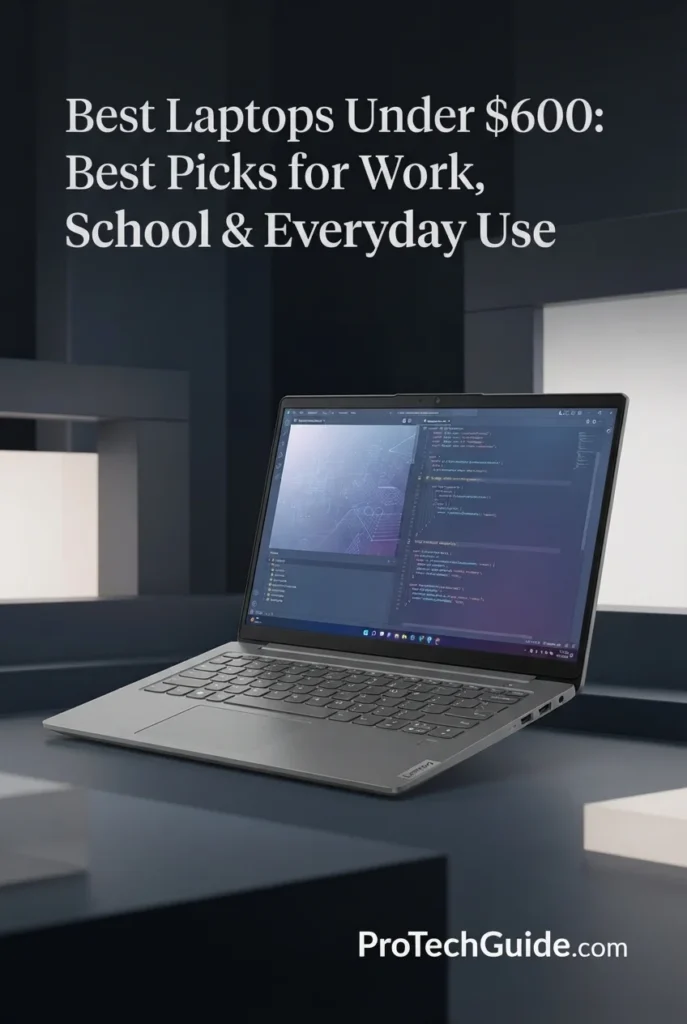
The Lenovo IdeaPad Slim 3i with an AMD Ryzen 7 170 processor, 16GB of DDR5 memory, and a 512GB PCIe SSD is our top overall recommendation among the best laptops under $600 in 2026. Its 8-core, 16-thread Ryzen 7 processor, generous memory capacity, fast solid-state storage, and 15.3-inch WUXGA IPS touchscreen create a well-balanced platform for work, school, multitasking, web browsing, Microsoft 365, online learning, streaming, and everyday productivity. The combination of 16GB DDR5 memory and 512GB SSD storage is particularly valuable at this price because it provides substantially more flexibility for running multiple applications and keeping files locally than entry-level configurations with 8GB of memory or smaller storage capacities.
The Lenovo IdeaPad Slim 3i earns our Best Overall Laptop Under $600 award because it delivers one of the strongest combinations of processing power, memory, storage, display space, and everyday usability in this price range. The Ryzen 7 processor, 16GB DDR5 memory, 512GB PCIe SSD, and 15.3-inch WUXGA touchscreen make it versatile enough for students and professionals while avoiding many of the compromises found in entry-level budget laptops.
Compared with the Acer Aspire Go 15, the IdeaPad Slim 3i offers a touchscreen, a 16:10 15.3-inch display, DDR5 memory, and a more feature-rich everyday package, while the Acer counters with the proven Ryzen 7 7730U platform and a 16GB/512GB configuration. Compared with the ASUS Vivobook 16, Lenovo provides twice the memory capacity, making it the stronger choice for multitasking. The HP OmniBook 3 14 and Lenovo IdeaPad Slim 3X offer Snapdragon X platforms with a stronger emphasis on efficiency and Copilot+ capabilities, but the IdeaPad Slim 3i remains the more straightforward choice for buyers who want a conventional Windows laptop for broad everyday compatibility.
Key Features
Acer Aspire Go 15
Best for Work, Office Productivity & Everyday Multitasking
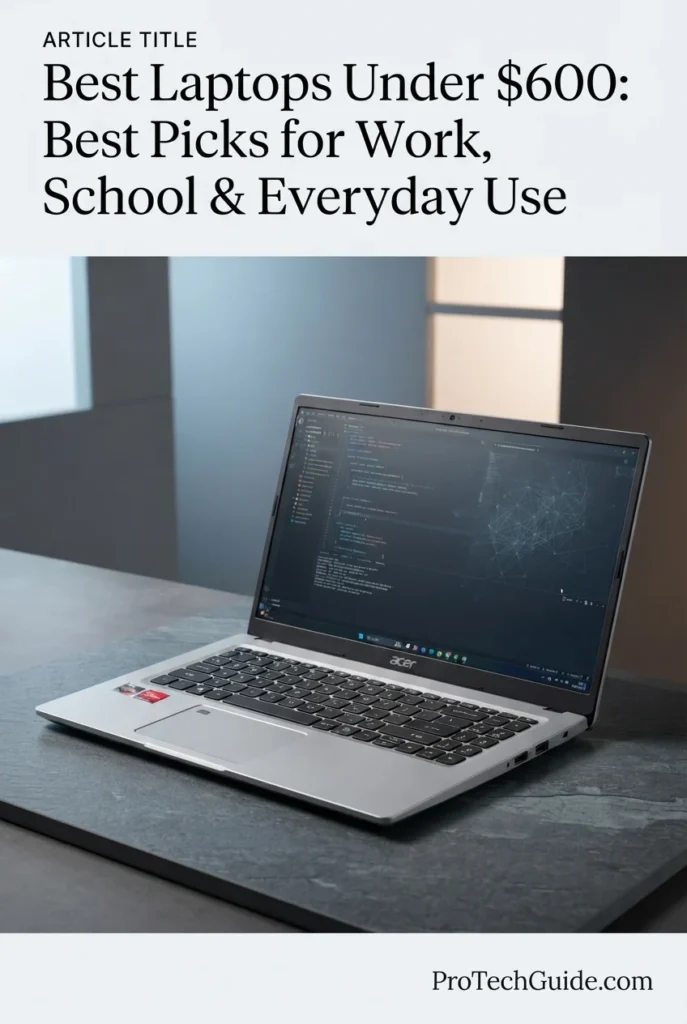
The Acer Aspire Go 15 with an AMD Ryzen 7 7730U processor, 16GB of DDR4 memory, and a 512GB PCIe Gen4 SSD is our top recommendation for work and productivity among the best laptops under $600 in 2026. Its 8-core Ryzen 7 processor, generous 16GB memory configuration, fast PCIe storage, 15.6-inch Full HD IPS display, and practical connectivity provide a strong foundation for Microsoft 365, spreadsheets, web research, remote work, online learning, video calls, and everyday computing. It is a particularly compelling choice for buyers who prioritize straightforward productivity performance and a conventional Windows 11 environment over premium display features or specialized form factors.
The Acer Aspire Go 15 earns our Best for Work & Productivity Under $600 award because it focuses on the specifications that matter most for mainstream professional and educational workloads: an 8-core Ryzen 7 processor, 16GB of RAM, 512GB PCIe Gen4 storage, and a large 15.6-inch Full HD IPS display. It does not attempt to compete with premium laptops on display resolution or luxury construction; instead, it delivers a practical and well-balanced configuration for getting work done.
Compared with the Lenovo IdeaPad Slim 3i, the Aspire Go 15 uses the established Ryzen 7 7730U platform and provides a traditional 15.6-inch Full HD display, while Lenovo offers a newer-feeling 15.3-inch 16:10 touchscreen and DDR5 memory. Compared with the ASUS Vivobook 16, Acer provides twice the memory capacity and a stronger configuration for multitasking, while ASUS counters with a larger 16-inch 16:10 display. The HP OmniBook 3 14 and Lenovo IdeaPad Slim 3X emphasize Snapdragon X efficiency and Copilot+ functionality, making the Aspire Go 15 the more straightforward choice for buyers who prioritize a conventional Windows PC experience and broad everyday productivity.
Key Features
HP OmniBook 3 14
Best for Battery Life, Mobility & Efficient Everyday Productivity
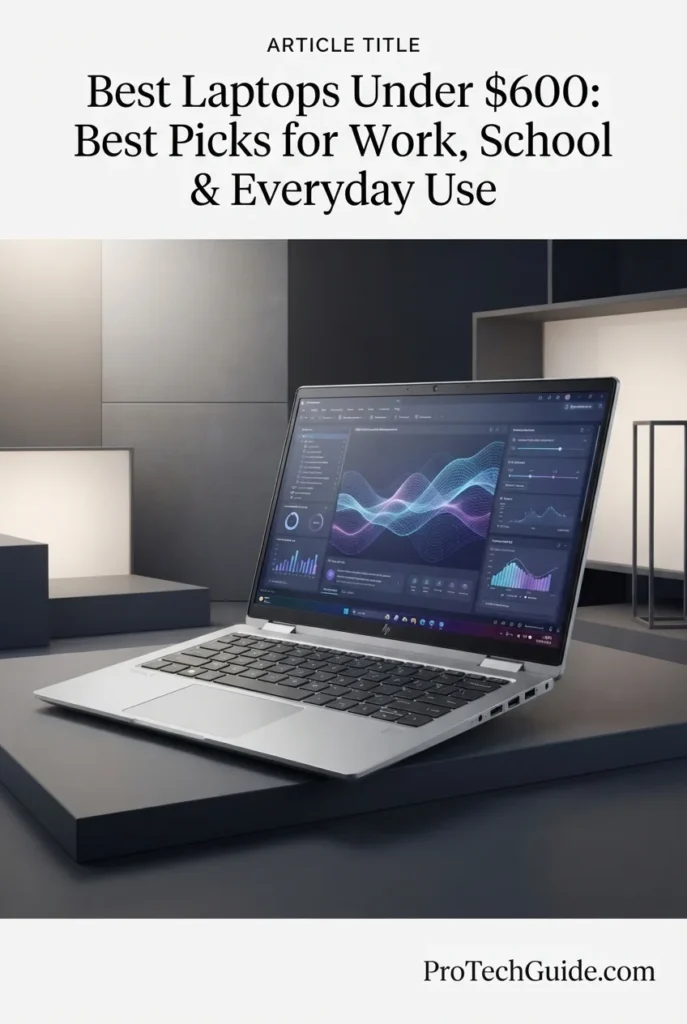
The HP OmniBook 3 14 with a Snapdragon X X1-26-100 processor, 16GB of LPDDR5x memory, and a 256GB PCIe Gen4 NVMe SSD is our top choice for battery life among the best laptops under $600 in 2026. Its efficient Snapdragon X platform, compact 14-inch design, 2K OLED display, fast LPDDR5x memory, and 60Wh battery create a particularly attractive combination for students, remote workers, frequent travelers, and anyone who values long unplugged sessions. HP lists up to 41 hours and 45 minutes of battery life for this configuration, although real-world endurance will vary substantially depending on brightness, applications, wireless connectivity, and workload.
The HP OmniBook 3 14 earns our Best Battery Life Under $600 award because it takes a different approach from conventional budget Windows laptops. The Snapdragon X platform emphasizes efficiency, while the 60Wh battery and compact 14-inch chassis are designed for extended mobile use. The standout 2K OLED display and 16GB LPDDR5x memory also give it a more premium specification profile than its price category might suggest.
Compared with the Lenovo IdeaPad Slim 3i and Acer Aspire Go 15, the OmniBook 3 14 sacrifices some storage capacity with its 256GB SSD but gains a more compact chassis, OLED display, LPDDR5x memory, and a strong emphasis on efficiency. Compared with the Lenovo IdeaPad Slim 3X, it offers a similarly ARM-based Snapdragon X experience but differentiates itself with a 14-inch 2K OLED panel and a battery-focused design. Buyers should nevertheless consider Windows-on-ARM software compatibility before choosing it over a conventional AMD or Intel Windows laptop.
Key Features
ASUS Vivobook 16
Best Large-Screen Laptop for Everyday Work, Study & Entertainment
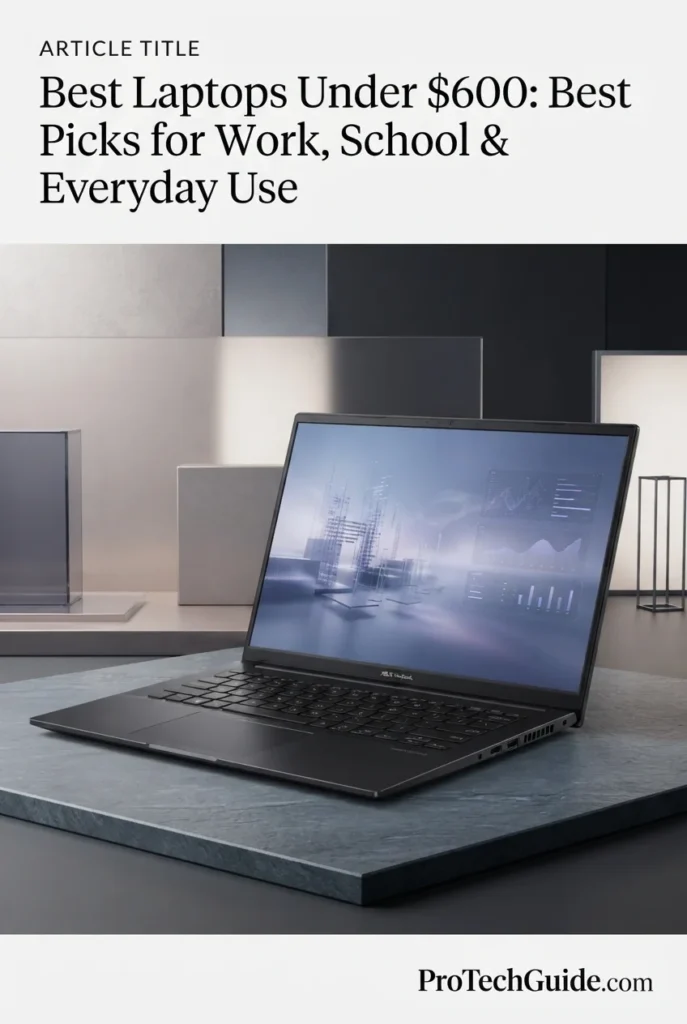
The ASUS Vivobook 16 with an AMD Ryzen 5 150 processor, 8GB of DDR5 memory, and a 512GB SSD is our pick for the best large-screen laptop under $600 in 2026. Its spacious 16-inch WUXGA display, 16:10 aspect ratio, six-core Ryzen 5 processor, fast SSD storage, comfortable keyboard with numeric keypad, and extensive port selection make it particularly attractive for users who value screen real estate for work, school, browsing, spreadsheets, and entertainment. Its main compromise is the 8GB memory configuration, which is adequate for everyday workloads but provides less multitasking headroom than the 16GB configurations higher in this guide.
The ASUS Vivobook 16 earns our Best Large-Screen Laptop Under $600 award because its 16-inch 16:10 display gives users noticeably more physical workspace than compact 14-inch laptops while maintaining a sensible price. The Ryzen 5 150, 512GB SSD, numeric keypad, extensive connectivity, and productivity-focused design make it a strong choice for users who spend significant time working with documents, spreadsheets, websites, and media.
Compared with the Lenovo IdeaPad Slim 3i, the Vivobook 16 provides a larger 16-inch display but drops to 8GB of RAM, while Lenovo offers 16GB DDR5 and a touchscreen. Compared with the Acer Aspire Go 15, ASUS offers a larger 16-inch 16:10 workspace, while Acer provides 16GB RAM and a stronger multitasking configuration. The HP OmniBook 3 14 is considerably more compact and offers an OLED display with a stronger emphasis on battery life, making the Vivobook 16 the better choice for users who value a large workspace over maximum portability and endurance.
Key Features
Lenovo IdeaPad Slim 3X
Best for AI Features, Battery Efficiency & Everyday Productivity
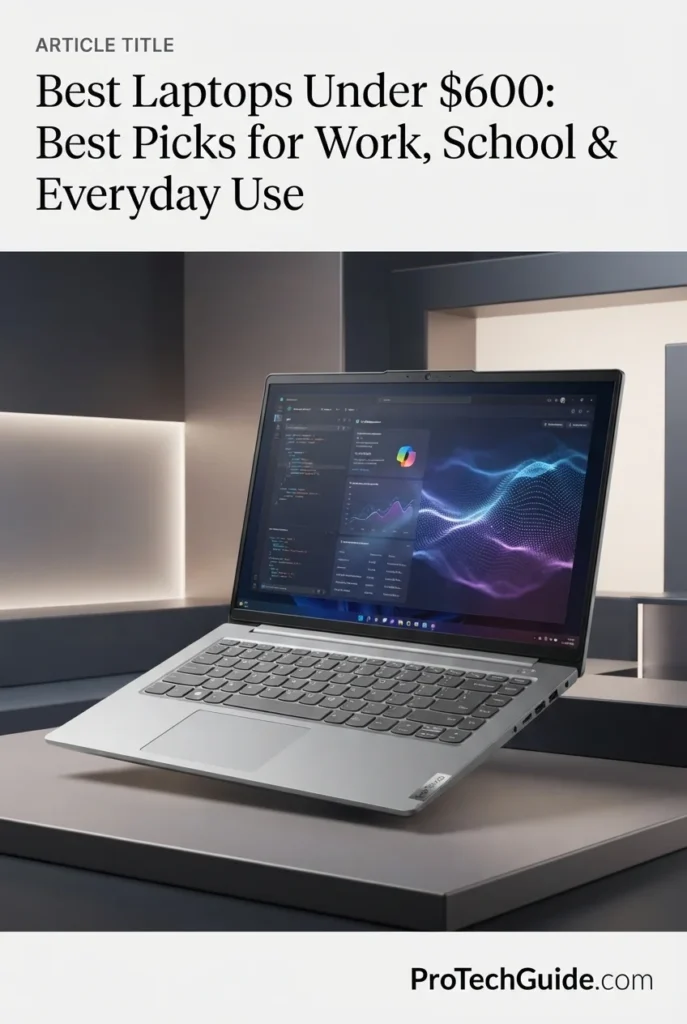
Key Features
ASUS Chromebook Plus CX34
Best Chromebook for Students, Business & Everyday Productivity
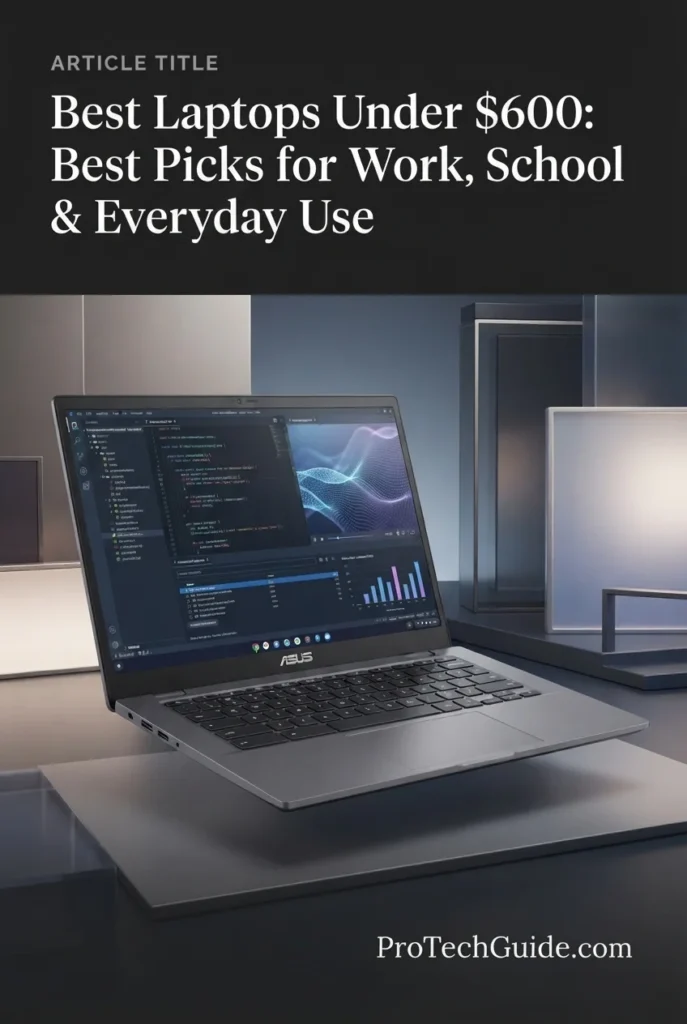
The ASUS Chromebook Plus CX34 with a 13th Gen Intel Core i5-1335U processor, 8GB of RAM, 256GB of combined storage, and a 14-inch FHD touchscreen is our Best Chromebook for Students Under $600 in 2026. Its 10-core Intel processor, ChromeOS platform, responsive touchscreen, 1080p webcam, Wi-Fi 6E, and extensive connectivity provide a strong foundation for schoolwork, online classes, research, document creation, video conferencing, and cloud-based productivity. The combination of Google AI features, Gemini integration, a bundled 7-in-1 USB-C hub, and a compact 3.22-pound design makes it particularly well suited to students and professionals who want a flexible Chromebook for campus, home, office, and everyday use.
The ASUS Chromebook Plus CX34 earns our Best Chromebook for Students award because it combines a capable 10-core Intel Core i5 processor, touchscreen display, ChromeOS simplicity, modern connectivity, Google AI features, and a portable 3.22-pound design. Its 14-inch form factor makes it easy to carry between classes, libraries, offices, and home, while the Core i5 platform provides considerably more performance headroom than basic Chromebook configurations.
Compared with the Acer Chromebook Plus 515, the ASUS CX34 offers a more compact 14-inch touchscreen design and a significantly stronger Core i5-1335U processor, while the Acer provides a larger 15.6-inch display. Compared with Windows laptops such as the Lenovo IdeaPad Slim 3i, the ASUS offers a simpler ChromeOS environment and strong cloud-focused productivity, but Windows provides broader compatibility with traditional desktop software. The CX34 is therefore best for students and professionals whose workflows are centered on ChromeOS, web applications, Google Workspace, and cloud services.
Key Features
Acer Chromebook Plus 515
Best Budget Chromebook for Students, Home & Business
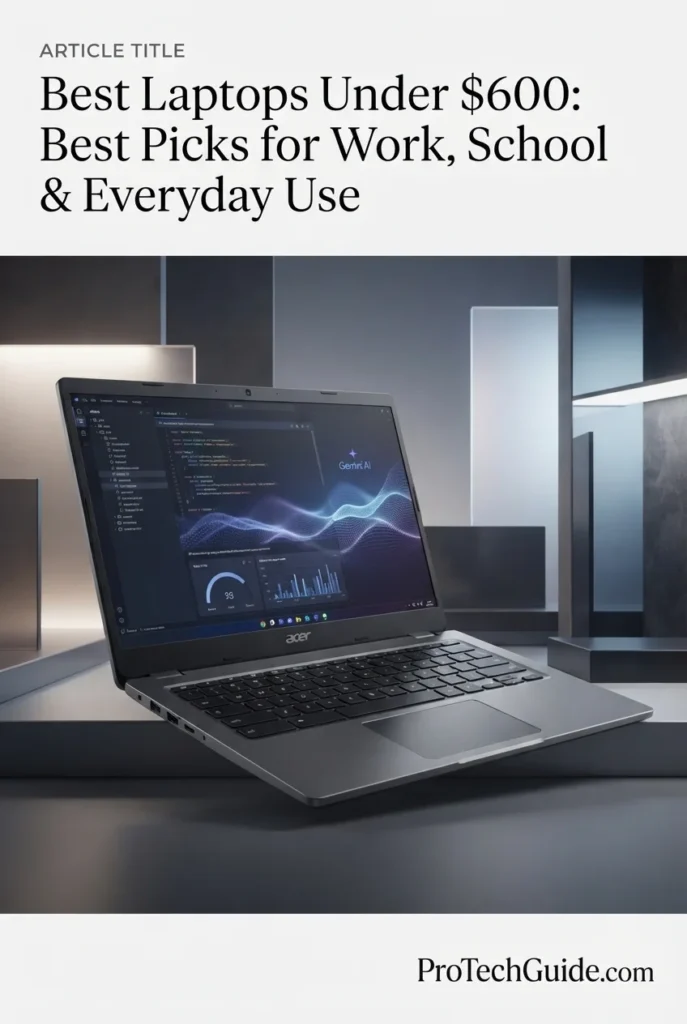
The Acer Chromebook Plus 515 with the 13th Gen Intel Core i3-1305U, 8GB of LPDDR5X memory, 256GB SSD, and 15.6-inch FHD IPS touchscreen is our Best Budget Chromebook for 2026. Its 5-core Intel processor, fast SSD storage, large touchscreen display, ChromeOS environment, Wi-Fi 6E connectivity, 1080p webcam, and long listed battery life create a well-balanced platform for students, home users, and everyday business productivity. The combination of a spacious 15.6-inch touchscreen and ChromeOS makes it particularly attractive for web-based workflows including Google Workspace, online classes, research, document editing, spreadsheets, video conferencing, cloud applications, and everyday entertainment.
The Acer Chromebook Plus 515 earns our Best Budget Chromebook award because it combines a large 15.6-inch touchscreen, 13th Gen Intel Core i3 processing, 8GB memory, 256GB SSD storage, ChromeOS, Wi-Fi 6E, and a strong selection of connectivity features in a practical budget configuration. For students and users whose work is centered on web applications and cloud services, it provides an excellent balance of screen space, portability, battery endurance, and everyday usability without the complexity of a traditional Windows laptop.
Compared with the ASUS Chromebook Plus CX34, the Acer Chromebook Plus 515 offers a larger 15.6-inch touchscreen and a more spacious workspace, while the ASUS uses the more powerful Intel Core i5-1335U processor in a smaller 14-inch chassis. Compared with the Lenovo IdeaPad Slim 3i, the Acer provides the simpler ChromeOS experience and is better suited to cloud-first workflows, while the Lenovo offers Windows 11 and broader compatibility with traditional desktop applications.
Key Features
Lenovo IdeaPad Flex 5i 2-in-1 14-inch
Best 2-in-1 for Flexible Work, School & Everyday Use
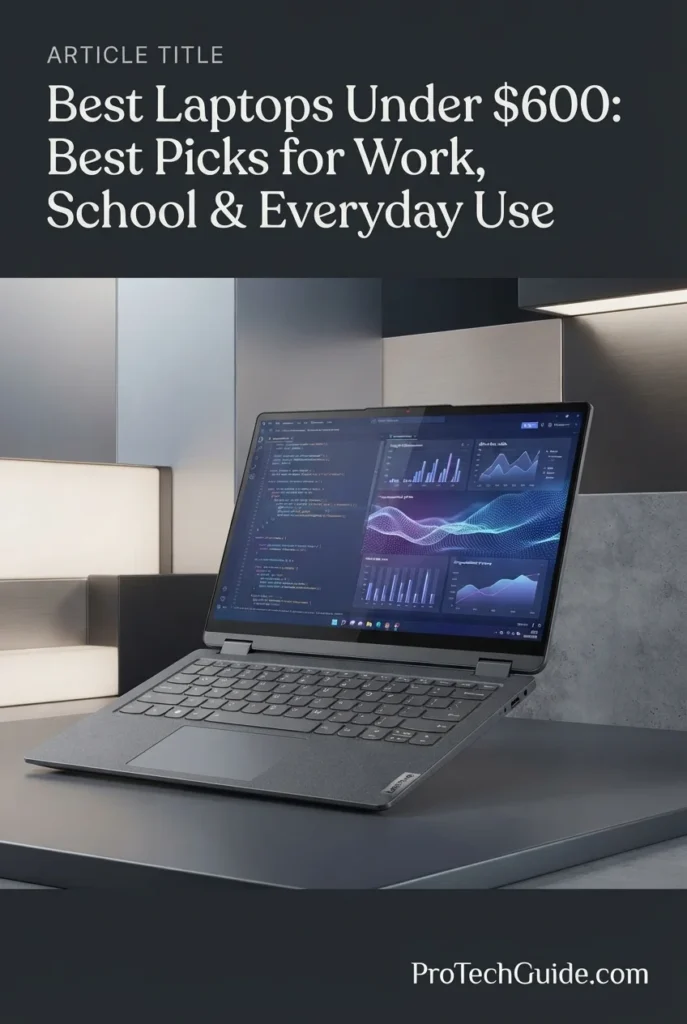
The Lenovo IdeaPad Flex 5i 2-in-1 14-inch with the Intel Core i3-1215U, 8GB LPDDR4 memory, 256GB SSD, and FHD+ touchscreen is our Best 2-in-1 Laptop Under $600 for 2026. Its convertible 360-degree hinge, responsive 14-inch 1920 × 1200 touchscreen, backlit keyboard, fingerprint reader, Intel UHD Graphics, Wi-Fi 6E, and compact 3.42-pound design provide a versatile platform for students, home users, and everyday productivity. The included docking station set expands the advertised package with additional storage accessories, bringing the listing's combined storage offering to 416GB, while the laptop itself retains a 256GB internal SSD.
The Lenovo IdeaPad Flex 5i 2-in-1 earns our Best 2-in-1 Laptop Under $600 award because it focuses on versatility rather than raw performance. Its 360-degree hinge, 14-inch FHD+ touchscreen, backlit keyboard, fingerprint reader, compact design, and Windows 11 S environment make it an especially practical choice for students and everyday users who want one device that can adapt to different work, study, and entertainment situations.
Compared with traditional laptops such as the Lenovo IdeaPad Slim 3i, the Flex 5i offers substantially more flexibility through its convertible 2-in-1 design and touchscreen, although its Core i3 processor and 8GB memory configuration are aimed at lighter workloads. Compared with the ASUS Chromebook Plus CX34 and Acer Chromebook Plus 515, the Flex 5i provides the Windows application environment and convertible form factor, while the Chromebooks offer a simpler ChromeOS experience optimized for cloud-based workflows.
Key Features
Best Laptops Under $600 in 2026
Ranked by CPU Performance, RAM, Storage, Display Quality, Battery Life, Portability, Software Compatibility & Overall Value
Choosing the best laptop under $600 in 2026 requires more than looking at processor specifications or storage capacity. At this price point, the right laptop needs to balance everyday performance, memory, storage, display quality, battery efficiency, portability, connectivity, and software compatibility. We evaluated these eight laptops across real-world workloads including school assignments, Microsoft Office, web browsing, research, video conferencing, multitasking, streaming, cloud applications, productivity software, and everyday computing to identify which models offer the strongest combination of performance, usability, flexibility, and long-term value.
| Laptop | CPU & Key Specs | Best For | Why It Wins | Editor's Verdict |
|---|---|---|---|---|
Best OverallLenovo IdeaPad Slim 3iCheck Price | Ryzen 7 170 8-Core / 16-Thread 16GB DDR5 512GB PCIe SSD 15.3" 1920×1200 Touch | Work & School Everyday Productivity Multitasking General Use | The Lenovo IdeaPad Slim 3i offers one of the strongest all-around configurations in this price category, combining an 8-core Ryzen 7 processor, 16GB of DDR5 memory, fast 512GB PCIe storage, and a spacious 15.3-inch 16:10 touchscreen. Its balanced hardware makes it particularly capable for productivity, schoolwork, research, multitasking, and everyday Windows 11 use. | Best Overall Laptop Under $600 |
Best for WorkAcer Aspire Go 15Check Price | Ryzen 7 7730U 8-Core / 16-Thread 16GB DDR4 512GB PCIe Gen4 SSD 15.6" FHD IPS | Office Work Productivity Multitasking Home & Business | The Acer Aspire Go 15 combines an 8-core Ryzen 7 processor with 16GB of memory and a 512GB PCIe Gen4 SSD, giving it a strong foundation for Microsoft Office, browser-heavy workflows, spreadsheets, video conferencing, research, and everyday multitasking. Its 15.6-inch IPS display and extensive connectivity further reinforce its role as a practical productivity machine. | Best Laptop for Work & Productivity Under $600 |
Best Battery LifeHP OmniBook 3 14Check Price | Snapdragon X 8-Core CPU 16GB LPDDR5x 256GB PCIe Gen4 NVMe SSD 14" 1920×1200 OLED | Students Mobile Users Travel Everyday Productivity | The HP OmniBook 3 14 stands out with an efficient Snapdragon X platform, 16GB of LPDDR5x memory, a premium 14-inch OLED display, and a compact 3.13-pound design. HP's listed battery endurance of up to 41 hours and 45 minutes makes it particularly attractive for students and mobile users who prioritize long unplugged sessions and portability. | Best Battery Life Under $600 |
Best Copilot+ PCLenovo IdeaPad Slim 3XCheck Price | Snapdragon X 8-Core CPU 16GB RAM 256GB PCIe NVMe SSD 15.3" 1920×1200 Touch 45 TOPS NPU | AI Features Students Mobile Productivity Cloud-Based Workflows | The Lenovo IdeaPad Slim 3X brings Copilot+ PC capabilities into the sub-$600 category with a Snapdragon X processor, 16GB of memory, a 45 TOPS NPU, and a large 15.3-inch touchscreen. Its Wi-Fi 7 connectivity, backlit keyboard, fingerprint reader, privacy-shutter webcam, and 60Wh battery further strengthen its value for modern productivity and AI-focused workflows. | Best Copilot+ PC Under $600 |
Best Large-ScreenASUS Vivobook 16Check Price | Ryzen 5 150 6-Core CPU 8GB DDR5 512GB SSD 16" 1920×1200 16:10 | Large-Screen Work Students Office Productivity Entertainment | The ASUS Vivobook 16 prioritizes screen space with a large 16-inch 16:10 display while maintaining a capable Ryzen 5 processor and 512GB SSD. Its spacious workspace is particularly useful for documents, spreadsheets, web research, split-screen workflows, and entertainment, making it an attractive choice for users who prefer a larger laptop without moving beyond the $600 budget. | Best Large-Screen Laptop Under $600 |
Best Student ChromebookASUS Chromebook Plus CX34Check Price | Core i5-1335U 10-Core CPU 8GB LPDDR5 256GB Combined Storage 14" FHD Touch ChromeOS | Students Google Workspace Cloud Productivity Business & Education | The ASUS Chromebook Plus CX34 combines a 10-core Intel Core i5-1335U processor with 8GB of memory, a 14-inch touchscreen, Wi-Fi 6E, and ChromeOS. Its compact 3.22-pound design, 1080p webcam with privacy shutter, strong connectivity, and Google AI features make it especially well suited to students and users whose workflows center on browser-based applications and cloud services. | Best Chromebook for Students Under $600 |
Best Budget ChromebookAcer Chromebook Plus 515Check Price | Core i3-1305U 5-Core CPU 8GB LPDDR5X 256GB SSD 15.6" FHD IPS Touch ChromeOS | Students Home Users Web Productivity Business Basics | The Acer Chromebook Plus 515 provides a large 15.6-inch touchscreen, 8GB of LPDDR5X memory, 256GB SSD storage, Wi-Fi 6E, and ChromeOS in a straightforward budget configuration. Its spacious display and cloud-focused operating system make it particularly appealing for students, home users, and everyday productivity tasks where simplicity and value matter more than advanced desktop software compatibility. | Best Budget Chromebook Under $600 |
Best 2-in-1Lenovo IdeaPad Flex 5i 2-in-1Check Price | Core i3-1215U 6-Core CPU 8GB LPDDR4 256GB SSD 14" 1920×1200 Touch 360° Convertible | Students Flexible Work Touchscreen Use Everyday Computing | The Lenovo IdeaPad Flex 5i focuses on versatility with a 360-degree convertible hinge, 14-inch FHD+ touchscreen, backlit keyboard, fingerprint reader, and compact 3.42-pound chassis. Its Core i3 processor and 8GB memory are aimed at everyday workloads, while the convertible design makes it particularly useful for students and users who want both traditional laptop and tablet-style functionality. | Best 2-in-1 Laptop Under $600 |
Recommended Next Reads
Finished comparing the best laptops under $600? Explore our related buying guides for students, work, business productivity, higher budgets, and laptop processor performance.
Whether you want to stay within a tight budget, step up to a more powerful laptop, find the right computer for school or remote work, or understand the differences between Intel and AMD platforms, these guides can help you make a more informed buying decision.
Best Laptops Under $700 in 2026
Step up from the sub-$600 category and explore laptops with additional performance, memory, storage, display quality, and features while keeping the budget below $700.
Explore Laptops Under $700 →Best Laptops for Students in 2026
Compare student-focused laptops for schoolwork, research, productivity, portability, battery life, online classes, and everyday academic use.
Explore Student Laptops →Remote WorkBest Laptops for Remote Work in 2026
Find laptops designed for productivity, video calls, multitasking, office applications, reliable connectivity, and working from home.
Explore Remote Work Laptops →Professional WorkBest Business Laptops in 2026
Explore laptops built for professional productivity, multitasking, portability, security, reliability, and demanding everyday business workflows.
Explore Business Laptops →Processor ComparisonIntel vs AMD Laptops in 2026
Understand the key differences between Intel and AMD laptop processors and learn which platform makes more sense for productivity, school, performance, and everyday use.
Compare Intel vs AMD →Budget & PerformanceBest Laptops Under $1000 in 2026
Ready to move beyond entry-level pricing? Explore stronger laptops with additional performance, memory, graphics capability, premium displays, and features.
Explore Laptops Under $1000 →College & ProductivityBest Laptops for College Students in 2026
Explore college-focused laptops selected for coursework, research, productivity, portability, battery life, entertainment, and different student needs.
Explore College Laptops →EDITOR'S FINAL RECOMMENDATIONS
After comparing these laptops across processor performance, RAM capacity, storage, display quality, battery efficiency, portability, connectivity, operating system, software compatibility, everyday multitasking, and overall value, these are our final recommendations for 2026. Whether you need a dependable Windows laptop for work, a capable machine for school, a long-lasting ultraportable, a Copilot+ PC, a large-screen productivity system, a Chromebook, or a flexible 2-in-1, there is an option here for your specific needs and budget.
Lenovo IdeaPad Slim 3i
The best overall laptop under $600 in 2026 for users who want the strongest balance of performance, memory, storage, display size, and everyday usability. Its Ryzen 7 170 processor, 16GB of DDR5 memory, 512GB PCIe SSD, and 15.3-inch 16:10 touchscreen give it enough headroom for schoolwork, office productivity, research, multitasking, browsing, and everyday Windows 11 workloads without sacrificing practical features.
- ✓ AMD Ryzen 7 170 8-Core / 16-Thread Processor
- ✓ 16GB DDR5 Memory
- ✓ 512GB PCIe SSD
- ✓ 15.3-inch 1920×1200 Touchscreen
Acer Aspire Go 15
The strongest choice for users who primarily need a dependable productivity laptop for office work, spreadsheets, research, communication, and everyday multitasking. The Ryzen 7 7730U, 16GB of DDR4 memory, 512GB PCIe Gen4 SSD, and 15.6-inch IPS display provide a practical combination for professionals, home-office users, and students who want a traditional Windows laptop focused on productivity.
- ✓ AMD Ryzen 7 7730U 8-Core Processor
- ✓ 16GB DDR4 Memory
- ✓ 512GB PCIe Gen4 SSD
- ✓ 15.6-inch FHD IPS Display
HP OmniBook 3 14
The best choice for users who prioritize battery endurance, mobility, and display quality. Its Snapdragon X platform, 16GB of LPDDR5x memory, 14-inch 1920×1200 OLED display, and lightweight 3.13-pound design create an especially efficient mobile system. HP lists battery endurance of up to 41 hours and 45 minutes, making this one of the most compelling options for students and frequent travelers who want to spend less time near an outlet.
- ✓ Qualcomm Snapdragon X X1-26-100
- ✓ 16GB LPDDR5x Memory
- ✓ 256GB PCIe Gen4 NVMe SSD
- ✓ 14-inch 1920×1200 OLED Display
Lenovo IdeaPad Slim 3X
The best option for buyers specifically interested in a Copilot+ PC under $600. Its Snapdragon X processor, 16GB of memory, 45 TOPS NPU, 15.3-inch touchscreen, Wi-Fi 7, fingerprint reader, backlit keyboard, and privacy-shutter webcam create a modern platform for AI-enabled productivity and everyday cloud-based workflows. Buyers should remember that Windows on ARM can have compatibility differences with some traditional Windows applications.
- ✓ Snapdragon X X1-26-100 Processor
- ✓ 16GB Integrated Memory
- ✓ 256GB PCIe NVMe SSD
- ✓ 45 TOPS NPU & 15.3-inch Touchscreen
ASUS Vivobook 16
The best choice for users who value screen real estate above all else. Its 16-inch 16:10 WUXGA display provides a spacious workspace for documents, spreadsheets, browser tabs, research, presentations, and entertainment, while the Ryzen 5 150 processor and 512GB SSD provide a capable foundation for everyday productivity. It is particularly appealing to students and home users who prefer a larger workspace without moving beyond the $600 budget.
- ✓ AMD Ryzen 5 150 6-Core Processor
- ✓ 8GB DDR5 Memory
- ✓ 512GB SSD
- ✓ 16-inch 1920×1200 16:10 Display
ASUS Chromebook Plus CX34
The best Chromebook for students and users whose work is centered on Google Workspace, browser-based applications, cloud services, research, online classes, and everyday productivity. Its 13th Gen Intel Core i5-1335U, 8GB of LPDDR5 memory, 14-inch touchscreen, Wi-Fi 6E, 1080p webcam, and compact 3.22-pound chassis provide an unusually capable combination for a ChromeOS laptop in this category.
- ✓ Intel Core i5-1335U 10-Core Processor
- ✓ 8GB LPDDR5 Memory
- ✓ 256GB Combined Storage
- ✓ 14-inch FHD Touchscreen & ChromeOS
Acer Chromebook Plus 515
The best value-oriented Chromebook for buyers who want a large touchscreen and a simple ChromeOS experience. Its 15.6-inch FHD IPS touchscreen, Core i3-1305U processor, 8GB of LPDDR5X memory, 256GB SSD, Wi-Fi 6E, and 1080p webcam make it a practical choice for students, home users, browser-based productivity, online learning, and everyday cloud applications.
- ✓ Intel Core i3-1305U 5-Core Processor
- ✓ 8GB LPDDR5X Memory
- ✓ 256GB SSD
- ✓ 15.6-inch FHD IPS Touchscreen
Lenovo IdeaPad Flex 5i 2-in-1
The best choice for buyers who want flexibility rather than maximum raw performance. Its 360-degree hinge, 14-inch FHD+ touchscreen, backlit keyboard, fingerprint reader, compact 3.42-pound chassis, and Windows 11 S environment allow it to transition between traditional laptop use and tablet-style interaction. It is particularly well suited to students, home users, note-taking, presentations, browsing, and everyday productivity.
- ✓ Intel Core i3-1215U 6-Core Processor
- ✓ 8GB LPDDR4 Memory
- ✓ 256GB Internal SSD
- ✓ 14-inch FHD+ Touchscreen & 360° Hinge
Which laptop under $600 should you buy?
Lenovo IdeaPad Slim 3i
Acer Aspire Go 15
HP OmniBook 3 14
Lenovo IdeaPad Slim 3X
ASUS Vivobook 16
ASUS Chromebook Plus CX34
Acer Chromebook Plus 515
Lenovo IdeaPad Flex 5i 2-in-1
- Choose the Lenovo IdeaPad Slim 3i if you want the strongest overall balance of CPU performance, 16GB DDR5 memory, 512GB SSD storage, touchscreen functionality, and everyday Windows productivity under $600.
- Choose the Acer Aspire Go 15 if your priority is dependable work and productivity performance, with a Ryzen 7 processor, 16GB of memory, 512GB Gen4 SSD storage, and a practical 15.6-inch display.
- Choose the HP OmniBook 3 14 if battery endurance and portability are your highest priorities. Its Snapdragon X platform and lightweight 14-inch OLED design make it particularly attractive for students and mobile users. Keep Windows on ARM application compatibility in mind for specialized software.
- Choose the Lenovo IdeaPad Slim 3X if you specifically want a Copilot+ PC with a 45 TOPS NPU, 16GB of memory, a touchscreen, and modern wireless connectivity under $600. Windows on ARM compatibility should be considered before purchasing if you rely on specialized legacy Windows applications.
- Choose the ASUS Vivobook 16 if a large display is more important to you than maximum memory capacity. Its 16-inch 16:10 screen provides a spacious workspace for documents, spreadsheets, research, entertainment, and everyday productivity.
- Choose the ASUS Chromebook Plus CX34 if your workflow is primarily based around ChromeOS, Google Workspace, browser applications, online classes, research, and cloud productivity. Its Core i5 processor and touchscreen make it one of the strongest Chromebook choices in this lineup.
- Choose the Acer Chromebook Plus 515 if you want a large 15.6-inch touchscreen and a straightforward ChromeOS experience at a budget-oriented price. It is particularly well suited to students, home users, and browser-based productivity.
- Choose the Lenovo IdeaPad Flex 5i 2-in-1 if flexibility is your priority. Its 360-degree hinge, touchscreen, backlit keyboard, fingerprint reader, and compact design make it especially useful for school, presentations, note-taking, and everyday Windows productivity.
EDITOR'S FINAL VERDICT
After comparing processor performance, RAM capacity, SSD storage, display quality, battery efficiency, portability, connectivity, operating systems, software compatibility, multitasking capability, and long-term value, one conclusion stands out:The best laptop under $600 is not necessarily the one with the fastest processor or the longest specification sheet. It is the laptop that delivers the right balance of performance, memory, storage, display quality, portability, software compatibility, and everyday usability for the way you actually work, study, and use your computer.
A modern laptop under $600 can handle far more than basic web browsing. The right configuration can comfortably support Microsoft Office, Google Workspace, online classes, research, spreadsheets, video conferencing, programming fundamentals, streaming, cloud applications, multitasking, and everyday productivity. The key is choosing the right platform for your specific workload rather than simply choosing the most impressive specification.
For most Windows users, 16GB of RAM and at least a 512GB SSD represent the strongest long-term target in this price range. However, 8GB configurations can still make sense for lighter workloads, especially on ChromeOS. Processor architecture also matters: traditional Windows laptops offer the broadest application compatibility, while Snapdragon-based Copilot+ PCs can provide excellent efficiency and AI capabilities but may have compatibility differences with some traditional Windows applications.- Choose the Lenovo IdeaPad Slim 3i if you want the strongest overall balance of CPU performance, 16GB DDR5 memory, 512GB SSD storage, a large 15.3-inch touchscreen, Windows 11, and broad compatibility for work, school, and everyday use.
- Choose the Acer Aspire Go 15 if productivity and traditional Windows applications are your priority. Its Ryzen 7 7730U, 16GB of RAM, 512GB PCIe Gen4 SSD, and 15.6-inch FHD IPS display make it particularly well suited to office work, multitasking, research, and professional everyday computing.
- Choose the HP OmniBook 3 14 if battery life and portability matter most. Its Snapdragon X platform, 16GB LPDDR5x memory, lightweight 14-inch design, and OLED display make it one of the most attractive options for users who spend long periods away from an outlet. Keep in mind that Windows on ARM can have compatibility differences with some traditional Windows applications.
- Choose the Lenovo IdeaPad Slim 3X if you specifically want a Copilot+ PC with a 45 TOPS NPU, 16GB of memory, a touchscreen, Wi-Fi 7, and strong AI-oriented features. It is particularly compelling for users interested in next-generation Windows AI features, provided their applications are compatible with the ARM platform.
Top Laptop Recommendations Under $600 (2026)
Lenovo IdeaPad Slim 3i
Our Editor's Choice for most users because it delivers the strongest overall balance of performance, memory, storage, display quality, Windows compatibility, and everyday versatility. Its Ryzen 7 170 processor, 16GB DDR5 memory, 512GB PCIe SSD, and 15.3-inch touchscreen give it substantial headroom for work, school, multitasking, research, and everyday computing.
- ✓ AMD Ryzen 7 170 8-Core / 16-Thread
- ✓ 16GB DDR5 Memory
- ✓ 512GB PCIe SSD
- ✓ 15.3-inch 1920 × 1200 Touchscreen
Acer Aspire Go 15
The strongest productivity-focused option for users who want traditional Windows compatibility, strong multitasking performance, and practical connectivity. Its Ryzen 7 7730U, 16GB memory, 512GB PCIe Gen4 SSD, and 15.6-inch FHD IPS display make it particularly well suited to office productivity and professional everyday workloads.
- ✓ AMD Ryzen 7 7730U 8-Core
- ✓ 16GB DDR4 Memory
- ✓ 512GB PCIe Gen4 SSD
- ✓ 15.6-inch FHD IPS Display
HP OmniBook 3 14
The strongest choice for users who prioritize mobility and battery endurance. Its Snapdragon X processor, 16GB LPDDR5x memory, 14-inch OLED display, and compact 3.13-pound design create an efficient platform for everyday productivity, cloud applications, research, communication, and mobile work.
- ✓ Snapdragon X X1-26-100
- ✓ 16GB LPDDR5x Memory
- ✓ 256GB PCIe Gen4 NVMe SSD
- ✓ 14-inch 1920 × 1200 OLED Display
- ✓ You want the best overall laptop under $600
- ✓ You regularly work with Office applications, browsers, documents, spreadsheets, research, and multiple applications simultaneously
- ✓ You want 16GB of RAM and 512GB of SSD storage without moving beyond the budget
- ✓ You prefer Windows 11 and broad compatibility with traditional desktop software
- ✓ Work and productivity are your primary priorities
- ✓ You want a Ryzen 7 processor with 16GB of RAM and fast PCIe Gen4 storage
- ✓ You prefer a larger 15.6-inch FHD display for spreadsheets, documents, and multitasking
- ✓ You want strong connectivity including USB-C, USB-A, HDMI, and Ethernet
- ✓ Prefer 16GB of RAM when possible for better long-term multitasking and productivity
- ✓ Look for at least 512GB of SSD storage if you regularly keep applications, documents, media, or projects locally
- ✓ Consider 8GB configurations acceptable for lighter workloads, especially when using ChromeOS and cloud-based applications
- ✓ Choose Windows when you depend on traditional desktop applications or need the broadest software compatibility
- ✓ Consider Snapdragon-based Copilot+ PCs for efficiency and AI features, but verify application compatibility before purchasing
- ✓ Choose a Chromebook when your workflow is primarily browser-based, cloud-focused, and compatible with ChromeOS
A laptop under $600 is no longer simply an entry-level computer. The right configuration can become a capable daily productivity machine for school, work, research, communication, entertainment, and general computing. At this price point, however, choosing intelligently matters more than simply chasing the newest processor name.
Among the models evaluated in this guide, the Lenovo IdeaPad Slim 3i delivers the strongest overall combination of performance, 16GB DDR5 memory, 512GB SSD storage, touchscreen quality, Windows compatibility, and everyday versatility, making it our Editor's Choice for the best laptop under $600 in 2026.The Acer Aspire Go 15 is the better choice for users focused on traditional Windows productivity and office workloads, while the HP OmniBook 3 14 stands out for exceptional battery efficiency and portability. The Lenovo IdeaPad Slim 3X is the most compelling option for users specifically seeking a Copilot+ PC and next-generation Windows AI capabilities.For students and cloud-first users, the ASUS Chromebook Plus CX34 and Acer Chromebook Plus 515 provide strong ChromeOS alternatives, while the ASUS Vivobook 16 is the better fit for users who prioritize a large 16-inch display. Finally, the Lenovo IdeaPad Flex 5i 2-in-1 is the standout choice for anyone who values touchscreen flexibility and a convertible design.
Compare current prices, configurations, memory, storage, warranty coverage, and availability before choosing the laptop that best matches your work, school, and everyday computing needs.
Check Latest DealsEDITOR'S FAQ
Choosing the best laptop under $600 requires more than comparing processor names or storage capacity. At this price point, the right combination of CPU performance, RAM, SSD storage, display quality, battery efficiency, operating system, software compatibility, portability, and build quality can make a significant difference in everyday use.These frequently asked questions address the most important buying decisions for students, professionals, remote workers, home users, and everyday laptop buyers — from determining how much RAM and storage you need to choosing between Windows and ChromeOS, understanding whether a Snapdragon Copilot+ PC is right for you, and deciding when a 2-in-1 touchscreen laptop is worth considering.
It provides one of the strongest overall combinations of performance, memory, storage, display quality, Windows compatibility, and everyday versatility in this price range. Its Ryzen 7 170 processor, 16GB DDR5 memory, 512GB PCIe SSD, and 15.3-inch 1920 × 1200 touchscreen make it particularly well suited to work, school, research, productivity, multitasking, and everyday computing.
- AMD Ryzen 7 170 with 8 cores and 16 threads.
- 16GB DDR5 memory for stronger multitasking.
- 512GB PCIe SSD for fast storage and applications.
- 15.3-inch 1920 × 1200 IPS touchscreen.
- Windows 11 with broad traditional desktop application compatibility.
For users with more specialized priorities, the Acer Aspire Go 15 is our preferred work and productivity option, the HP OmniBook 3 14 stands out for battery life and mobility, and the Lenovo IdeaPad Slim 3X is the most compelling Copilot+ PC in this guide.
Check PriceRAM affects how comfortably a laptop handles multiple applications, browser tabs, documents, spreadsheets, video calls, cloud services, and background processes simultaneously. More memory can also improve long-term usability as software and workloads become more demanding.
- 8GB → Suitable for basic schoolwork, web browsing, streaming, light office productivity, and many ChromeOS workloads.
- 16GB → Recommended for Windows productivity, multitasking, school, remote work, programming fundamentals, larger browser workloads, and longer-term use.
- 32GB or more → Usually unnecessary at this price point and better suited to professional workstations or substantially more demanding workloads.
Among the laptops in this guide, the Lenovo IdeaPad Slim 3i, Acer Aspire Go 15, HP OmniBook 3 14, and Lenovo IdeaPad Slim 3X provide 16GB configurations that offer particularly strong headroom for multitasking.
An 8GB laptop can handle web browsing, email, documents, streaming, online classes, basic spreadsheets, video conferencing, and many cloud-based applications. The experience becomes more dependent on workload and application count as you open more browser tabs or run several desktop applications simultaneously.
- 8GB works well for basic schoolwork and everyday browsing.
- 8GB is particularly reasonable for ChromeOS and cloud-first workflows.
- 8GB can handle Microsoft Office and Google Workspace for moderate use.
- 16GB provides more comfortable multitasking and better long-term headroom.
- Memory that cannot be upgraded makes choosing the right capacity at purchase especially important.
The ASUS Chromebook Plus CX34, Acer Chromebook Plus 515, ASUS Vivobook 16, and Lenovo IdeaPad Flex 5i use 8GB configurations and are best matched to lighter or moderate workloads. If you expect heavier Windows multitasking, the 16GB configurations are the safer investment.
Storage requirements depend heavily on how many applications, documents, photos, videos, projects, and other files you keep locally. A fast SSD also contributes to responsive application launches, file access, and overall system responsiveness.
- 256GB → Acceptable for students, cloud-first users, ChromeOS systems, and lighter local storage needs.
- 512GB → The best balance for most Windows users who want room for applications, documents, media, and projects.
- 1TB or more → Preferable for users who maintain large local media libraries, substantial projects, games, or extensive professional files.
The Lenovo IdeaPad Slim 3i and Acer Aspire Go 15 are particularly attractive because they combine 16GB of memory with 512GB SSD storage, creating a strong long-term configuration without moving beyond this guide's budget category.
Students generally do not need workstation-class hardware. What matters more is having enough memory, fast storage, a comfortable display, good battery efficiency, reliable connectivity, a usable keyboard, and software that supports the applications required for school.
- Best overall → Lenovo IdeaPad Slim 3i for Windows productivity and broad software compatibility.
- Best Chromebook → ASUS Chromebook Plus CX34 for cloud-based schoolwork and Google Workspace.
- Best budget Chromebook → Acer Chromebook Plus 515 for students who want a larger touchscreen.
- Best 2-in-1 → Lenovo IdeaPad Flex 5i for students who value touchscreen and convertible flexibility.
If your school requires specialized Windows software, verify compatibility before choosing ChromeOS. For browser-based learning platforms, Google Workspace, Microsoft 365 web applications, research, presentations, and online classes, a Chromebook can be an excellent value.
Its AMD Ryzen 7 7730U processor, 16GB DDR4 memory, 512GB PCIe Gen4 SSD, and 15.6-inch FHD IPS display provide a strong foundation for office applications, spreadsheets, browser-heavy workflows, research, communication, video conferencing, and everyday multitasking.
- Ryzen 7 7730U with 8 CPU cores.
- 16GB memory for professional everyday multitasking.
- 512GB PCIe Gen4 SSD.
- 15.6-inch FHD IPS display.
- USB-C, USB-A, HDMI 2.1, Ethernet, Wi-Fi 6, and Bluetooth connectivity.
The Lenovo IdeaPad Slim 3i remains the better all-around choice for users who want the strongest overall package, but the Aspire Go 15 is especially compelling when traditional Windows productivity is the central priority.
Check PriceChromeOS is particularly attractive for students, educators, remote workers, and users who spend most of their time in a browser or cloud applications. Chromebooks can provide a simple, low-maintenance computing experience with strong security and long software-support periods.
- ASUS Chromebook Plus CX34 → Best student Chromebook with a Core i5 processor and 14-inch touchscreen.
- Acer Chromebook Plus 515 → Best budget Chromebook with a larger 15.6-inch touchscreen.
- ChromeOS works particularly well with Google Workspace, browser-based applications, cloud storage, online classes, and web productivity tools.
- Chromebooks are not the best choice when you require traditional Windows-only desktop applications.
Before buying a Chromebook, check the applications required by your school or employer. If you need specialized Windows software, a Windows laptop such as the Lenovo IdeaPad Slim 3i or Acer Aspire Go 15 is generally the safer choice.
Check Chromebook PriceThe IdeaPad Slim 3X combines a Snapdragon X processor, 16GB of integrated memory, a 45 TOPS NPU, a 15.3-inch touchscreen, Wi-Fi 7, and Windows 11 Home. Its NPU is designed to accelerate supported AI workloads locally, making it one of the more forward-looking configurations in this price category.
- Snapdragon X processor with 8 CPU cores.
- 45 TOPS NPU for supported AI workloads.
- 16GB integrated memory.
- 15.3-inch 1920 × 1200 touchscreen.
- Wi-Fi 7, fingerprint reader, backlit keyboard, and privacy-shutter webcam.
The important consideration is Windows on ARM. Some traditional Windows applications, drivers, peripherals, games, or specialized software may behave differently from their x86 counterparts. For browser-based productivity and applications with strong ARM or emulation support, the Slim 3X can be an excellent value. For specialized legacy Windows software, a conventional x86 Windows laptop may be the safer choice.
Check Copilot+ PC PriceIts Snapdragon X X1-26-100 platform is designed around efficiency, while the 14-inch OLED display, 16GB LPDDR5x memory, 60Wh battery, and compact 3.13-pound chassis create a particularly attractive mobile productivity system. HP lists battery life of up to 41 hours and 45 minutes under its testing conditions, although real-world battery life will vary significantly with workload, brightness, applications, and settings.
- Snapdragon X X1-26-100 processor.
- 16GB LPDDR5x memory.
- 60Wh battery.
- 14-inch 1920 × 1200 OLED display.
- 3.13-pound portable design.
The main consideration is software compatibility. Because this is a Windows on ARM system, users should verify that important applications and peripherals are compatible with their ARM-based Windows environment before purchasing.
Check PriceThe Lenovo IdeaPad Flex 5i 2-in-1 is our top 2-in-1 recommendation in this guide. Its 360-degree hinge, 14-inch 1920 × 1200 touchscreen, backlit keyboard, fingerprint reader, and compact 3.42-pound design make it particularly useful for students, home users, presentations, note taking, browsing, and everyday productivity.
- 14-inch 1920 × 1200 FHD+ touchscreen.
- 360-degree convertible design.
- Intel Core i3-1215U processor.
- 8GB LPDDR4 memory.
- Backlit keyboard and fingerprint reader.
- Windows 11 S environment.
The Flex 5i is not designed to compete with high-performance laptops for demanding workloads. Its strength is versatility. If you value the ability to use your laptop in different physical modes, its convertible design can provide considerably more flexibility than a traditional clamshell laptop.
Check 2-in-1 PriceFor work-focused users, processor performance and memory capacity matter more than having a dedicated graphics card. A modern Ryzen 7 or Core i5 configuration paired with 16GB of RAM can provide comfortable headroom for spreadsheets, browser tabs, communication applications, documents, presentations, and multitasking.
- Microsoft Word, Excel, PowerPoint, and Outlook workloads are well suited to these systems.
- Zoom, Microsoft Teams, Google Meet, and browser-based communication tools are supported.
- 16GB configurations are preferable when multitasking heavily between several applications.
- 512GB SSD configurations provide more comfortable local storage for professional files and applications.
For straightforward office productivity, the Acer Aspire Go 15 and Lenovo IdeaPad Slim 3i are our strongest Windows-oriented recommendations under $600.
There is no single configuration that is ideal for every student, professional, or home user. The best choice depends on whether you prioritize Windows compatibility, battery life, screen size, ChromeOS simplicity, AI capabilities, or convertible flexibility.
- Best Overall → Lenovo IdeaPad Slim 3i
- Best for Work → Acer Aspire Go 15
- Best Battery Life → HP OmniBook 3 14
- Best Copilot+ PC → Lenovo IdeaPad Slim 3X
- Best Large-Screen Laptop → ASUS Vivobook 16
- Best Student Chromebook → ASUS Chromebook Plus CX34
- Best Budget Chromebook → Acer Chromebook Plus 515
- Best 2-in-1 → Lenovo IdeaPad Flex 5i 2-in-1
If you want the strongest all-around Windows laptop for work, school, and everyday use, choose the Lenovo IdeaPad Slim 3i. If productivity is your primary concern, the Acer Aspire Go 15 is an excellent alternative. For maximum battery efficiency, consider the HP OmniBook 3 14. If you specifically want a Copilot+ PC, the Lenovo IdeaPad Slim 3X is the most distinctive option. For cloud-first students, the ASUS and Acer Chromebook Plus models offer strong alternatives, while the Lenovo Flex 5i is the best choice for convertible touchscreen flexibility.
Check Best Overall DealLAPTOP BUYING GUIDE
Choosing a laptop under $600 is not simply about finding the lowest price or the newest processor name. At this budget, the wrong configuration can create limitations that become obvious after only a few months of use. RAM capacity, SSD storage, display quality, operating system, processor architecture, battery efficiency, portability, and software compatibility all have a meaningful impact on the everyday experience.The goal is not to find the most expensive laptop you can fit into the budget. It is to choose a balanced configuration that can comfortably handle the work, school, entertainment, and everyday tasks you actually perform while providing enough headroom to remain useful for years.
The best laptop under $600 is rarely the one with the most impressive specification in isolation. At this price point, balance matters more. For most Windows users, 16GB of memory and a 512GB SSD provide a particularly strong foundation, while 8GB and 256GB can still make sense for lighter workloads and cloud-focused ChromeOS systems.Before buying, consider not only processor performance but also the operating system, software compatibility, display, storage, memory, battery efficiency, keyboard, connectivity, and the type of applications you actually use.
Choosing 8GB of RAM When You Actually Need 16GB
- 8GB can be sufficient for basic browsing, documents, streaming, online classes, and lighter productivity workloads.
- Windows multitasking becomes more comfortable with 16GB when several applications and browser tabs are open simultaneously.
- Choosing too little memory can reduce long-term usability as applications and workflows become more demanding.
Better decision:Choose 16GB when possible for a Windows laptop that will be used for work, school, multitasking, programming, or long-term productivity. Consider 8GB acceptable when your workload is lighter or primarily cloud-based, especially on ChromeOS.
Buying the Fastest Processor Without Considering the Whole Laptop
- A newer processor name does not automatically mean the laptop is the best overall value.
- Memory, SSD capacity, display quality, battery efficiency, and operating system can have a major impact on everyday usability.
- A well-balanced Ryzen 7 or Core i5 configuration can be more useful than a laptop that prioritizes CPU specifications while compromising other important components.
Better decision:Evaluate the complete configuration rather than focusing on CPU branding alone. The Lenovo IdeaPad Slim 3i is our Editor's Choice precisely because it combines strong processor performance with 16GB DDR5, 512GB SSD storage, a 15.3-inch touchscreen, and Windows 11.
Choosing Too Little SSD Storage
- Applications, documents, photos, videos, downloads, school projects, and work files can consume storage faster than expected.
- 256GB can become restrictive when a Windows laptop is used as the primary computer for several years.
- Cloud storage helps, but it does not eliminate the value of having sufficient local SSD capacity.
Better decision:Target 512GB of SSD storage when possible for a Windows laptop under $600. A 256GB configuration can still be appropriate for students, cloud-first users, and Chromebooks, while users with large local libraries should consider moving to a higher-capacity system when the budget allows.
Ignoring the Operating System and Software You Need
- Windows and ChromeOS are designed around different software ecosystems and usage patterns.
- A Chromebook can be excellent for web-based productivity but is not a direct replacement for every traditional Windows application.
- Snapdragon-based Windows laptops can introduce compatibility considerations because they use an ARM architecture.
Better decision:Choose Windows when you need traditional desktop applications and broad PC software compatibility. Choose ChromeOS when your workflow is primarily browser-based and cloud-focused. If choosing a Snapdragon Copilot+ PC such as the Lenovo IdeaPad Slim 3X, verify compatibility with any specialized Windows applications you depend on.
Assuming Every Chromebook Works Like a Windows Laptop
- ChromeOS is optimized for browser-based applications, Google services, cloud workflows, and simplified everyday computing.
- Traditional Windows desktop applications may not be available in the same form on ChromeOS.
- Some school or business environments require software that specifically targets Windows.
Better decision:Choose a Chromebook when your workflow is compatible with ChromeOS. The ASUS Chromebook Plus CX34 is our preferred student Chromebook, while the Acer Chromebook Plus 515 is our budget Chromebook choice. If you need specialized Windows software, choose a Windows laptop instead.
Overlooking Display Size and Screen Quality
- Students and professionals can spend several hours each day reading documents, working with spreadsheets, browsing, attending video calls, or watching content.
- A larger display can make multitasking and side-by-side windows more comfortable.
- Screen resolution, aspect ratio, brightness, touch support, and panel quality can all affect the daily experience.
Better decision:Choose a 14-inch laptop when portability is the priority, a 15.3- or 15.6-inch model when you want more workspace, and a 16-inch laptop when screen area is one of your highest priorities. The ASUS Vivobook 16 is our recommendation for buyers who specifically want a large display under $600.
Ignoring Portability and Battery Life
- A laptop that is technically powerful but uncomfortable to carry can become frustrating for students and mobile workers.
- Battery efficiency matters when working between classes, meetings, travel, cafés, or locations without convenient access to power.
- Weight, thickness, battery capacity, charging technology, and processor efficiency all influence mobile usability.
Better decision:If mobility is a priority, consider an efficient and lightweight configuration such as the HP OmniBook 3 14. If you prioritize screen size and desk-based productivity, a larger model such as the ASUS Vivobook 16 or Acer Aspire Go 15 may be a better fit.
Buying a 2-in-1 When You Do Not Need Convertible Features
- A touchscreen and 360-degree hinge can be useful, but they are not essential for every user.
- Users who primarily type documents and work at a desk may benefit more from maximizing traditional laptop performance and storage.
- Convertible designs become more valuable for students, presenters, note taking, touchscreen interaction, and flexible positioning.
Better decision:Choose the Lenovo IdeaPad Flex 5i 2-in-1 when touchscreen flexibility and convertible modes are genuinely useful to you. If you simply want the strongest conventional laptop configuration, the Lenovo IdeaPad Slim 3i or Acer Aspire Go 15 are better aligned with that priority.
Smart Buying Advice for Laptops Under $600
You need traditional desktop applications, Microsoft Office, broader PC software compatibility, programming tools, business applications, or a conventional Windows environment. The Lenovo IdeaPad Slim 3i is our best overall choice, while the Acer Aspire Go 15 is particularly strong for work and productivity.
Your workflow is primarily browser-based and cloud-focused. Students, educators, and users who rely on Google Workspace, web applications, online classes, research, streaming, and cloud storage can get excellent value from the ASUS Chromebook Plus CX34 or Acer Chromebook Plus 515.
Key takeaway:The best laptop under $600 is not necessarily the one with the newest processor or the longest specification list. It is the laptop that provides the right balance of performance, memory, storage, display quality, operating system, software compatibility, portability, and everyday usability for the way you actually work and study.
After evaluating the eight laptops featured in this guide, these are our Editor's top recommendations for buyers under $600 in 2026:
- Best Overall Laptop Under $600:Lenovo IdeaPad Slim 3i — the strongest overall combination of Ryzen 7 performance, 16GB DDR5 memory, 512GB SSD storage, touchscreen display, Windows 11, and everyday versatility.
- Best Laptop for Work & Productivity:Acer Aspire Go 15 — an excellent Windows productivity laptop with a Ryzen 7 7730U, 16GB memory, 512GB PCIe Gen4 SSD, and 15.6-inch FHD IPS display.
- Best Battery Life:HP OmniBook 3 14 — the strongest option for users who prioritize battery efficiency, portability, a premium OLED display, and mobile productivity, with the important consideration of Windows on ARM compatibility.
- Best Copilot+ PC:Lenovo IdeaPad Slim 3X — the most compelling choice for buyers who want a Snapdragon X platform, 16GB memory, a 45 TOPS NPU, touchscreen, and modern Copilot+ PC capabilities.
- Best Large-Screen Laptop:ASUS Vivobook 16 — the best fit for buyers who prioritize a spacious 16-inch 16:10 display for productivity, study, entertainment, and everyday use.
- Best Student Chromebook:ASUS Chromebook Plus CX34 — a strong cloud-first student laptop combining a Core i5 processor, 8GB memory, touchscreen, ChromeOS, and practical connectivity.
- Best Budget Chromebook:Acer Chromebook Plus 515 — an attractive choice for users who want a large 15.6-inch touchscreen, ChromeOS, 8GB memory, and 256GB SSD storage at a budget-oriented price point.
- Best 2-in-1 Laptop:Lenovo IdeaPad Flex 5i 2-in-1 — the best choice for users who prioritize a 360-degree convertible design, FHD+ touchscreen, backlit keyboard, fingerprint reader, and flexible Windows productivity.
Need help choosing your laptop?
Not sure which option fits your workflow? Get a personalized recommendation based on your budget, performance needs, and usage.
Get personalized recommendation⚡ Usually responds within 24 hours