
LAPTOPS BY USE CASE HUB

Explore Our Best Laptops by Use Case

This guide to Best Battery Life Laptops in 2026: 8 Top Picks for All-Day Productivity & Travel is part of our curated laptop recommendations by use case. Explore more expert comparisons and buying guides to help you choose the right laptop for extended battery life, all-day productivity, business travel, remote work, studying, and everyday computing.
2026 Laptop Battery Life Guide • 8 Picks for All-Day Productivity, Business & Travel
Expert Research • Battery Endurance, Performance Efficiency, Portability, Displays, Productivity & Long-Term Value

Best Battery Life Laptops in 2026: 8 Top Picks for All-Day Productivity & Travel

The best battery life laptop in 2026 is not necessarily the model with the highest advertised runtime. Real-world endurance depends on the processor, display, workload, power settings, and the way you use your computer throughout the day. Whether you need a reliable laptop for business, remote work, studying, or frequent travel, choosing the right combination of battery efficiency, performance, and portability can make a meaningful difference.

In this guide, we've selected the best battery life laptops in 2026 for different needs and budgets, from premium MacBooks and efficient Windows laptops to lightweight travel companions and a versatile Chromebook. Our comparison focuses on battery endurance, everyday performance, portability, display characteristics, productivity features, and overall value. Where independent battery-test results are available for the exact configuration, they should be distinguished from manufacturer estimates, since advertised battery life and real-world runtime can differ substantially.The Apple MacBook Pro with the M5 Pro chip leads our recommendations for users seeking a premium laptop for demanding productivity, while the Dell Pro 14 is aimed at business users who need a practical Windows-based work machine. The Dell XPS 14 offers a more premium design and OLED display, and the ASUS Zenbook A14 emphasizes lightweight portability for travel. For more accessible options, the Lenovo IdeaPad Slim 3X balances everyday computing with efficient hardware, while the MacBook Air 13-inch with M5 is designed for portable all-day productivity. The Lenovo IdeaPad Slim 5X targets efficient Windows workflows, and the Acer Chromebook Plus Spin 514 provides a flexible option for students and browser-based tasks.

Best Overall
Best Windows Business Laptop
Best Premium Windows Laptop
Best for Travel
Best Budget Option
Best Lightweight MacBook
Best Efficient Windows Laptop
Best Chromebook for Students
Editor's Verdict:For users seeking a premium laptop for demanding work and everyday productivity, the Apple MacBook Pro with the M5 Pro chip and 48GB of unified memory is our overall pick. Its high-end hardware and macOS productivity environment make it a compelling option for professionals who want substantial performance without choosing a conventional gaming laptop or mobile workstation.The Dell Pro 14 is our business-focused Windows recommendation, with a Core Ultra 7 255U processor, 32GB of RAM, and Windows 11 Pro. For users who want a more premium Windows experience, the Dell XPS 14 with its 3.2K OLED touchscreen combines a high-resolution display with a compact 14.5-inch form factor. Its OLED configuration should be evaluated separately from versions with different displays when comparing battery-test results.For frequent travelers, the ASUS Zenbook A14 prioritizes a lightweight design and an efficient Snapdragon X Plus platform. The Lenovo IdeaPad Slim 3X offers an accessible alternative for everyday productivity, while the Apple MacBook Air 13-inch with M5 is a strong fit for users who value a slim, portable MacBook for work, study, and daily tasks.Windows users looking for an efficient platform for everyday workloads should also consider the Lenovo IdeaPad Slim 5X with Snapdragon X2 Plus. Meanwhile, the Acer Chromebook Plus Spin 514 is suited to students and users whose work centers on web applications, documents, online learning, and other ChromeOS-compatible tasks.Battery-life rankings should always be interpreted in context: independent test results are meaningful only when they match the relevant hardware configuration and testing method. Actual runtime will vary with screen brightness, applications, connectivity, and workload, so manufacturer estimates should not be treated as guaranteed everyday results.
Scroll Down to Compare the 8 Best Battery Life Laptops in 2026
Best Overall for Maximum Battery Life (2026)

Apple MacBook Pro 16 M5 Pro

Premium Performance, All-Day Productivity & Professional Mobility
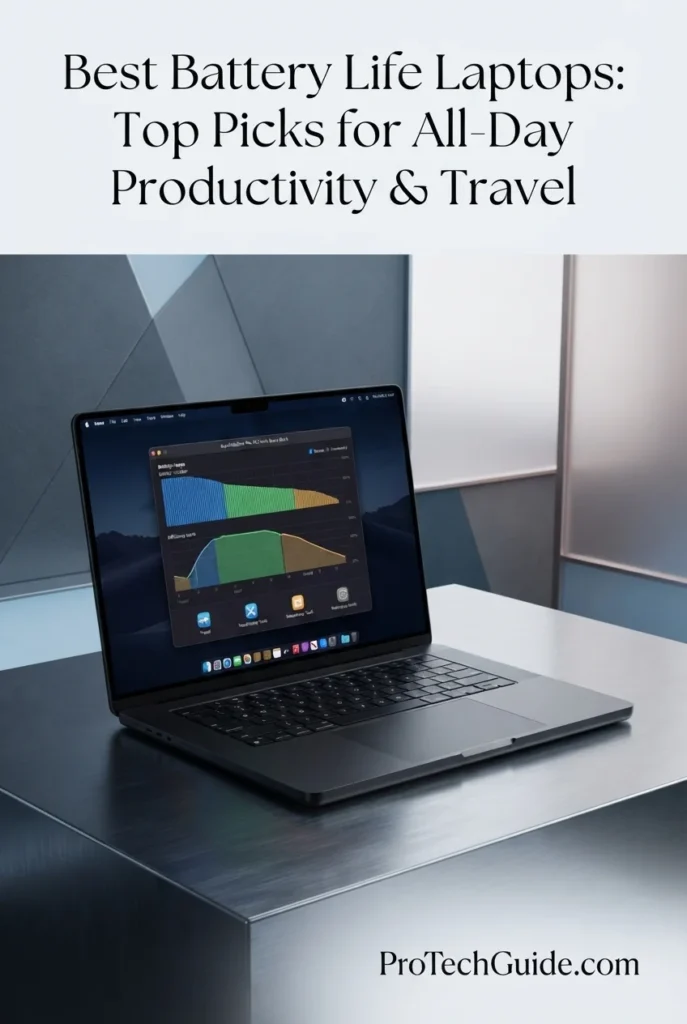
The Apple MacBook Pro 16-inch with the M5 Pro chip, 48GB of unified memory, and 1TB SSD is our premium choice for professionals who need substantial computing power without sacrificing the flexibility of working away from a desk. Its 18-core CPU, 20-core GPU, 16.2-inch Liquid Retina XDR display, and efficient Apple silicon architecture are designed for demanding productivity, creative work, development, and on-device AI tasks. Apple describes the MacBook Pro as offering all-day battery life, although actual runtime depends on workload, display brightness, connectivity, and other settings. For users who regularly switch between intensive projects, meetings, and mobile work, this configuration combines high-performance hardware with a large, high-quality display and modern wireless connectivity.

• Ideal for professionals, developers, creative users, and power users who need a high-performance laptop for work across multiple locations
• Well suited to multitasking, software development, creative applications, productivity tools, and compatible on-device AI workflows
• Particularly attractive to users who want a large professional display, 48GB of unified memory, and 1TB of storage in a premium laptop designed for mobile work
• The Apple M5 Pro chip with an 18-core CPU is designed for demanding professional workloads, complex multitasking, and responsive everyday computing
• The 20-core GPU supports graphics-intensive applications, creative projects, and compatible GPU-accelerated workloads
• 48GB of unified memory provides substantial capacity for running multiple demanding applications and managing memory-intensive projects simultaneously
• The 16.2-inch Liquid Retina XDR display offers a large workspace, up to 1,600 nits of peak brightness for HDR content, up to 1,000 nits of sustained brightness under specified conditions, and a 1,000,000:1 contrast ratio
• The 1TB SSD provides local storage for applications, documents, creative projects, and frequently accessed work files
• Wi-Fi 7, Bluetooth 6, three Thunderbolt 5 ports, MagSafe 3, HDMI, and an SDXC card slot provide modern wireless connectivity and versatile options for peripherals, displays, and accessories

The MacBook Pro earns our Best Overall for Maximum Battery Life position because it combines Apple's stated all-day battery-life capability with premium performance, 48GB of memory, a large Liquid Retina XDR display, and a comprehensive selection of ports. It is especially compelling for professionals who need one laptop for demanding work and mobile productivity rather than a machine dedicated exclusively to lightweight tasks. However, its advertised battery capability should not be confused with a guaranteed runtime or a verified battery-test result for this exact configuration.

Compared with lighter alternatives such as the Apple MacBook Air 13-inch with M5 and the ASUS Zenbook A14, the 16-inch MacBook Pro prioritizes a larger display, more substantial professional hardware, and greater memory capacity. The trade-off is that its larger chassis and performance-oriented configuration may not suit travelers who place the highest priority on minimizing carry weight. Buyers focused primarily on battery endurance should compare independent test results for the exact configurations they are considering rather than relying on manufacturer estimates alone.

• Apple M5 Pro chip • 18-core CPU • 20-core GPU • Hardware designed for demanding professional workloads • Support for compatible on-device AI tasks • Performance-oriented Apple silicon architecture • Designed for productivity, development, and creative applicationsThe M5 Pro configuration is designed to handle demanding professional applications, multitasking, development environments, and creative workloads. Its 18-core CPU and 20-core GPU provide processing and graphics resources for compatible applications, while Apple's integrated hardware and software platform is designed to deliver high performance across supported workflows. Actual performance and energy consumption depend on the applications used and the intensity of the workload.
• Apple advertises all-day battery life • Apple silicon architecture designed for performance and efficiency • Performance designed to remain consistent on battery power • Suitable for mobile productivity and work away from a desk • Actual runtime varies with workload and settings • No specific independent runtime is assumed for this configurationBattery life is a central consideration for this MacBook Pro, which combines high-performance hardware with Apple's integrated silicon architecture. Apple describes the system as offering all-day battery life and states that it is designed to deliver the same exceptional performance whether running on battery power or connected to a charger.However, battery endurance is not a fixed number for every user. Intensive creative applications, sustained processing, high display brightness, wireless activity, and external peripherals can affect runtime. For a fair comparison with other laptops in this guide, independent test results should be used only when the tested model and configuration are sufficiently comparable. Manufacturer claims should be treated separately from measured results.
• 48GB unified memory • Shared memory architecture for supported CPU and GPU workloads • Capacity for multiple applications running simultaneously • Suitable for memory-intensive professional projects • Supports demanding creative and development workflows • Helps reduce the need to close applications during multitaskingThe 48GB unified memory configuration gives this MacBook Pro substantial capacity for demanding multitasking. Professionals can keep development tools, documents, browser tabs, communication applications, and compatible creative software open at the same time, with available memory shared across supported system components.Memory capacity alone does not guarantee faster performance in every application, and actual requirements depend on the software and project size. For users whose workloads routinely exceed the capacity of entry-level laptop configurations, however, 48GB provides considerable flexibility.
• 16.2-inch Liquid Retina XDR display • Up to 1,600 nits of peak HDR brightness • Up to 1,000 nits of sustained brightness under specified conditions • 1,000,000:1 contrast ratio • Large workspace for professional applications • Suitable for creative work, documents, and multitaskingThe 16.2-inch Liquid Retina XDR display provides a spacious working area for documents, timelines, creative projects, and applications that benefit from additional screen space. Its high contrast and HDR brightness capabilities are particularly useful for supported HDR content and visual workflows.A larger display can improve usability when working across several windows, but screen brightness and demanding visual workloads can also affect battery consumption. Users who prioritize maximum unplugged runtime should consider balancing brightness with their working environment rather than keeping the display at its highest setting throughout the day.
• 1TB SSD storage • Local space for applications and documents • Storage for professional projects and media files • Convenient access to frequently used files • Suitable for a broad range of everyday workflows • External storage can expand project capacityThe included 1TB SSD provides local storage for applications, documents, creative projects, downloads, and frequently accessed work files. The available capacity will depend on the operating system, preinstalled software, and the amount of space occupied by existing files.Professionals who work with large video libraries, extensive project archives, or substantial local datasets may still benefit from external storage. Connecting external drives and other peripherals can also affect power consumption, depending on the devices and how they are used.
• Wi-Fi 7 • Bluetooth 6 • Three Thunderbolt 5 ports • MagSafe 3 charging port • HDMI port • SDXC card slot • Headphone jack • Support for up to three external displays with M5 Pro, according to the listingThe MacBook Pro offers a broad range of connectivity options for modern professional setups. Wi-Fi 7 provides access to compatible wireless networks, while Bluetooth 6 supports compatible wireless accessories. Three Thunderbolt 5 ports, HDMI, and the SDXC card slot make it easier to connect peripherals, external displays, and compatible storage devices.Wireless performance depends on network equipment and conditions, and the availability of display features depends on the connected hardware and supported configurations. When working away from a charger, users should also remember that connected accessories and external devices may contribute to overall power consumption.
• 16.2-inch professional laptop design • Space Black finish • Backlit keyboard • Integrated fingerprint authentication through Touch ID • Large trackpad • MagSafe 3 charging • Integrated camera and speaker system • Designed for mobile professional workflowsThe 16-inch MacBook Pro is designed for users who need professional computing capabilities in a portable computer. Its large display can be valuable for working with multiple windows, creative timelines, and detailed projects, while its integrated keyboard, trackpad, camera, and audio system support everyday work without requiring numerous accessories.Its larger form factor is less compact than a lightweight 13- or 14-inch laptop, so travelers should consider the computer's overall size and weight alongside battery life. For users who regularly move between offices, meetings, home, and other workspaces, the choice comes down to whether the larger screen and performance-oriented hardware justify the additional space required in a bag.
Ideal for:• Professionals who need high-performance mobile computing • Developers and technical users • Creative professionals working with compatible applications • Users who regularly multitask across demanding applications • Buyers who want 48GB of unified memory • Users who prefer a large 16.2-inch display • Professionals who need multiple connectivity options • Mac users seeking a premium laptop for work and travelThe Apple MacBook Pro 16-inch with the M5 Pro chip, 48GB of unified memory, and 1TB SSD is best suited to professionals who want premium performance and Apple's advertised all-day battery capability in a large-screen laptop. Its combination of processing resources, memory, display quality, storage, and connectivity makes it a strong option for demanding work across different locations.It is not automatically the longest-lasting laptop for every workload. Buyers whose primary goal is maximum battery endurance should compare reliable tests of the exact configurations available to them and consider how their own applications, screen brightness, and travel habits affect runtime.
Best Windows Laptop for Business Productivity (2026)

Dell Pro 14 Laptop

Efficient Windows Performance for Business, Remote Work & Travel
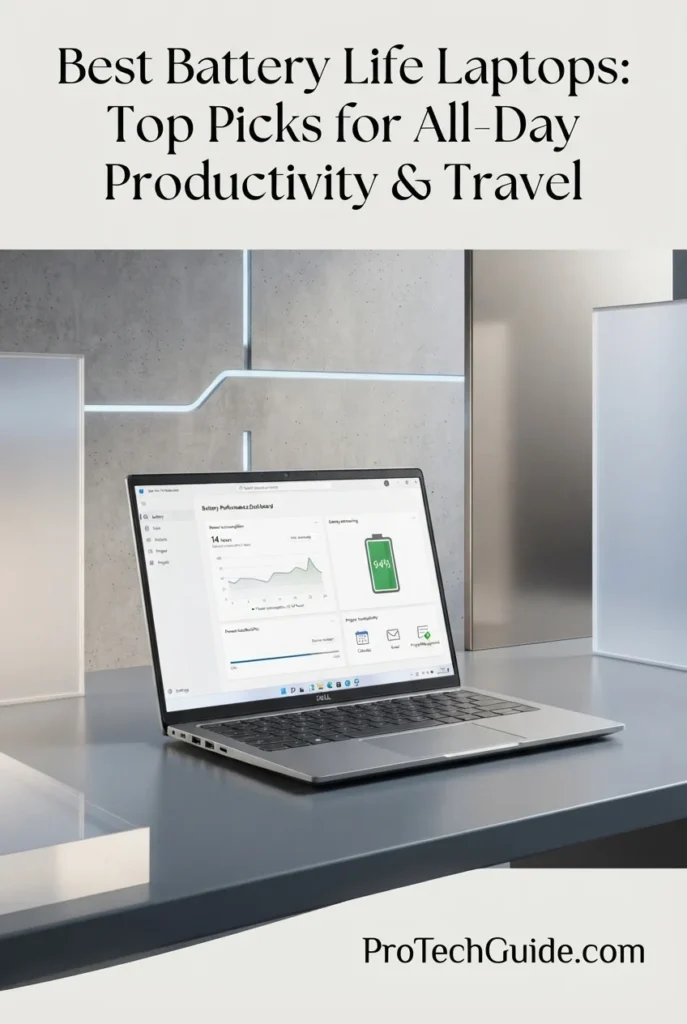
The Dell Pro 14 with an Intel Core Ultra 7 255U processor, 32GB of DDR5 memory, and a 512GB SSD is our business-focused Windows recommendation for professionals who need dependable everyday productivity in a portable laptop. Its 12-core processor, integrated Intel graphics, 14-inch FHD+ display, and Windows 11 Pro configuration are suited to office applications, spreadsheets, video meetings, browser-based workflows, and multitasking. The 54Wh battery provides the hardware foundation for mobile work, while the processor's efficiency-focused design makes this configuration worth considering for users who spend their days moving between meetings, offices, and remote workspaces. However, actual battery life depends on workload and settings, and the listing does not establish a verified runtime for this exact configuration.

• Ideal for business professionals, consultants, remote workers, students, and users who need a Windows laptop for everyday productivity
• Well suited to Microsoft Office applications, spreadsheets, presentations, web applications, video meetings, and routine business multitasking
• Particularly appealing to users who want 32GB of RAM, Windows 11 Pro, business-oriented connectivity, and a 14-inch display in one practical work laptop
• The Intel Core Ultra 7 255U processor features 12 cores and a maximum turbo frequency of up to 5.2GHz, according to the product listing, for responsive everyday computing and business multitasking
• 32GB of DDR5 memory supports multiple applications, browser tabs, spreadsheets, communication tools, and documents running simultaneously
• The 512GB PCIe NVMe SSD provides local storage for work documents, applications, presentations, and frequently accessed files
• The 14-inch 1920 × 1200 IPS anti-glare display uses a 16:10 aspect ratio, providing additional vertical workspace for documents and spreadsheets compared with a conventional 16:9 screen
• The 54Wh battery and efficiency-oriented processor platform make it a practical candidate for mobile productivity, although real-world endurance must be evaluated through comparable battery testing
• Wi-Fi 6E, Bluetooth 5.3, Thunderbolt 4, USB-C, HDMI 2.1, USB-A, and Gigabit Ethernet offer flexible connectivity for office networks, external displays, docking stations, and peripherals

The Dell Pro 14 earns our Best Windows Laptop for Business Productivity designation because it combines 32GB of memory, a modern Core Ultra 7 processor, Windows 11 Pro, a practical 16:10 display, and a broad selection of business-friendly ports. Its strengths are particularly relevant to professionals who need a straightforward work machine for office tasks, remote collaboration, and daily multitasking. The 54Wh battery capacity is a useful specification, but it should not be treated as proof of a specific number of hours away from a charger.

Compared with premium alternatives such as the Dell XPS 14 and Apple MacBook Pro 16-inch with M5 Pro, the Dell Pro 14 emphasizes practical business productivity rather than a high-end OLED display or workstation-class graphics. Its 14-inch FHD+ screen and integrated graphics are well suited to everyday work, while Windows 11 Pro and its range of ports can simplify integration into business environments. Buyers prioritizing battery endurance should compare independent test results for this specific Dell Pro 14 configuration rather than relying on results from differently equipped Dell laptops.

• Intel Core Ultra 7 255U processor • 12 CPU cores • 14 threads, according to the product listing • Maximum turbo frequency of up to 5.2GHz, according to the listing • Integrated Intel graphics • Intel AI Boost neural processing unit • Designed for business productivity and multitaskingThe Intel Core Ultra 7 255U is designed for thin-and-light business laptops that balance everyday performance with power efficiency. It is well suited to office applications, spreadsheets, presentations, browser-based tools, video conferencing, and typical multitasking across professional applications.Its integrated graphics are appropriate for everyday visual workloads and supported accelerated tasks, but this configuration is not intended to replace a laptop with a powerful dedicated GPU for demanding graphics-intensive applications. Actual performance and power consumption depend on the application, system settings, and workload.
• 54Wh lithium-ion battery, according to the listing • Efficiency-oriented Intel Core Ultra U-series processor • Designed for mobile business workflows • Suitable for office work and remote collaboration • Actual runtime varies with workload and settings • No verified battery-test duration assumedThe Dell Pro 14 includes a 54Wh battery, providing a useful reference point when comparing its hardware with other laptops in this guide. Its U-series processor is designed for systems that balance productivity with efficiency, making the configuration relevant to professionals who regularly work away from a fixed desk.Battery capacity alone does not determine how long a laptop lasts. Display brightness, video meetings, wireless connectivity, background applications, and sustained processor activity can all affect runtime. The product listing does not provide a verified battery-test duration for this exact configuration, so it would be misleading to assign it a specific number of hours without a reliable matching test.For the most useful comparison, look for independent testing of the same Dell Pro 14 configuration under a documented workload and compare it with similarly tested alternatives.
• 32GB DDR5 RAM • Memory speed listed at 5600MHz • Supports simultaneous applications and browser tabs • Useful for large spreadsheets and complex documents • Suitable for video meetings alongside office applications • Helps provide headroom for typical business workloadsThe included 32GB of DDR5 memory gives this Dell Pro 14 substantial capacity for common business multitasking. Users can work across spreadsheets, presentations, browser tabs, communication applications, and documents without relying on a minimal memory configuration.The amount of memory required ultimately depends on the software and workload. For everyday office productivity and remote work, 32GB provides useful headroom, although additional memory does not automatically improve battery life or accelerate every application.
• 14-inch IPS LCD display • 1920 × 1200 resolution • 16:10 aspect ratio • Non-touch display, according to the main listing description • 300-nit brightness, according to the listing • Anti-glare finish • Suitable for documents, spreadsheets, and office applicationsThe 14-inch FHD+ display uses a 1920 × 1200 resolution and a 16:10 aspect ratio. The extra vertical space compared with a standard 16:9 display can make it easier to view documents, spreadsheets, and web pages with less scrolling.The listing specifies 300 nits of brightness and an anti-glare IPS panel, a practical combination for common office and remote-work environments. As with any laptop, display brightness affects power consumption: running the screen at a lower comfortable setting can help reduce battery use, depending on the environment and workload.
• 512GB PCIe NVMe SSD • Local storage for applications and documents • Suitable for presentations and business files • Space for commonly used work applications • Fast access to frequently used files • One available M.2 slot, according to the listingThe 512GB SSD provides practical local storage for office applications, documents, presentations, downloaded files, and everyday work projects. Its PCIe NVMe interface is designed to support responsive storage access and application loading.Users who maintain large local archives or work with extensive media files may need additional external or network storage. Storage capacity does not directly establish battery endurance, although storage activity and connected external drives can contribute to overall power consumption.
• Windows 11 Pro • Business-oriented operating system features • Support for compatible Microsoft 365 applications • Suitable for remote collaboration and office workflows • Intel AI Boost NPU included in the processor platform • Compatibility depends on individual applications and requirementsWindows 11 Pro makes this configuration relevant to users who need a business-oriented Windows environment. It supports common professional workflows involving office applications, video meetings, document management, web-based services, and compatible business software.The processor also includes an Intel AI Boost NPU, but AI features and performance depend on the application, software support, and system requirements. The presence of an NPU should not be interpreted as a guarantee that every AI application will run locally or deliver a particular performance improvement.
• Wi-Fi 6E • Bluetooth 5.3, according to the product description • Thunderbolt 4 • USB-C connectivity • HDMI 2.1 • USB-A ports • Gigabit Ethernet • Support for compatible monitors, docks, and peripheralsThe Dell Pro 14 provides a useful range of connections for a business laptop. Wi-Fi 6E supports compatible networks in the 6GHz band where available, while Gigabit Ethernet provides a wired networking option for compatible office environments. Thunderbolt 4, USB-C, HDMI, and USB-A can simplify connections to external monitors, docking stations, storage devices, and other peripherals.Actual wireless performance depends on the router, network configuration, interference, and local availability of supported bands. The flexibility to use wired connections can be particularly useful for users who work at a desk or need a stable connection during professional tasks.
• 14-inch laptop form factor • Silver finish • Backlit keyboard • Integrated webcam • Touchpad • Stereo speakers and dual-array microphones, according to the listing • Designed for business and remote-work environmentsThe 14-inch format is practical for professionals who move between meetings, offices, and remote workspaces. The backlit keyboard supports typing in lower-light environments, while the integrated webcam, microphones, and speakers provide the basic hardware needed for video calls and online collaboration.The listing gives conflicting weight information: the feature description states approximately 2.99 pounds, while the product information table lists 3.95 pounds. For that reason, the exact shipping or device weight should be verified with the seller before making a weight-sensitive purchasing decision.
Ideal for:• Business professionals • Remote and hybrid workers • Consultants and office-based users • Students who need Windows productivity applications • Users who regularly work with spreadsheets and presentations • Professionals who multitask across office applications • Buyers who need Windows 11 Pro • Users who value flexible wired and wireless connectivityThe Dell Pro 14 with the Intel Core Ultra 7 255U, 32GB of DDR5 memory, and 512GB SSD is a practical Windows laptop for business productivity. Its 14-inch FHD+ display, Windows 11 Pro, and broad port selection suit everyday work, while the 54Wh battery and efficiency-oriented processor make it worth evaluating for mobile use.Its exact battery endurance remains an important point to verify through independent testing. Users choosing a laptop specifically for all-day operation should compare measured results for this configuration and consider their own mix of video calls, browsing, documents, screen brightness, and other daily tasks.
Best Premium Windows Laptop (2026)

Dell XPS 14 Premium Laptop

Premium OLED Design, Efficient Performance & Everyday Mobility
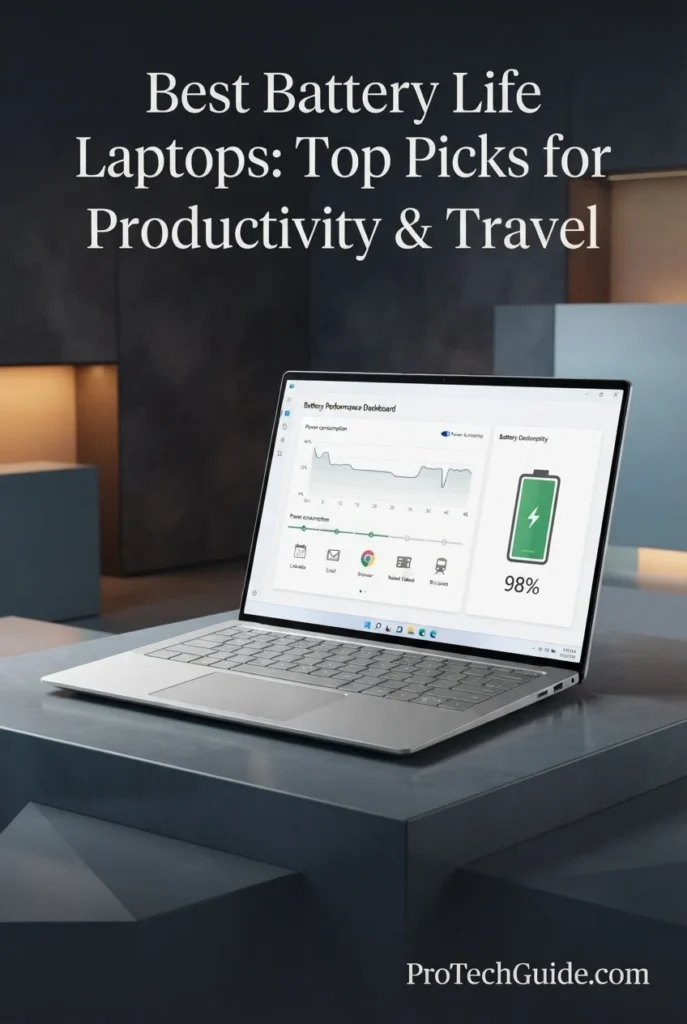
The Dell XPS 14 Premium Laptop DA14250 with an Intel Core Ultra 7 255H processor, 32GB of memory, and a 1TB SSD is our premium Windows recommendation for professionals who want a refined, portable laptop for work, travel, and everyday productivity in 2026. Its 14.5-inch 3.2K OLED touchscreen, integrated Intel Arc graphics, and high-resolution display make it well suited to office applications, research, video calls, content consumption, and creative tasks that benefit from a vivid screen. For battery-conscious users, the 69.5Wh battery and variable 48–120Hz refresh rate are relevant features, although actual endurance will depend on brightness, refresh-rate behavior, workload, and wireless use. We do not assign it a specific all-day runtime without a verified test of this exact OLED configuration.

• Ideal for professionals, frequent travelers, students, and remote workers who want a premium Windows laptop with a compact display size
• Well suited to productivity apps, browser-based work, video meetings, research, presentations, and everyday creative workflows
• A strong fit for users who prioritize a high-resolution OLED touchscreen, 32GB of memory, and generous 1TB local storage in a refined design
• The Intel Core Ultra 7 255H processor supports demanding multitasking and professional productivity, while actual performance and efficiency vary with workload and power settings
• 32GB of memory provides useful headroom for keeping many browser tabs, office apps, communication tools, and larger projects open at the same time
• The 14.5-inch 3200 × 2000 OLED touchscreen delivers sharp detail and rich contrast for documents, presentations, media, and compatible creative applications
• The variable 48–120Hz refresh rate can lower refresh activity when viewing static content, though it does not guarantee a particular battery-life result
• The 1TB SSD offers ample local space for work files, applications, presentations, downloads, and personal media
• Wi-Fi 7, Bluetooth 5.4, a backlit keyboard, fingerprint reader, Thunderbolt 4 connectivity, and a microSDXC slot support a modern mobile-work setup

The Dell XPS 14 earns its Best Premium Windows Laptop position by combining a high-resolution OLED touchscreen, 32GB of memory, a 1TB SSD, modern wireless connectivity, and a polished compact design. It is especially appealing to users who want a premium Windows experience for everyday professional work and travel. Its 69.5Wh battery and variable refresh-rate display are useful parts of the efficiency picture, but shoppers should judge endurance using tests of this specific OLED configuration rather than results from a different XPS display option.

Compared with the Dell Pro 14, the XPS 14 offers a more display-focused premium experience, with a 3.2K OLED touchscreen and a higher-resolution visual workspace. The ASUS Zenbook A14 is another travel-oriented option, particularly for buyers who prioritize low weight and an efficiency-focused Snapdragon platform. For the Dell XPS 14, the OLED panel is a major attraction, but its high resolution and brightness can affect battery consumption; users who prioritize maximum unplugged runtime should compare independent results for the exact configurations before choosing.

• Intel Core Ultra 7 255H processor • Integrated Intel Arc graphics • Windows 11 Home • Designed for multitasking and everyday professional workloads • Suitable for office applications, research, and compatible creative software • Performance and power use vary by workload and system settingsThe Intel Core Ultra 7 255H provides the processing platform for this XPS 14 configuration. It is suited to demanding everyday productivity, multitasking, office software, research, video conferencing, and compatible creative applications. Integrated Intel Arc graphics support visual and graphics-accelerated tasks, but this is not a dedicated gaming GPU. Processor activity, screen brightness, and the applications in use can all influence battery consumption.
• 32GB installed memory • Useful capacity for heavy multitasking • Supports multiple browser tabs and productivity apps • Suitable for larger documents and project files • Helps reduce the need to close apps during typical work sessions • Memory type descriptions in the retailer listing are inconsistentThe 32GB memory configuration gives this laptop useful headroom for professionals who regularly switch among browsers, spreadsheets, presentations, communication tools, and other applications. The retailer listing contains conflicting memory-type descriptions, so this overview focuses on the advertised 32GB capacity rather than making a more specific claim about the memory technology.
• 14.5-inch OLED display • 3200 × 2000 native resolution • Variable 48–120Hz refresh rate • Touchscreen input • Listed maximum brightness: 400 nits • Matte screen finish, according to the retailer listingThe 14.5-inch 3.2K OLED screen is one of this configuration's main strengths. Its high resolution provides detailed text and workspace rendering, while OLED technology delivers strong contrast for documents, media, and compatible creative applications. The variable refresh rate can adapt to different types of content, including lower refresh rates for static pages. The detailed retailer specifications list a 400-nit maximum brightness, so users who work outdoors or in bright environments should consider their viewing conditions.
• 69.5Wh lithium-ion battery • Variable 48–120Hz display refresh rate • Refresh rate may adjust for static content • Battery life depends on brightness and workload • OLED panel power use varies with displayed content • No verified runtime stated for this exact configurationThe listed 69.5Wh battery provides the energy capacity for mobile use, while the variable refresh-rate display can reduce unnecessary refresh activity when the screen is showing static content. However, battery life is affected by more than battery capacity alone. OLED brightness, displayed content, processor load, wireless activity, video calls, and power settings can all change how long the laptop lasts away from an outlet. We do not provide a specific runtime here because a reliable figure should come from a test of the exact Core Ultra 7 255H and 3.2K OLED configuration, not from another XPS model or a non-OLED variant.
• 1TB solid-state drive • Local space for applications and work files • Suitable for presentations, documents, and downloads • Convenient access to frequently used projects • Supports a portable workflow without relying entirely on cloud storageThe 1TB SSD provides substantial local storage for office files, applications, presentations, downloaded materials, and personal media. It is useful for professionals who travel or work in places where reliable internet access is not always available. Storage capacity does not determine battery life directly, but having key files available locally can make a mobile workflow more convenient.
• Wi-Fi 7 • Bluetooth 5.4 • Two Thunderbolt 4 ports • Three USB ports listed in total • microSDXC card slot • Backlit keyboard • Fingerprint reader • Integrated webcam and audio featuresThe XPS 14 includes modern wireless connectivity and practical features for a mobile workstation. Wi-Fi 7 and Bluetooth 5.4 support compatible wireless networks and accessories. Thunderbolt 4 can connect supported peripherals, storage devices, and external displays, while the microSDXC slot is useful for transferring compatible media. The backlit keyboard and fingerprint reader add convenience for working across different environments.
• Machined aluminum construction • Gorilla Glass 3 listed for the design • 14.5-inch display • Listed weight: approximately 3.79 pounds • Backlit keyboard • Fingerprint reader • USB-C charging adapter included in the listingThe machined aluminum design and compact 14.5-inch screen make the XPS 14 a premium option for moving between home, office, meetings, and travel. The retailer lists a weight of approximately 3.79 pounds, so it is portable but not among the very lightest laptops in this roundup. Buyers focused on carrying weight should compare it with lighter ultraportables, while those who value display quality and a premium Windows design may find the trade-off worthwhile.
Ideal for:• Professionals who prefer Windows • Remote and hybrid workers • Frequent travelers who want a premium display • Students handling demanding everyday workloads • Users who multitask across many applications • People who need 32GB of memory and 1TB of storage • Buyers who value a high-resolution OLED touchscreen • Users willing to verify battery expectations for the exact configurationThe Dell XPS 14 Premium Laptop DA14250 is best suited to users who want a premium Windows laptop with a detailed OLED touchscreen, generous memory, and ample local storage. Its 69.5Wh battery and variable refresh-rate display are relevant to mobile productivity, but actual unplugged endurance depends on how the laptop is configured and used. For battery-life comparisons, prioritize independent testing of this exact OLED model and avoid applying results from other XPS configurations.
Best Ultralight Laptop for Travel (2026)

ASUS Zenbook A14 Copilot+ PC

Ultralight Portability, OLED Clarity & Efficient Windows Productivity
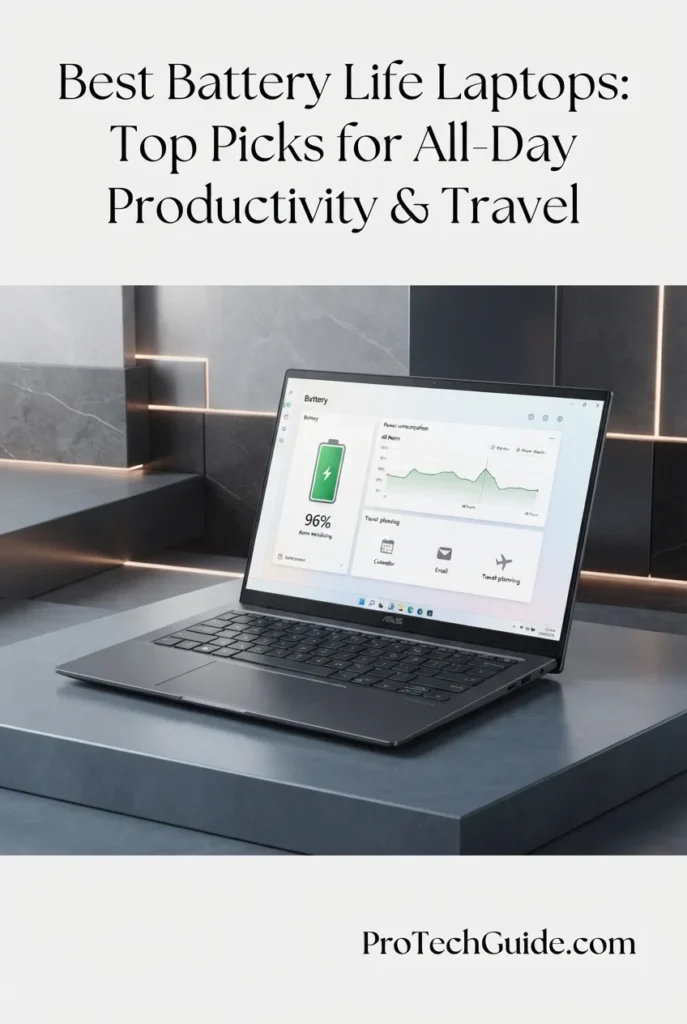
The ASUS Zenbook A14 Copilot+ PC with the Snapdragon X Plus X1-26-100, 32GB of RAM, and a 1TB SSD is our travel-focused recommendation for users who prioritize portability, efficient everyday performance, and long unplugged work sessions in 2026. This configuration combines an 8-core Qualcomm processor with a 14-inch WUXGA OLED display, a 70Wh-class battery, and Windows 11 Home in a compact design. Its 32GB of memory supports multitasking across productivity applications, browser tabs, and communication tools, while the 1TB SSD provides generous local storage. Qualcomm's platform is designed for power-efficient computing, but actual battery life varies with screen brightness, workload, connectivity, and application compatibility. Because this is a retailer-upgraded configuration, buyers should also review the seller's warranty terms before purchasing.

• Ideal for frequent travelers, remote workers, students, and professionals who value a lightweight Windows laptop for everyday productivity
• Well suited to web-based work, Microsoft Office applications, video calls, research, document editing, and compatible Windows applications
• Particularly appealing to users who want 32GB of RAM, a 1TB SSD, and an OLED display in a compact laptop built around an efficiency-focused Snapdragon platform
• The 8-core Snapdragon X Plus X1-26-100 is designed for efficient everyday computing and responsive multitasking across supported applications
• The integrated Qualcomm AI engine is advertised at up to 45 TOPS, supporting compatible on-device AI experiences and Copilot+ PC features
• 32GB of onboard memory provides substantial capacity for multitasking with browsers, office applications, communication tools, and larger documents
• The 14-inch 1920 × 1200 OLED display provides sharp text, a 16:10 workspace, and high contrast for documents, presentations, and entertainment
• The advertised 70Wh battery provides a substantial battery capacity for a compact laptop, although capacity alone cannot establish real-world runtime
• The 1TB SSD, backlit keyboard, USB-C connectivity, HDMI 2.1, Wi-Fi, and Bluetooth support a practical setup for mobile productivity

The ASUS Zenbook A14 earns its Best Ultralight Laptop for Travel position by combining a compact 14-inch OLED display, 32GB of memory, 1TB of storage, and an efficiency-focused Snapdragon X Plus processor. Its 70Wh-class battery makes it a promising option for people who work away from a desk, while its lightweight design is especially attractive for commuting and travel. The key consideration is software compatibility: although many everyday Windows applications work well on Snapdragon-based PCs, some applications, peripherals, and specialized tools may behave differently depending on native ARM support or emulation.

Compared with the Dell XPS 14 Premium Laptop, the Zenbook A14 prioritizes portability and an efficiency-focused processor platform rather than a higher-resolution 3.2K OLED screen. It is also worth comparing with the Apple MacBook Air 13-inch with M5, another compact productivity option with an efficiency-focused processor. For battery-life buyers, compare independent runtime tests for the exact Snapdragon X Plus X1-26-100 configuration rather than relying on results from Zenbook A14 models with different processors. This listing is also a seller-upgraded configuration, so its warranty arrangements differ from a standard factory-sealed retail purchase.

• Qualcomm Snapdragon X Plus X1-26-100 • 8-core CPU • Advertised maximum CPU frequency of up to 3.0GHz • Integrated Qualcomm Adreno graphics • Qualcomm AI engine advertised at up to 45 TOPS • Windows 11 Home • Performance and efficiency vary by workload and application compatibilityThe Snapdragon X Plus X1-26-100 is designed to balance everyday computing performance with power efficiency. It is suitable for common productivity tasks such as document editing, web browsing, video meetings, presentations, and multitasking across supported applications. Integrated Qualcomm Adreno graphics handle everyday visual workloads, while the platform's AI capabilities enable compatible on-device AI features. Users who rely on specialized professional software should confirm ARM compatibility before purchasing, as application support and performance can vary.
• 32GB onboard RAM • Memory is integrated into the laptop • Suitable for multitasking across productivity applications • Supports multiple browser tabs and communication tools • Useful for larger documents and everyday work projects • RAM is not intended to be user-upgradedThe 32GB memory configuration gives this Zenbook A14 considerable capacity for typical professional and academic multitasking. Users can work across browsers, spreadsheets, presentations, messaging applications, and video-conferencing tools without being limited to an entry-level memory configuration. The listing identifies the memory as onboard, so buyers should treat the installed capacity as the configuration they are purchasing rather than assuming it can be expanded later.
• 14-inch OLED display • 1920 × 1200 native resolution • 16:10 aspect ratio • 60Hz refresh rate • Advertised peak HDR brightness of up to 600 nits • High contrast for text, images, and videoThe 14-inch WUXGA OLED panel provides a practical balance between screen space and portability. Its 1920 × 1200 resolution and 16:10 aspect ratio give documents and productivity applications a little more vertical workspace than a traditional 16:9 display at a comparable resolution. OLED technology delivers strong contrast for media and compatible creative tasks. The advertised peak HDR brightness should not be interpreted as the brightness available across the entire screen in every situation, and higher brightness settings can increase power consumption.
• Advertised 70Wh battery capacity • Efficiency-focused Snapdragon X Plus platform • OLED display with adjustable brightness • Battery life varies by workload and settings • Wireless activity and video calls affect consumption • No exact runtime claimed for this configurationThe advertised 70Wh battery provides a useful capacity for a compact productivity laptop. Combined with the Snapdragon X Plus platform, it makes the Zenbook A14 a promising option for users who need to work while traveling or away from a power outlet. However, battery capacity is not the same as measured endurance. Screen brightness, OLED content, video calls, browser activity, wireless connectivity, and background processes all affect runtime. We avoid assigning a specific number of hours because a dependable figure should come from a test of this exact X1-26-100 configuration.
• 1TB solid-state drive • Local storage for documents and applications • Space for presentations, downloads, and media • Convenient access to frequently used files • Useful for working while offlineThe 1TB SSD provides generous local storage for documents, applications, presentations, downloads, and personal media. This is useful for travelers and students who need important files available without relying entirely on cloud services or a consistent internet connection. Buyers who work with exceptionally large video libraries or specialized datasets should still assess their storage requirements before purchasing.
• Windows 11 Home • Copilot+ PC-class AI capabilities as advertised • Snapdragon X Plus X1-26-100 processor • AI engine advertised at up to 45 TOPS • Compatible on-device AI features • Application support varies on Windows on ARMThe Zenbook A14 is marketed as a Copilot+ PC, with an AI-capable Snapdragon platform intended to support compatible AI experiences and features. Availability can depend on Windows updates, language, region, and individual feature requirements. Everyday productivity applications may run natively or through Windows compatibility technologies, but some specialized programs, drivers, and peripherals may have limitations on Windows on ARM. Buyers should check compatibility with any essential work software before choosing this laptop.
• Wi-Fi listed in the product specification • Bluetooth 5.3 • USB-C connectivity, advertised as USB 4.0 • HDMI 2.1 • 3.5mm audio combo jack • Backlit chiclet keyboard • Integrated webcamThe listed connectivity features make the Zenbook A14 suitable for a mobile work setup. USB-C can support compatible charging, data, and display functions depending on the port specifications and connected device. HDMI 2.1 provides a direct connection to compatible external displays, while Bluetooth supports wireless accessories. The retailer listing also advertises Wi-Fi 6 in the product description; buyers should verify the precise wireless specification with the seller if it is a deciding factor.
• 14-inch ultraportable design • Iceland Gray finish • Backlit keyboard • Advertised compact chassis • 32GB onboard RAM and 1TB SSD • Seller-upgraded configuration • Seller states a 3-year warranty for upgraded RAM and SSD • Listing describes a 1-year warranty for other hardwarePortability is one of the Zenbook A14's main selling points, making it appealing for commuting, business travel, and working in different locations. However, the retailer listing contains inconsistent weight information: the description says the laptop weighs just over 2 pounds, while the product-information table lists 5.8 pounds. Because those figures conflict substantially, verify the actual shipping and device weight with the seller before relying on either figure.This is also a seller-upgraded configuration. According to the listing, the original seal has been opened for the memory and storage upgrade, and the seller's warranty applies to the upgraded components. Review the complete warranty terms and return policy before purchasing.
Ideal for:• Frequent travelers • Remote and hybrid workers • Students and mobile professionals • Users who prioritize portability • Everyday Windows productivity • Web browsing, documents, and video meetings • Buyers who want 32GB RAM and 1TB SSD • Users whose essential applications support Windows on ARMThe ASUS Zenbook A14 Copilot+ PC with the Snapdragon X Plus X1-26-100, 32GB RAM, and 1TB SSD is best suited to people who need a compact Windows laptop for everyday productivity and frequent travel. Its advertised 70Wh battery and efficiency-focused processor make it a promising candidate for unplugged work, but real-world battery life should be confirmed through testing of this exact configuration. Before purchasing, verify software compatibility, the seller's warranty terms, and the conflicting weight details in the listing.
Best Budget Laptop for Battery Life (2026)

Lenovo IdeaPad Slim 3X

Efficient Snapdragon Performance, All-Day Productivity & Everyday Mobility
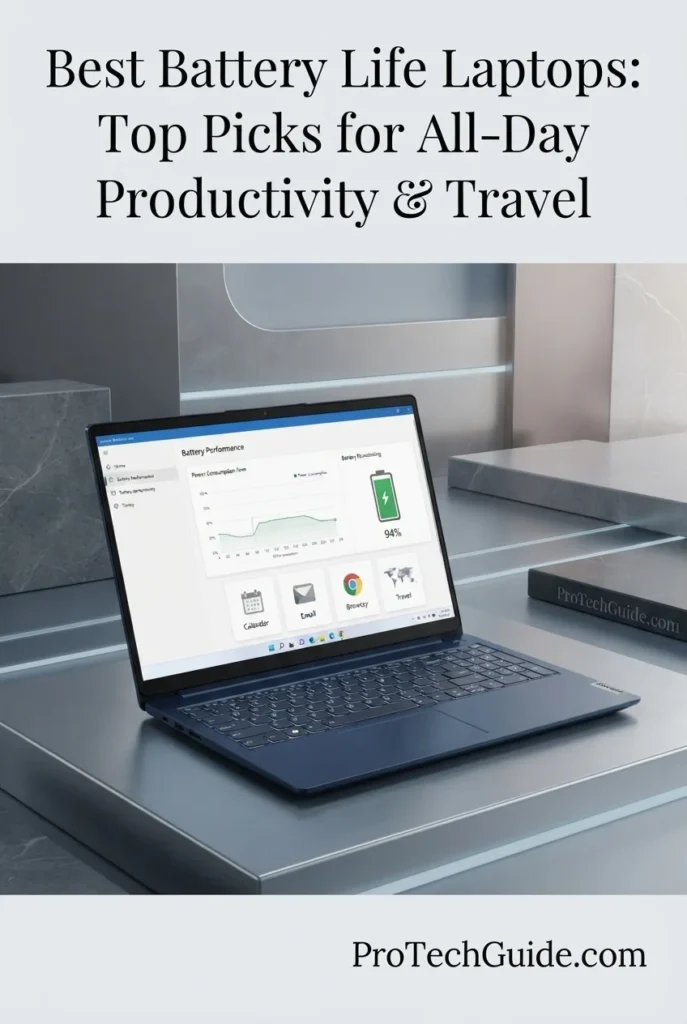
The Lenovo IdeaPad Slim 3X with the Snapdragon X X1-26-100 processor, 16GB of LPDDR5 memory, and a 512GB SSD is our budget-focused recommendation for users who want efficient Windows productivity and dependable everyday mobility. Its eight-core Snapdragon processor, integrated Qualcomm graphics, and dedicated 45 TOPS Neural Processing Unit are designed to balance responsive everyday performance with power-efficient computing. The 60Wh battery and Lenovo's advertised all-day battery life make it an appealing option for students, remote workers, and travelers who want to spend less time searching for a power outlet. Actual runtime will vary with screen brightness, workload, connectivity, and application usage.

• Ideal for students, remote workers, professionals, and everyday users who want an affordable Windows laptop for work, study, and travel
• Well suited to web browsing, document editing, spreadsheets, video calls, online learning, streaming, and everyday productivity applications
• Particularly attractive to users who prioritize battery efficiency, a spacious touchscreen, practical security features, and Copilot+ PC capabilities over high-end gaming or workstation performance
• The eight-core Snapdragon X X1-26-100 processor is designed for efficient everyday computing, supporting common productivity tasks and multitasking without requiring a high-performance workstation
• The 60Wh battery and Lenovo's advertised all-day battery life make this laptop a practical choice for classes, meetings, remote work, and daily activities away from a desk, although actual runtime depends on usage
• The 15.3-inch WUXGA touchscreen offers a 1920 × 1200 resolution and a 16:10 aspect ratio, providing additional vertical workspace for documents, spreadsheets, websites, and online coursework
• The 16GB of LPDDR5 memory supports everyday multitasking across browser tabs, office applications, video calls, and other common productivity tools
• The 512GB SSD provides local storage for documents, applications, study materials, downloaded files, and personal projects while supporting responsive everyday file access
• Copilot+ PC capabilities, a dedicated 45 TOPS NPU, Wi-Fi 7, Bluetooth 5.4, a backlit keyboard, a fingerprint reader, and a physical webcam privacy shutter add useful productivity, connectivity, and security features

The Lenovo IdeaPad Slim 3X earns our Best Budget Laptop for Battery Life award because it combines an efficient Snapdragon platform, a substantial 60Wh battery, 16GB of memory, a 512GB SSD, and a roomy 15.3-inch touchscreen in a productivity-focused Windows laptop. Lenovo advertises all-day battery life, making it a compelling option for people who need to work or study away from an outlet. Its strongest appeal is the balance of everyday performance, useful features, and mobility rather than premium-class processing power. Because the advertised runtime is a manufacturer claim, buyers should not interpret it as a guaranteed number of hours under every workload.

Compared with premium laptops such as the Apple MacBook Air 13-inch with M5 and the ASUS Zenbook A14 Copilot+ PC, the IdeaPad Slim 3X focuses on accessible everyday productivity, a larger touchscreen, and efficient Snapdragon computing rather than premium materials or flagship performance. Its 16GB of memory and 512GB SSD provide a practical configuration for typical school and office tasks. Users who need demanding creative applications, extensive local AI workloads, or verified long-duration battery performance should compare independent tests of the exact configurations before making a final decision.

• Qualcomm Snapdragon X X1-26-100 processor • 8 CPU cores • Listed maximum processor speed of up to 2.97GHz • Integrated Qualcomm graphics • Dedicated 45 TOPS NPU • Designed for efficient everyday computing • Windows 11 HomeThe Lenovo IdeaPad Slim 3X uses the eight-core Snapdragon X X1-26-100 platform to support everyday computing tasks such as document editing, web browsing, online research, spreadsheets, video conferencing, and general multitasking. Its integrated graphics are intended for everyday visual workloads rather than demanding gaming or professional 3D applications.The dedicated 45 TOPS Neural Processing Unit supports compatible on-device AI features, while the Snapdragon platform emphasizes a balance between performance and power efficiency. Actual application performance and battery consumption depend on the software, workload, and system settings.
• 60Wh battery capacity • Snapdragon X power-efficient computing platform • Lenovo advertises all-day battery life • Suitable for mobile productivity and study sessions • Actual runtime varies by workload and settings • Screen brightness affects power consumption • No exact runtime guaranteed for every userBattery life is one of the Lenovo IdeaPad Slim 3X's main selling points. Its 60Wh battery works alongside the power-efficient Snapdragon X platform, and Lenovo advertises all-day battery life for work and study. This makes the laptop worth considering for students, commuters, and professionals who regularly work away from a fixed desk.However, manufacturer battery claims are not equivalent to a standardized independent test result. Actual runtime can change considerably depending on display brightness, Wi-Fi activity, video calls, background applications, AI workloads, and power settings. Because a verified runtime for this exact configuration has not been established here, buyers should treat all-day battery life as a manufacturer claim rather than a guaranteed number of hours.
• 16GB LPDDR5 memory • Listed memory speed of 8448MHz • Supports everyday multitasking • Suitable for office and educational applications • Practical for browser tabs and video calls • Designed for general productivity workflowsThe 16GB LPDDR5 memory configuration gives the IdeaPad Slim 3X a practical foundation for common school, office, and home workloads. Users can work with documents, spreadsheets, browser tabs, email, online learning platforms, and video conferencing applications without immediately needing to move to a higher-memory configuration.For typical productivity tasks, this capacity offers a sensible balance between capability and cost. Users who regularly work with large creative projects, memory-intensive professional software, or demanding local AI models should evaluate their specific memory requirements before purchasing.
• 15.3-inch LCD touchscreen • 1920 × 1200 WUXGA resolution • 16:10 aspect ratio • 60Hz refresh rate • Capacitive touch input • Expanded vertical workspace • Suitable for documents, spreadsheets, and online learningThe 15.3-inch WUXGA touchscreen provides a spacious workspace for everyday productivity. Its 1920 × 1200 resolution and 16:10 aspect ratio offer additional vertical space compared with a traditional 16:9 Full HD display, making it useful for reading documents, editing spreadsheets, viewing websites, and managing school or office assignments.Touch input adds another way to interact with compatible applications, while the larger screen can make multitasking more comfortable. This is an LCD display rather than an OLED panel, so buyers prioritizing premium contrast or advanced display specifications should compare alternatives before choosing.
• 512GB solid-state drive • PCIe x4 storage interface as listed • Space for documents and applications • Suitable for coursework and office projects • Local storage for photos and downloads • Responsive everyday file accessThe 512GB SSD provides practical storage for everyday files, productivity applications, school projects, documents, photos, downloads, and other personal content. It offers more flexibility than a small-capacity drive for users who prefer keeping their commonly used files on the laptop.Available space will be lower than the advertised capacity after the operating system, preinstalled software, and recovery data are accounted for. Users who maintain large media libraries or extensive professional project files may want to consider additional external or cloud storage.
• Windows 11 Home • Copilot+ PC positioning • Dedicated 45 TOPS NPU • Compatible on-device AI features • Integrated Qualcomm graphics • AI-assisted productivity capabilities • Feature availability depends on software and configurationThe IdeaPad Slim 3X is marketed as a Copilot+ PC, with a dedicated 45 TOPS Neural Processing Unit designed to accelerate supported AI tasks. Compatible Windows features and applications may use the NPU for selected on-device processing, helping support experiences such as AI-assisted productivity and enhanced communication tools.The presence of an NPU does not mean every AI application will run locally or receive the same acceleration. Feature availability depends on software compatibility, Windows updates, regional availability, and the requirements of each application. Users who rely on specific professional applications should confirm compatibility with the Snapdragon-based Windows platform before purchasing.
• Wi-Fi 7 wireless connectivity as listed • Bluetooth 5.4 • Integrated fingerprint reader • Physical webcam privacy shutter • Backlit keyboard • Windows 11 Home • Designed for everyday mobile useThe IdeaPad Slim 3X includes modern wireless connectivity, with Wi-Fi 7 and Bluetooth 5.4 listed for this configuration. Actual wireless speeds depend on the router, network environment, connected devices, and internet service.The fingerprint reader provides a convenient way to sign in, while the physical webcam privacy shutter gives users direct control over camera visibility. The backlit keyboard is useful when working in dim classrooms, on evening commutes, or in shared workspaces. These features make the laptop practical for students and professionals who regularly move between locations.
• Luna Grey finish • 15.3-inch notebook form factor • Listed dimensions of 13.52 × 9.1 × 0.7 inches • Metal chassis advertised by the listing • MIL-STD 810H durability testing advertised • Backlit keyboard • 60Wh battery for mobile productivityThe Lenovo IdeaPad Slim 3X combines a large 15.3-inch display with a design intended for everyday work, study, and travel. The listing describes a metal chassis and advertises MIL-STD 810H durability testing, although this should not be interpreted as a guarantee against every type of damage.Its larger display is useful for productivity, but buyers who frequently carry a laptop over long distances should confirm the actual shipping and device weight with the seller. The listing's weight information appears inconsistent, so it is not appropriate to rely on that figure without verification.
Ideal for:• Students and online learners • Remote workers and everyday office users • Web browsing and document editing • Spreadsheets and general productivity • Video calls and online meetings • Users who want an efficient Snapdragon laptop • Buyers seeking advertised all-day battery life • People who prefer a large touchscreen • Everyday Windows 11 and Copilot+ PC tasksThe Lenovo IdeaPad Slim 3X is a practical budget-oriented option for users who want a large touchscreen, 16GB of memory, a 512GB SSD, modern wireless connectivity, and an efficient Snapdragon processor. Its 60Wh battery and manufacturer-advertised all-day battery life make it especially relevant for people who need a laptop for classes, office tasks, or everyday productivity away from an outlet.It is not intended to replace a high-performance workstation or a dedicated gaming laptop. Buyers whose priority is maximum battery endurance should compare independently measured results for the exact configuration and workload, rather than relying on manufacturer claims alone.
Best Lightweight Laptop for All-Day Productivity (2026)

Apple MacBook Air 13-inch with M5

Exceptional Portability, Up to 18 Hours of Battery Life & Everyday Productivity
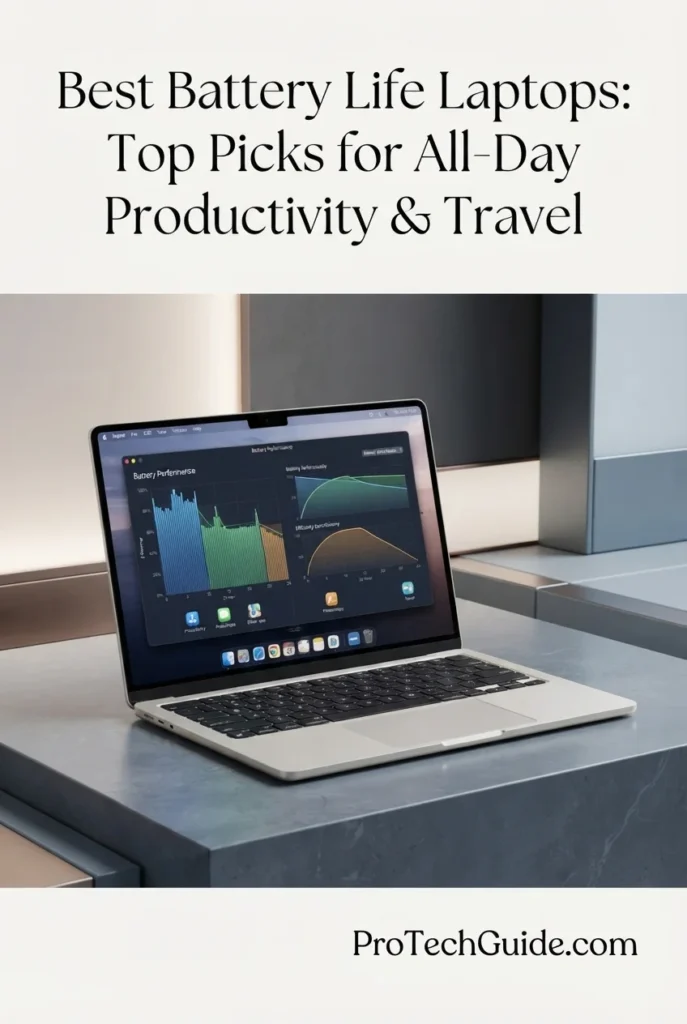
The Apple MacBook Air 13-inch with the M5 chip, 16GB of unified memory, and 1TB SSD is our top recommendation for users who want a lightweight laptop for all-day productivity in 2026. Apple's M5 silicon combines responsive CPU performance, integrated graphics, and a powerful Neural Engine in a portable design built for studying, office work, communication, and compatible AI-assisted tasks. Its 13.6-inch Liquid Retina display, 12MP Center Stage camera, Touch ID, and Wi-Fi 7 connectivity create a capable everyday work environment. Apple advertises up to 18 hours of battery life, making this MacBook Air especially appealing to students, professionals, and travelers who want to work away from a power outlet. Actual battery life varies with workload, display brightness, network activity, and settings.

• Ideal for students, remote professionals, frequent travelers, and everyday users who prioritize portability and long battery life
• Excellent for document editing, spreadsheets, research, web browsing, video calls, presentations, content consumption, and compatible AI-assisted workflows
• Particularly well suited to people who want a lightweight macOS laptop with 16GB of unified memory and generous 1TB local storage without moving to a larger MacBook Pro
• The Apple M5 chip delivers responsive performance for everyday productivity, multitasking, compatible creative applications, and supported AI-assisted workflows
• Apple's advertised battery life of up to 18 hours makes the MacBook Air an attractive option for long study days, meetings, travel, and mobile work, although actual runtime depends on usage
• The 13.6-inch Liquid Retina display supports up to one billion colors, delivering sharp text and vibrant visuals for documents, presentations, websites, photos, and videos
• The 16GB unified memory configuration supports everyday multitasking across productivity applications, browser tabs, video calls, and compatible creative tools
• The 1TB SSD provides substantial local storage for applications, coursework, documents, photos, videos, and professional projects without relying entirely on cloud storage
• The 12MP Center Stage camera, Touch ID, backlit keyboard, MagSafe charging, two Thunderbolt 4 ports, Wi-Fi 7, and Bluetooth 6 provide useful features for everyday work and mobile productivity

The MacBook Air 13-inch with M5 earns our Best Lightweight Laptop for All-Day Productivity award because it combines a highly portable design, efficient Apple silicon, 16GB of unified memory, 1TB of storage, and Apple's advertised battery life of up to 18 hours. Its compact display size makes it easy to carry between classrooms, offices, meetings, and travel destinations, while its performance is well suited to everyday productivity and compatible creative workflows. For users who value mobility and long periods away from a charger more than workstation-class performance, it offers a compelling balance of capability and convenience.

Compared with the Apple MacBook Pro 16-inch with M5 Pro, the MacBook Air prioritizes portability and everyday efficiency over the higher-end performance and larger display of Apple's professional model. Compared with the ASUS Zenbook A14 Copilot+ PC, it offers the macOS experience, Apple's ecosystem integration, and a 1TB SSD in this configuration. Buyers should compare independent battery tests for the exact models they are considering, since manufacturer estimates and real-world runtime can differ significantly depending on workload and test conditions.

• Apple M5 chip • Apple-designed CPU and integrated GPU • Neural Engine for supported AI workloads • Unified memory architecture • macOS • Designed for responsive everyday computing • Suitable for productivity and compatible creative applicationsThe Apple MacBook Air with M5 is designed to deliver responsive performance in a thin, lightweight laptop. Its Apple silicon platform supports everyday tasks such as document editing, web browsing, spreadsheets, video calls, research, presentations, and multitasking across common applications.The integrated GPU and Neural Engine also support compatible creative and AI-assisted workflows. Performance depends on the application and workload, so users running sustained, demanding professional tasks should compare the MacBook Air with a MacBook Pro or another laptop designed for more intensive workloads.
• Apple advertises up to 18 hours of battery life • Efficient Apple M5 platform • Designed for mobile productivity • Suitable for classes, meetings, and travel • Actual runtime varies by workload • Display brightness affects battery consumption • Wireless activity and applications influence enduranceBattery life is one of the MacBook Air's principal strengths. Apple advertises up to 18 hours of battery life for this model, positioning it as a laptop that can support extended periods of mobile productivity without frequent charging.That figure is a manufacturer estimate rather than a guarantee for every user or workload. Video streaming, browser activity, video conferencing, demanding applications, screen brightness, wireless connectivity, and background processes can all affect runtime. Buyers who need a dependable estimate for a particular workday should consult independent battery tests that identify the exact MacBook Air generation and testing conditions.
• 16GB unified memory • Shared memory architecture for supported CPU and GPU workloads • Suitable for everyday multitasking • Supports productivity applications and browser tabs • Practical for study and office workflows • Supports compatible creative applicationsThe 16GB unified memory configuration provides a practical foundation for everyday productivity. Users can work across documents, spreadsheets, email, browser tabs, online meetings, and compatible creative applications while benefiting from Apple's integrated memory architecture.For students and general productivity users, this capacity offers a useful balance of responsiveness and capability. Professionals working with unusually large datasets, complex video projects, or memory-intensive applications should assess their specific workload before choosing a configuration.
• 13.6-inch Liquid Retina display • Supports up to one billion colors • Sharp text and detailed visuals • Suitable for documents and presentations • Useful for photos, videos, and web browsing • Compact screen for mobile productivityThe 13.6-inch Liquid Retina display provides a clear workspace for everyday computing. Support for up to one billion colors helps deliver rich visuals for photos, videos, presentations, and compatible creative content, while sharp text supports reading, writing, and spreadsheet work.Its compact size contributes to the MacBook Air's portability. Users who regularly need several large windows open side by side or prefer more physical workspace may find a 15-inch laptop or a MacBook Pro more comfortable for extended desktop use.
• 1TB SSD storage • Space for applications and documents • Suitable for coursework and professional projects • Room for photos, videos, and downloads • Local access to frequently used files • Less dependence on external storage for everyday useThe 1TB SSD provides generous local storage for a lightweight productivity laptop. It can accommodate applications, documents, coursework, photos, videos, and many everyday professional projects without requiring users to rely entirely on cloud storage or external drives.Available space will be lower than the advertised capacity after macOS, preinstalled applications, and system data are accounted for. Users maintaining extensive media libraries or large professional project archives may still benefit from external or cloud storage.
• macOS • Apple Intelligence features where supported • Apple M5 Neural Engine • Integrated Apple silicon platform • Compatibility with macOS applications • AI features depend on software and language availabilityThe MacBook Air combines macOS with Apple silicon capabilities to support everyday productivity and compatible AI-assisted tasks. Apple Intelligence offers supported features designed to help users write, communicate, and complete selected tasks, subject to device, software, language, and regional requirements.The Neural Engine is designed to accelerate compatible machine-learning workloads, but not every AI application runs locally or benefits equally from it. Users who depend on specific professional applications should verify macOS compatibility and any hardware or software requirements before purchasing.
• 12MP Center Stage camera • Center Stage framing for compatible video calls • Desk View support • Three-microphone array • Four-speaker sound system • Spatial Audio support • Dolby Atmos supportThe 12MP Center Stage camera is designed to help keep the user in frame during compatible video calls, making the MacBook Air useful for remote work, online classes, and virtual meetings. Desk View can also provide a top-down view of a workspace in supported situations.The three-microphone array and four-speaker sound system support everyday calls, presentations, video content, and music. Spatial Audio and Dolby Atmos are supported for compatible content, applications, and playback conditions.
• Wi-Fi 7 • Bluetooth 6 • Two Thunderbolt 4 ports • MagSafe charging port • 3.5mm headphone jack • Support for up to two external displays • Apple N1 wireless chip as listedThe MacBook Air provides modern wireless connectivity through Wi-Fi 7 and Bluetooth 6, supported by Apple's N1 wireless chip as described in the product listing. Two Thunderbolt 4 ports support compatible peripherals and accessories, while MagSafe provides a dedicated magnetic charging connection.The laptop also includes a headphone jack and supports up to two external displays according to Apple's product information. External-display support and the capabilities available through connected accessories depend on the supported configuration and connection setup. Users who need numerous built-in ports should consider whether a compatible hub or dock will be necessary.
• MacBook Air 13-inch design • Starlight finish • Thin and portable form factor • Backlit keyboard • Touch ID fingerprint authentication • MagSafe charging • Designed for work and study on the moveThe MacBook Air's compact 13-inch-class design makes it a natural fit for users who carry their laptop between home, school, offices, meetings, and travel destinations. The Starlight finish offers a distinctive appearance, while the backlit keyboard supports typing in dim environments.Touch ID provides convenient fingerprint authentication on supported macOS features, and MagSafe offers a dedicated charging connection. Together, these features make the MacBook Air a practical everyday companion for people who prioritize portability and convenience.
Ideal for:• Students and university coursework • Remote workers and mobile professionals • Frequent travelers and commuters • Document editing and spreadsheets • Web browsing and online research • Video calls and virtual meetings • Everyday creative and productivity applications • Users who prefer macOS and Apple ecosystem integration • Buyers who want 1TB of local storage • People who prioritize portability and advertised long battery lifeThe Apple MacBook Air 13-inch with M5, 16GB of unified memory, and a 1TB SSD is an excellent candidate for everyday productivity in 2026. It combines a portable design, responsive Apple silicon performance, a high-quality display, modern wireless connectivity, and Apple's advertised battery life of up to 18 hours.It is particularly well suited to users whose daily work centers on studying, office applications, communication, browsing, and compatible creative tools. Those who need sustained workstation-class performance or a larger display should compare higher-performance alternatives, and anyone choosing primarily for battery endurance should consider independent test results alongside Apple's manufacturer estimate.
Best Laptop for Efficient Windows Productivity (2026)

Lenovo IdeaPad Slim 5X

Efficient Snapdragon Performance, All-Day Productivity & Everyday Mobility
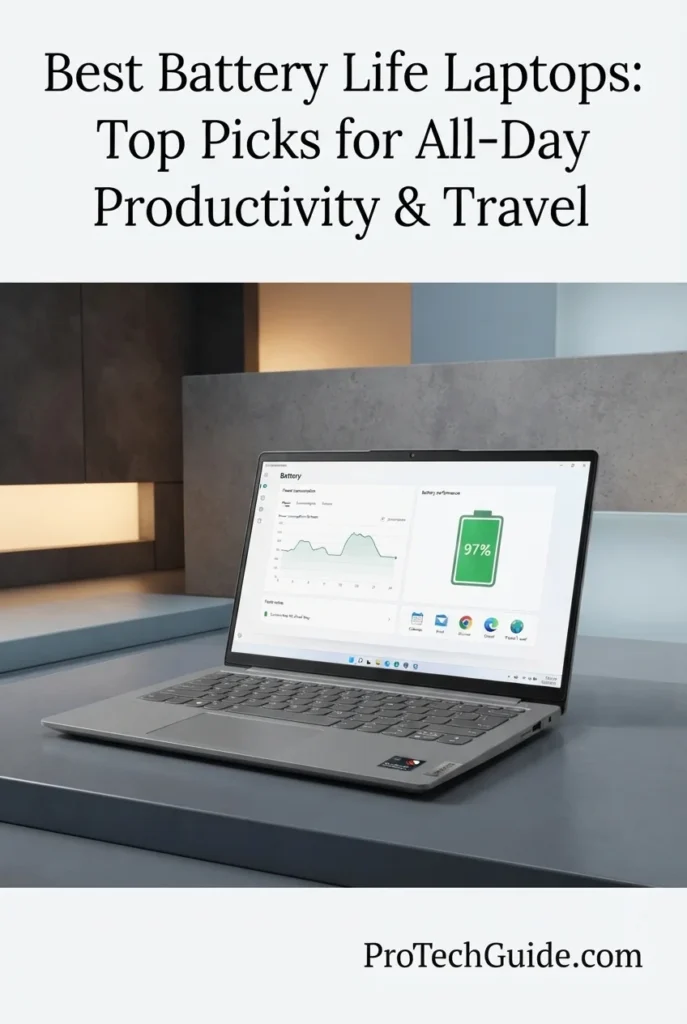
The Lenovo IdeaPad Slim 5X (2026), featuring the Snapdragon X2 Plus X2P-42-100, 16GB of memory, and a 512GB SSD, is a compelling choice for users who want an efficient Windows laptop for everyday productivity, remote work, studying, and travel. Its 15.3-inch IPS WQXGA display, integrated Qualcomm graphics, and power-efficient Snapdragon platform make it well suited to office applications, web browsing, video calls, document editing, and multitasking. With a 54.7Wh battery and a portable chassis weighing approximately 3.1 pounds according to the product listing, it offers a practical balance of screen space, mobility, and everyday computing efficiency. Actual battery life will depend on workload, display brightness, wireless activity, and power settings.

• Ideal for students, remote workers, business users, and professionals who need a dependable Windows laptop for everyday tasks
• Well suited to Microsoft Office applications, web-based productivity tools, video meetings, research, document editing, and everyday multitasking
• A strong option for users who want a larger high-resolution display and efficient Snapdragon computing without moving to a heavier traditional workstation
• The Qualcomm Snapdragon X2 Plus X2P-42-100 platform is designed for efficient everyday computing, helping support productivity workloads without relying on a traditional high-power desktop-class processor
• The 54.7Wh battery provides the capacity needed for mobile work, while real-world endurance depends on applications, screen brightness, connectivity, and system settings
• The 15.3-inch WQXGA display with a listed native resolution of 2560 × 1600 provides generous workspace for documents, spreadsheets, browser tabs, and side-by-side applications
• The 16GB memory configuration supports everyday multitasking across productivity applications, browser tabs, video calls, and other common Windows workloads
• The 512GB SSD offers practical local storage for documents, applications, coursework, business files, downloads, and everyday projects
• At approximately 3.1 pounds according to the listing, the Cloud Grey laptop is designed to remain reasonably portable while offering a larger screen than many compact 13- or 14-inch notebooks

The Lenovo IdeaPad Slim 5X earns its place as Best Laptop for Efficient Windows Productivity because it combines a modern Snapdragon X2 Plus processor, 16GB of memory, a spacious high-resolution display, and a 54.7Wh battery in a practical everyday laptop. It is particularly attractive to users who prioritize mobile productivity and efficient computing over dedicated gaming graphics or workstation-class performance. Its battery capacity is a useful indicator of its mobile design, but it should not be treated as a guaranteed runtime: no specific battery-life figure is claimed here without a verified test of this exact configuration.

Compared with the Apple MacBook Air 13-inch with M5, the Lenovo offers a larger 15.3-inch display and a Windows environment that may better suit users who depend on Windows-specific applications. Against the ASUS Zenbook A14 Copilot+ PC, it emphasizes a larger viewing area and a straightforward productivity-focused design rather than an especially compact form factor. The best choice depends on software compatibility, display preferences, portability requirements, and verified battery-test results. Users considering either laptop primarily for long unplugged work sessions should compare independent runtime measurements for the exact configurations rather than relying on processor branding or battery capacity alone.

• Qualcomm Snapdragon X2 Plus X2P-42-100 processor • Integrated Qualcomm graphics • Windows 11 Home • Designed for everyday productivity workloads • Suitable for office applications and web-based tools • Supports everyday multitasking • Efficient platform for mobile computingThe Lenovo IdeaPad Slim 5X uses the Qualcomm Snapdragon X2 Plus X2P-42-100 processor and integrated graphics to support common productivity tasks. It is a practical fit for document editing, spreadsheets, web browsing, online research, video meetings, and general office work. Its overall performance will depend on the applications being used, software compatibility, and workload intensity. Users who rely on specialized Windows software should confirm that their essential applications and peripherals work correctly on the Snapdragon platform before purchasing.
• 54.7Wh lithium-ion battery • Designed for mobile computing • Suitable for working away from a desk • Snapdragon-based computing platform • Battery life varies by workload • Display brightness affects power consumption • No unverified runtime guaranteeThe IdeaPad Slim 5X includes a 54.7Wh battery designed to support everyday mobile computing. Its Snapdragon platform is intended for efficient computing, making the laptop worth considering for users who regularly work between home, school, and the office. However, battery capacity and processor efficiency do not establish an exact number of usable hours. Brightness, video playback, video calls, browser activity, background applications, wireless connectivity, and power settings can all affect endurance.For a realistic comparison, prioritize independent battery tests performed on the same IdeaPad Slim 5X configuration, or a clearly identified configuration with matching hardware and display specifications. Do not assume that results from another Snapdragon laptop apply directly to this model.
• 15.3-inch display • IPS display technology listed • Native resolution of 2560 × 1600 pixels • 16:10-style productivity workspace • 60Hz refresh rate listed • Integrated Qualcomm graphics • Suitable for documents, spreadsheets, and browsingThe 15.3-inch display provides generous workspace for everyday productivity. Its listed native resolution of 2560 × 1600 pixels offers room for spreadsheets, multiple browser windows, documents, and side-by-side applications. The larger screen can be especially useful for students and professionals who spend extended periods reading, writing, reviewing information, or attending online meetings.The retailer's specifications contain conflicting display entries, including references to OLED and IPS as well as different resolution values. The listing identifies IPS technology and a native 2560 × 1600 resolution, but buyers should confirm the exact panel specifications for model 83RL000MUS before ordering.
• 16GB installed memory • Listed LPDDR5 memory technology • Supports everyday multitasking • Suitable for office applications • Useful for browser-based workflows • Designed for common productivity tasksThe 16GB memory configuration is suitable for typical productivity workloads, including office applications, web browsing, email, online meetings, and document management. It provides a practical amount of memory for users who regularly keep several everyday applications open simultaneously.The retailer's memory section contains inconsistent entries for memory technology and maximum capacity. The advertised configuration is 16GB, so buyers should verify the final specification with the seller and should not interpret the listing's conflicting maximum-capacity entry as the laptop's actual installed memory.
• 512GB SSD storage • Local space for applications and documents • Suitable for coursework and business files • Convenient access to frequently used files • Practical capacity for everyday projects • External storage can expand available spaceThe 512GB SSD provides local storage for Windows applications, documents, presentations, spreadsheets, photos, downloads, and everyday projects. It is a practical capacity for students and professionals whose workflows rely primarily on office applications and cloud-based services.Users who maintain extensive video libraries, large media projects, or substantial offline datasets may eventually benefit from external storage or a separate backup solution. Available space will be lower than the advertised capacity after Windows, installed applications, and system files occupy part of the drive.
• Windows 11 Home • Qualcomm Snapdragon X2 Plus platform • Integrated graphics • Suitable for everyday Windows productivity • Supports common web-based applications • Application compatibility should be verified • Confirm peripheral and driver requirementsWindows 11 Home provides the familiar Windows environment many students and everyday users expect. The laptop is suited to common productivity applications, web services, communication tools, and general computing. However, Snapdragon systems use an ARM-based processor platform, and some applications, drivers, utilities, or peripherals may behave differently from their counterparts on traditional x86 Windows laptops.Before purchasing, verify compatibility with any specialist business software, older applications, device drivers, VPN clients, or accessories essential to your workflow. This is especially important for professional users who depend on a specific application rather than standard office and browser-based tools.
• Wi-Fi and Bluetooth connectivity listed • HDMI video output listed • Three USB ports reported in the listing • Compatible with external displays and peripherals • Supports wireless accessories • Suitable for common desk setupsThe IdeaPad Slim 5X supports connections for common productivity accessories, including compatible external displays, keyboards, mice, storage devices, printers, and wireless headphones. The retailer lists HDMI output and three USB ports in total, but does not provide a sufficiently clear breakdown of every port type in the supplied specifications.Wireless details are also inconsistent across the listing, which references both 802.11ac and 802.11ax. Buyers should verify the exact Wi-Fi standard and port configuration for model 83RL000MUS if those features are important to their setup.
• Cloud Grey finish • Approximately 3.1 pounds according to the listing • Listed dimensions of 13.36 × 9.29 × 0.63 inches • Clamshell laptop design • 15.3-inch display • Built-in speakers and webcam • Suitable for home, school, and office useThe IdeaPad Slim 5X combines a larger 15.3-inch display with a chassis listed at approximately 3.1 pounds. Its Cloud Grey finish and conventional clamshell design suit everyday environments, from a home office to a classroom or shared workspace.The listed dimensions and weight make it worth considering for users who want a full-size productivity experience without carrying a traditional workstation. Actual travel convenience will also depend on the laptop's charger, accessories, and the space available in the user's bag.
Ideal for:• Students and everyday users • Remote workers • Office productivity • Document editing and spreadsheets • Web browsing and online research • Video meetings and communication • Windows users seeking efficient computing • People who prefer a larger laptop display • Everyday multitasking • Users who want a practical mobile work laptopThe Lenovo IdeaPad Slim 5X (2026) is a practical option for users who need a Windows laptop for everyday productivity, study, and remote work. Its Snapdragon X2 Plus processor, 16GB memory, 512GB SSD, and 15.3-inch high-resolution display create a balanced configuration for common tasks.Its 54.7Wh battery and efficiency-oriented platform make it a relevant candidate for a battery-life buying guide, but users should evaluate independent runtime results for the exact configuration before treating it as a leader in unplugged endurance. Buyers should also verify the retailer's inconsistent display and connectivity specifications before making a final decision.
Best Chromebook for Students (2026)

Acer Chromebook Plus Spin 514

Flexible 2-in-1 Design, Efficient ChromeOS Productivity & Everyday Mobility
The Acer Chromebook Plus Spin 514 2-in-1, equipped with an Intel Core i5-1334U processor, 8GB of memory, and 512GB of SSD storage, is a versatile option for students and everyday users who want a convertible laptop built around ChromeOS. Its 14-inch WUXGA touchscreen, 100% sRGB color coverage as advertised, integrated Intel Iris Xe graphics, and backlit keyboard make it suitable for online learning, document editing, research, video calls, streaming, and browser-based productivity. The convertible design adds flexibility for touchscreen interaction and compatible tablet-style use, while the advertised Wi-Fi 6E connectivity and 54? battery details aside, the supplied listing does not specify a verified battery capacity or runtime for this exact Intel configuration. It is therefore best considered a practical student-focused option rather than a guaranteed battery-life champion.

• Ideal for students, educators, and everyday users who primarily work with ChromeOS, web applications, online learning platforms, and cloud-based documents
• Well suited to browsing, writing assignments, video conferencing, streaming, Google Workspace, and other compatible productivity applications
• A good fit for users who value a touchscreen convertible design, a color-capable display, and the straightforward ChromeOS experience
• The 10-core Intel Core i5-1334U processor supports everyday multitasking, productivity applications, browser-based work, and compatible ChromeOS workloads
• ChromeOS offers a streamlined computing environment centered on web applications, automatic system updates, and built-in security features
• The 14-inch 1920 × 1200 IPS touchscreen provides a practical 16:10 workspace for assignments, documents, browsing, and interactive learning
• The listing advertises 100% sRGB color coverage, making the display potentially useful for viewing colorful educational content, photos, and multimedia
• The 512GB SSD provides local storage for compatible applications, downloaded files, documents, and offline content, subject to ChromeOS compatibility and available space
• The convertible form factor, backlit keyboard, FHD webcam, DTS Audio, and listed Wi-Fi 6E support make it adaptable to studying, video calls, and everyday use in different environments

The Acer Chromebook Plus Spin 514 earns its place as Best Chromebook for Students because it combines a convertible touchscreen design, a 14-inch WUXGA display, an Intel Core i5 processor, and a straightforward ChromeOS experience. It is particularly appealing to students and everyday users who rely on browser-based tools, online coursework, document editing, and video communication. Its suitability for this battery-life roundup should be judged against verified runtime testing of this specific Intel configuration: the supplied listing does not establish an exact battery capacity or guaranteed number of hours.

Compared with the Lenovo IdeaPad Slim 5X, which runs Windows 11 Home on a Snapdragon platform, the Acer offers ChromeOS and a flexible 2-in-1 touchscreen design rather than a conventional Windows laptop experience. Compared with the Apple MacBook Air 13-inch with M5, it is more focused on browser-centered education and everyday tasks than on a premium macOS productivity environment. Students should choose based on required applications, school software compatibility, display preferences, and independently verified battery results. Anyone who needs desktop Windows applications should confirm their requirements before selecting a Chromebook.

• Intel Core i5-1334U processor • 10 CPU cores • 12 threads • Maximum advertised boost frequency up to 4.6GHz • Integrated Intel Iris Xe graphics, as listed • ChromeOS • Designed for everyday productivity and multitaskingThe Acer Chromebook Plus Spin 514 uses the Intel Core i5-1334U, a processor suitable for common productivity tasks such as document editing, web browsing, online research, video meetings, and compatible ChromeOS applications. Its advertised 10-core configuration provides computing resources for everyday multitasking, although performance depends on the applications being used and how well they are supported by ChromeOS.This model should not be confused with Chromebook Spin 514 variants using different processors. Processor performance, graphics capabilities, and battery behavior can differ significantly between configurations.
• Designed for mobile computing • ChromeOS productivity environment • Suitable for classes and study sessions • Power consumption varies by workload • Display brightness affects battery use • Video calls and streaming can increase power demand • Exact runtime for this configuration is not established by the supplied listingThe Chromebook Plus Spin 514 is designed for portable everyday computing, making it a candidate for students who need to move between classrooms, libraries, and home. However, the supplied product details do not specify a verified battery capacity or a manufacturer-rated runtime for this exact Intel Core i5-1334U configuration.Actual battery life depends on screen brightness, Wi-Fi activity, video playback, video conferencing, background processes, and the applications in use. For a reliable assessment, consult an independent battery test that identifies the Intel-based configuration specifically. Do not transfer runtime figures from versions equipped with a MediaTek processor or different internal hardware.
• 14-inch display • 1920 × 1200 native resolution • IPS touchscreen, as advertised • 16:10 display format • 60Hz refresh rate listed • Advertised 100% sRGB color coverage • Integrated Intel graphicsThe 14-inch WUXGA touchscreen provides a useful balance of workspace and portability. Its 1920 × 1200 resolution offers additional vertical room compared with a conventional 1920 × 1080 display, which can be helpful when reading documents, browsing educational resources, and working with multiple windows.The listing advertises 100% sRGB coverage, a useful specification for color-rich educational content and general multimedia. Actual panel characteristics should be confirmed against the exact retail configuration if color accuracy is essential to your work.
• 8GB installed memory • LPDDR5 memory technology listed • Suitable for everyday ChromeOS applications • Supports common browser-based workflows • Useful for schoolwork and document editing • Actual multitasking headroom depends on workloadThe 8GB memory configuration is appropriate for many everyday Chromebook tasks, including web browsing, document editing, online learning, email, and video calls. It can support typical student workflows, particularly when applications and documents are primarily web-based.Users who regularly keep many demanding browser tabs open or work with memory-intensive applications should consider their multitasking habits before purchasing. The retailer's listing contains inconsistent memory terminology, but it identifies 8GB as the installed capacity for this configuration.
• 512GB SSD storage listed • Local space for downloaded files • Suitable for documents and coursework • Space for compatible applications • Useful for offline content • Cloud storage can complement local storageThe advertised 512GB SSD provides local space for documents, downloads, photos, educational materials, and other files. This can be useful for students who need to retain coursework locally or access selected content when an internet connection is unavailable.Available space will be lower than the advertised capacity after system software and applications occupy part of the drive. As with any Chromebook, verify that the applications and file formats required for your workflow are compatible with ChromeOS.
• ChromeOS operating system • Browser-centered computing experience • Compatible Google productivity tools • Suitable for online learning platforms • Built-in security and system updates • Supports compatible Android and web applications • Windows desktop software compatibility is limitedChromeOS is designed around web-based applications and streamlined everyday computing. It is well suited to students and users who work with compatible Google services, online learning platforms, browser-based office tools, communication applications, and cloud storage.The operating system is not equivalent to Windows 11 or macOS. Traditional Windows desktop applications generally cannot be installed and used in the same way, so users should verify software compatibility before buying. School-specific programs, specialized peripherals, and professional applications deserve particular attention.
• Wi-Fi 6E advertised • Two USB-C ports listed • One USB-A 3.2 port listed • HDMI 1.4b output listed • FHD webcam • DTS Audio • Backlit keyboardThe listed connectivity options make the Chromebook suitable for everyday accessories and study setups. USB-C and USB-A provide ways to connect compatible peripherals, while the HDMI 1.4b output can be useful for connecting an external monitor or classroom display. The FHD webcam and DTS Audio support video meetings and multimedia use.The product listing describes two USB-C ports, one USB-A 3.2 port, and one HDMI port, while its summary also contains inconsistent total-port counts. Confirm the precise port layout for the offered configuration if you depend on a specific connector or multi-display setup.
• Convertible 2-in-1 form factor • 14-inch touchscreen • Backlit keyboard • Listed weight of approximately 3.32 pounds • Gray finish • Built-in webcam • Suitable for school, home, and everyday workThe convertible design adds flexibility for touchscreen interaction and compatible tablet-style use, making the Spin 514 useful for reading, navigating educational content, and presenting information. Its backlit keyboard supports typing in dimmer environments, while the 14-inch display offers a practical balance between screen space and portability.The product listing reports a weight of approximately 3.32 pounds. The laptop's real-world travel convenience will also depend on the charger, accessories, and bag used to carry it.
Ideal for:• Students and educators • Online learning and coursework • Web browsing and research • Document editing and presentations • Google Workspace and compatible web apps • Video calls and remote collaboration • Streaming and everyday entertainment • Users who prefer a convertible touchscreen • People who want a ChromeOS laptop • Everyday productivity and mobile studyThe Acer Chromebook Plus Spin 514 2-in-1 is a versatile choice for students and everyday users who want a touchscreen convertible laptop with ChromeOS, an Intel Core i5-1334U processor, 8GB of memory, and 512GB of listed SSD storage.Its main strengths are its flexible design, productivity-oriented display, and compatibility with common browser-based workflows. For buyers prioritizing battery life above all else, the key next step is to check independent runtime results for this exact Intel configuration. Results from MediaTek-based Spin 514 models should not be treated as representative of this laptop.
At a Glance

Best Battery Life Laptops in 2026

Compared by Battery Efficiency, Processor Platform, Display Quality, Portability, Productivity & Overall Value

Choosing the best battery life laptop in 2026 requires more than comparing battery capacity or manufacturer estimates. Real-world endurance depends on processor efficiency, display technology, screen brightness, workload, wireless connectivity, and power settings. We compared these eight laptops by their processor platforms, advertised battery capabilities where available, portability, productivity features, and suitability for all-day work, study, and travel. Because independently measured battery results are not available for every exact configuration in this lineup, manufacturer claims are distinguished from verified testing rather than presented as directly comparable runtime figures. Use this guide to identify the laptop that best fits your daily workload, operating system preferences, and mobility requirements.

LaptopBattery & Key SpecsBest ForWhy It WinsEditor's Verdict
Best Overall Apple MacBook Pro 16-inch with M5 Pro (2026) Check Price
Apple M5 Pro Chip
18-Core CPU / 20-Core GPU
48GB Unified Memory
1TB SSD
16.2" Liquid Retina XDR
Wi-Fi 7
Professional Creators
Developers
Advanced Multitasking
Demanding Workflows
The MacBook Pro combines Apple's high-performance M5 Pro platform with substantial unified memory, fast SSD storage, and a premium professional display. Apple advertises all-day battery life and up to 17 hours of wireless web browsing for this product family. Its balance of processing capability, efficiency, and connectivity makes it a strong option for professionals who need sustained productivity away from a power outlet. Best Overall Laptop for Premium Performance and Battery Efficiency
Best Business Laptop Dell Pro 14 Check Price
Intel Core Ultra 7 255U
32GB DDR5 RAM
512GB PCIe NVMe SSD
14" FHD+ IPS Display
54Wh Battery
Windows 11 Pro
Business Professionals
Remote Work
Office Productivity
Corporate Travel
The Dell Pro 14 focuses on practical business productivity, combining an efficient Intel Core Ultra processor with 32GB of memory, Windows 11 Pro, and a compact 14-inch display. Its 54Wh battery provides the hardware foundation for mobile work, while its professional connectivity options make it a practical choice for meetings, office applications, and remote workflows. Exact runtime should be confirmed through testing of this specific configuration. Best Windows Laptop for Business Productivity
Best Premium Windows Dell XPS 14 Premium Laptop Check Price
Intel Core Ultra 7 255H
32GB Memory
1TB SSD
14.5" 3.2K OLED Touch
48–120Hz Display
69.5Wh Battery
Premium Windows Users
Mobile Professionals
Content Consumption
High-Resolution Workflows
The Dell XPS 14 pairs a premium aluminum-and-glass design with a high-resolution OLED touchscreen, 32GB of memory, and 1TB of storage. Its 69.5Wh battery offers meaningful capacity for a compact premium laptop, although OLED brightness, refresh rate, and workload can affect endurance. This model is best suited to users who prioritize display quality and refined Windows portability alongside battery-conscious performance. Best Premium Windows Laptop for Display Quality and Mobility
Best for Travel ASUS Zenbook A14 Copilot+ PC Check Price
Snapdragon X Plus X1-26-100
8-Core CPU
32GB RAM
1TB SSD
14" WUXGA OLED
70Wh Battery
Frequent Travelers
Mobile Professionals
Remote Workers
Copilot+ PC Users
The Zenbook A14 combines a power-efficient Snapdragon X Plus platform with 32GB of memory, 1TB of storage, and a 70Wh battery. Its compact 14-inch OLED format is well suited to working across airports, hotels, classrooms, and remote offices. The combination of battery capacity and an efficiency-focused processor makes it a compelling travel option, although the listing's conflicting weight information should be verified before purchase. Best Ultralight Laptop for Travel and Mobile Productivity
Best Budget Pick Lenovo IdeaPad Slim 3X Check Price
Snapdragon X X1-26-100
8-Core CPU
16GB LPDDR5 RAM
512GB SSD
15.3" WUXGA Touchscreen
60Wh Battery
Students
Everyday Productivity
Budget-Conscious Buyers
Mobile Office Work
The IdeaPad Slim 3X offers an efficiency-focused Snapdragon platform, a 60Wh battery, 16GB of memory, and a spacious 15.3-inch touchscreen. Lenovo advertises all-day battery life, making it an appealing budget-oriented choice for browsing, document editing, online classes, and everyday multitasking. Actual endurance will depend on workload and settings, but its combination of capacity and practical productivity features makes it worth considering. Best Budget Laptop for Battery-Conscious Productivity
Best Lightweight Laptop Apple MacBook Air 13-inch with M5 (2026) Check Price
Apple M5 Chip
16GB Unified Memory
1TB SSD
13.6" Liquid Retina Display
Wi-Fi 7
Up to 18 Hours Advertised
Students
Everyday Professionals
Frequent Travelers
All-Day Productivity
The MacBook Air combines a compact design with Apple's M5 platform, 16GB of unified memory, and a 1TB SSD. Apple advertises up to 18 hours of battery life for the listed configuration, making it a strong candidate for users who value long unplugged work sessions without carrying a larger professional laptop. Its fanless Air design, integrated productivity features, and lightweight form factor suit writing, browsing, video calls, and everyday creative work. Best Lightweight Laptop for All-Day Productivity
Best Efficient Windows Laptop Lenovo IdeaPad Slim 5X (2026) Check Price
Snapdragon X2 Plus X2P-42-100
16GB Memory
512GB Storage
15.3" WQXGA Display
54.7Wh Battery
Windows 11 Home
Windows Productivity
Students
Remote Work
Everyday Multitasking
The IdeaPad Slim 5X combines the Snapdragon X2 Plus platform with a high-resolution 15.3-inch display, 16GB of memory, and 512GB of storage. Its 54.7Wh battery and efficiency-focused processor make it an interesting option for users seeking a balance of screen space, Windows productivity, and mobility. Buyers should confirm the retailer's display, memory, and wireless specifications because the supplied listing contains conflicting details. Best Laptop for Efficient Windows Productivity
Best Chromebook Acer Chromebook Plus Spin 514 Check Price
Intel Core i5-1334U
10-Core CPU
8GB RAM
512GB SSD
14" WUXGA IPS Touchscreen
ChromeOS
Students
Web-Based Productivity
Online Learning
Convertible Laptop Users
The Chromebook Plus Spin 514 combines a 14-inch touchscreen, a convertible 2-in-1 design, an Intel Core i5 processor, and ChromeOS for browser-centered productivity and study. Its flexible form factor works well for note-taking, online classes, document editing, and streaming. The supplied listing does not specify a verified battery capacity or runtime for this exact Intel configuration, so it should be considered for its versatility and ChromeOS workflow rather than as a proven battery-life leader. Best Chromebook for Students and Flexible Everyday Use
Keep Exploring

Recommended Next Reads

Finished comparing the best battery life laptops in 2026? Explore our related laptop guides to find the right balance of battery efficiency, portability, productivity, performance, and value for your everyday needs.

Whether you're working remotely, attending classes, traveling frequently, managing a business, or deciding between a MacBook Air and MacBook Pro, choosing the right laptop involves more than battery life alone. These guides will help you compare laptops for different workloads, understand the features that matter most, and find a system that fits your budget, software requirements, and daily routine.

01
Business & Professional Work

Best Business Laptops in 2026

Compare business-focused laptops for office productivity, professional multitasking, meetings, security features, and mobile work across different environments.

Explore Business Laptops →
Education & Everyday Mobility

Best Laptops for Students in 2026

Find student-friendly laptops for classes, research, assignments, online learning, and campus life, with options for different budgets and study requirements.

Explore Student Laptops →
Apple Laptop Comparison

MacBook Air vs. MacBook Pro (2026)

Compare Apple's lightweight Air lineup with the more powerful Pro models to understand the differences in performance, portability, displays, and suitability for demanding workloads.

Compare MacBook Models →
Professional Value

Best Business Laptops Under $1,000 in 2026

Explore more affordable business laptops for productivity, remote work, travel, office applications, and everyday professional tasks without exceeding a $1,000 budget.

Explore Business Laptops Under $1,000 →
MacBook Buying Guide

Best MacBook for College Students in 2026

Compare MacBook options for lectures, research, writing, creative projects, and campus mobility to find an Apple laptop that fits your academic workload and budget.

Explore MacBooks for College →
Performance & Value

Best Laptops Under $1,000 in 2026

Discover laptops across different categories and compare practical performance, everyday productivity, portability, and features that matter when shopping on a budget.

Explore Laptops Under $1,000 →

EDITOR'S FINAL RECOMMENDATIONS

Our Final Battery Life Laptop Recommendations for 2026

After comparing these eight laptops across processor efficiency, battery capacity where specified, manufacturer battery-life claims, display technology, portability, memory, storage, and everyday productivity, our final recommendations focus on helping you find the right laptop for your routine. Whether you need a premium machine for demanding professional work, a lightweight companion for frequent travel, a dependable Windows laptop for business, or an affordable system for school, the best choice depends on how you work and how long you need to stay away from a power outlet. Manufacturer estimates are not the same as independent test results, so consider the stated battery specifications alongside your workload and configuration.

BEST BUSINESS LAPTOP

Dell Pro 14

The Dell Pro 14 is our business-focused recommendation for users who prioritize professional Windows features, multitasking capacity, and a practical 14-inch form factor. Its Intel Core Ultra 7 255U processor, 32GB of memory, 512GB SSD, and 54Wh battery provide a useful foundation for office applications, remote work, and business travel. Because a verified runtime for this exact configuration is not established here, choose it for its business-oriented hardware and confirm independent battery results if all-day unplugged use is essential.

  • ✓ Intel Core Ultra 7 255U
  • ✓ 32GB DDR5 Memory
  • ✓ 512GB PCIe NVMe SSD
  • ✓ 14-inch FHD+ Display and 54Wh Battery
Best Windows business laptop for mobile professional workflows
BEST PREMIUM WINDOWS

Dell XPS 14 Premium Laptop

The XPS 14 is a compelling option for users who want a refined Windows laptop with a high-resolution OLED touchscreen, 32GB of memory, 1TB of storage, and a compact premium design. Its 69.5Wh battery offers substantial capacity for a 14.5-inch system, although actual endurance depends on display brightness, refresh rate, applications, and power settings. Choose this model when premium display quality and mobility matter alongside battery-conscious performance.

  • ✓ Intel Core Ultra 7 255H
  • ✓ 32GB Memory
  • ✓ 1TB SSD Storage
  • ✓ 14.5-inch 3.2K OLED Touchscreen and 69.5Wh Battery
Best premium Windows laptop for display quality and everyday mobility
BEST FOR TRAVEL

ASUS Zenbook A14 Copilot+ PC

The Zenbook A14 is our travel-oriented pick for users who want a compact Windows laptop built around an efficiency-focused Snapdragon X Plus processor. Its 70Wh battery, 32GB of memory, 1TB SSD, and 14-inch OLED display create a strong combination for remote work, writing, browsing, meetings, and everyday productivity while traveling. Before buying, verify the exact weight and connectivity specifications with the retailer, as the supplied listing contains conflicting information.

  • ✓ Snapdragon X Plus X1-26-100
  • ✓ 32GB Memory
  • ✓ 1TB SSD Storage
  • ✓ 14-inch WUXGA OLED and 70Wh Battery
Best travel-oriented Windows laptop with a 70Wh battery
BEST BUDGET PICK

Lenovo IdeaPad Slim 3X

The IdeaPad Slim 3X is our budget-oriented choice for everyday users who want an efficiency-focused Snapdragon platform, a 60Wh battery, 16GB of memory, and a spacious 15.3-inch touchscreen. Lenovo advertises all-day battery life, making this configuration worth considering for students, web browsing, document editing, and everyday multitasking. Actual runtime will vary with applications, brightness, connectivity, and power settings, so treat the manufacturer's claim as an estimate rather than a guaranteed result.

  • ✓ Snapdragon X X1-26-100
  • ✓ 16GB LPDDR5 Memory
  • ✓ 512GB SSD Storage
  • ✓ 15.3-inch WUXGA Touchscreen and 60Wh Battery
Best budget-oriented option for everyday battery-conscious productivity
BEST LIGHTWEIGHT LAPTOP

Apple MacBook Air 13-inch with M5 (2026)

The MacBook Air is our recommendation for people who want a lightweight laptop for everyday productivity and extended work away from a charger. This configuration combines Apple's M5 chip, 16GB of unified memory, a 1TB SSD, and a 13.6-inch Liquid Retina display. Apple advertises up to 18 hours of battery life for the listed model. That makes it an appealing option for students, writers, remote professionals, and frequent travelers who value portability without giving up a premium everyday computing experience.

  • ✓ Apple M5 Chip
  • ✓ 16GB Unified Memory
  • ✓ 1TB SSD Storage
  • ✓ 13.6-inch Liquid Retina Display and Up to 18 Hours Advertised Battery Life
Best lightweight laptop for all-day productivity and travel
BEST EFFICIENT WINDOWS LAPTOP

Lenovo IdeaPad Slim 5X (2026)

The IdeaPad Slim 5X is designed for users who want an efficiency-focused Windows laptop with a generous 15.3-inch display. Its Snapdragon X2 Plus X2P-42-100 platform, 16GB of memory, 512GB of storage, and 54.7Wh battery make it a candidate for office work, study, browsing, and everyday multitasking. Because the supplied retailer listing contains conflicting display, memory, and wireless details, verify the exact configuration before purchasing, especially if specific features are essential to your workflow.

  • ✓ Snapdragon X2 Plus X2P-42-100
  • ✓ 16GB Memory
  • ✓ 512GB Storage
  • ✓ 15.3-inch WQXGA Display and 54.7Wh Battery
Best option for efficient Windows productivity and everyday mobility
BEST CHROMEBOOK

Acer Chromebook Plus Spin 514

The Chromebook Plus Spin 514 is a versatile choice for students and users whose everyday work takes place primarily in a browser. Its Intel Core i5-1334U processor, 8GB of memory, 512GB SSD, and 14-inch WUXGA IPS touchscreen support web-based productivity, online classes, document editing, and media consumption. Its convertible design adds flexibility for note-taking and touchscreen use. Since the supplied listing does not establish a verified battery runtime for this exact Intel configuration, choose it for its ChromeOS workflow and 2-in-1 versatility rather than a guaranteed all-day runtime.

  • ✓ Intel Core i5-1334U Processor
  • ✓ 8GB Memory
  • ✓ 512GB SSD Storage
  • ✓ 14-inch WUXGA IPS Touchscreen and ChromeOS
Best Chromebook for students and browser-based productivity
QUICK DECISION

Which battery life laptop should you buy?

Best Overall

MacBook Pro 16-inch M5 Pro

Best Business

Dell Pro 14

Best Premium Windows

Dell XPS 14

Best for Travel

ASUS Zenbook A14

Best Budget Pick

Lenovo IdeaPad Slim 3X

Best Lightweight

MacBook Air 13-inch M5

Best Efficient Windows

Lenovo IdeaPad Slim 5X

Best Chromebook

Acer Chromebook Plus Spin 514

Laptop prices, configurations, and availability can change frequently. Before purchasing, check Amazon for the latest price, the exact processor and memory configuration, battery specifications, warranty coverage, and current promotions. Manufacturer battery-life estimates are measured under specific conditions and should not be interpreted as guaranteed runtime for every workload.

EDITOR'S FINAL VERDICT

Final Verdict: Best Battery Life Laptops in 2026

After comparing battery capacity, manufacturer battery-life estimates, processor efficiency, display technology, memory, storage, portability, operating systems, and everyday productivity needs, one conclusion stands out:The best laptop for battery life is not necessarily the model with the largest battery or the most powerful processor. It is the laptop that combines efficient hardware, a well-optimized operating system, a practical display, and enough performance to handle your daily workload without keeping you tied to a power outlet.

Modern professionals, students, remote workers, and frequent travelers need laptops that can keep up with workdays that extend beyond a desk. Video calls, browser tabs, documents, spreadsheets, research, streaming, and multitasking can all affect battery consumption. Processor efficiency, screen brightness, display resolution, wireless connectivity, and workload intensity also influence how long a laptop lasts between charges.

For buyers prioritizing battery life, start with independently tested runtime for the exact configuration whenever available. Manufacturer estimates are useful reference points, but they are not directly comparable when testing conditions differ. Apple advertises up to 18 hours for the MacBook Air M5 and up to 17 hours of wireless web browsing for the MacBook Pro configuration in this guide. For the Windows laptops and Chromebook, the available listing information does not establish equally verified runtime figures for every exact configuration.
Best Battery Life OverallApple MacBook Air 13-inch M5
Best Premium ProductivityApple MacBook Pro 16-inch M5 Pro
Best Business LaptopDell Pro 14
Best Chromebook for Everyday UseAcer Chromebook Plus Spin 514
The simple answer:
  • Choose the Apple MacBook Air 13-inch with M5 if you want a portable everyday laptop with an efficient Apple silicon platform and a manufacturer-advertised battery life of up to 18 hours. It is an excellent starting point for students, remote workers, travelers, and professionals who value portability alongside long battery life.
  • Choose the Apple MacBook Pro 16-inch with M5 Pro if you need a larger premium display, substantial processing power, 48GB of unified memory, and strong productivity capabilities. Apple advertises up to 17 hours of wireless web browsing for this product family, although actual runtime depends on workload and settings.
  • Choose the Dell Pro 14 if you need a business-oriented Windows laptop with a 54Wh battery, 32GB of memory, and professional software compatibility. Its exact battery runtime has not been verified here, so compare independent results for the precise configuration before treating it as an all-day battery-life leader.
  • Choose the ASUS Zenbook A14 if your priorities include a compact OLED laptop, a 70Wh battery, and an energy-efficient Snapdragon X Plus platform. Confirm the exact model's weight and independent battery results before buying, as the supplied listing contains conflicting weight information.

Top Battery Life Laptop Recommendations (2026)

BEST OVERALL BATTERY LIFE

Apple MacBook Air 13-inch M5

Our leading recommendation for buyers who want a highly portable laptop for everyday productivity, study, travel, and remote work. Apple advertises up to 18 hours of battery life for this configuration. Its compact design, Liquid Retina display, and Apple silicon platform make it a compelling option for users who want to work away from a charger. Real-world results will vary with brightness, applications, and workload.

  • ✓ Apple M5 chip
  • ✓ 16GB unified memory
  • ✓ 1TB SSD storage
  • ✓ 13.6-inch Liquid Retina display
BEST PREMIUM PRODUCTIVITY

Apple MacBook Pro 16-inch M5 Pro

The premium choice for professionals who need substantial performance and memory without giving up the ability to work unplugged. Its M5 Pro chip, 48GB of unified memory, 1TB SSD, and 16.2-inch Liquid Retina XDR display suit demanding productivity and creative workflows. Apple advertises up to 17 hours of wireless web browsing, but heavier workloads can reduce runtime.

  • ✓ Apple M5 Pro chip
  • ✓ 48GB unified memory
  • ✓ 1TB SSD storage
  • ✓ 16.2-inch Liquid Retina XDR display
BEST BUSINESS WINDOWS LAPTOP

Dell Pro 14

A practical option for professionals who need Windows compatibility, 32GB of memory, and a 14-inch FHD+ display in a business-focused system. Its 54Wh battery provides a useful capacity reference, but battery size alone cannot establish real-world endurance. Check independent tests of the exact Core Ultra 7 255U configuration before relying on it for a full day away from a charger.

  • ✓ Intel Core Ultra 7 255U
  • ✓ 32GB DDR5 memory
  • ✓ 512GB PCIe NVMe SSD
  • ✓ 54Wh battery
Choose the MacBook Air M5 if:
  • ✓ You prioritize battery life and portability for everyday work
  • ✓ You want a lightweight laptop for commuting, travel, study, and remote work
  • ✓ Your applications are compatible with macOS
  • ✓ You value Apple's advertised battery-life estimate of up to 18 hours
Choose the MacBook Pro M5 Pro if:
  • ✓ You need more processing power and memory for demanding professional workloads
  • ✓ You prefer a larger 16.2-inch premium display
  • ✓ You want 48GB of unified memory and 1TB of SSD storage
  • ✓ You need a powerful productivity laptop that can also work unplugged
Before Buying Any Battery-Focused Laptop:
  • ✓ Look for independent battery tests of the exact processor, display, and battery configuration
  • ✓ Treat manufacturer estimates as reference figures, not guaranteed real-world runtime
  • ✓ Remember that OLED panels, high brightness, demanding applications, and video calls can increase power consumption
  • ✓ Compare battery capacity alongside processor efficiency, screen characteristics, and operating-system optimization
  • ✓ Check the listing carefully for configuration differences, inconsistent specifications, warranty terms, and included accessories
Editor's Final Recommendation:

Choosing a laptop for battery life is about more than finding the biggest battery or the longest number on a product page. The most useful laptop is one that delivers dependable runtime for your actual workload while providing the performance, screen quality, portability, and software compatibility you need throughout the day.

Among the laptops in this guide, the Apple MacBook Air 13-inch with M5 is our Editor's Choice for the best overall battery-life laptop because Apple advertises up to 18 hours of battery life for this configuration, alongside a portable design and an efficient Apple silicon platform. That figure is a manufacturer estimate, not a guarantee of everyday runtime.The Apple MacBook Pro 16-inch with M5 Pro is the stronger fit for users who need more memory, processing capability, and a larger premium display while still valuing unplugged productivity. For Windows users, the Dell Pro 14, ASUS Zenbook A14, and Lenovo IdeaPad Slim 3X are worth considering based on their configurations and battery specifications, but their precise endurance should be assessed using independent testing rather than assumed from battery capacity or general marketing claims. The Acer Chromebook Plus Spin 514 is another option for everyday web-based work, provided ChromeOS meets your software requirements.

Editor's ChoiceExplore Today's Best Battery Life Laptop Deals

Compare current prices, processor configurations, battery specifications, displays, memory, storage, warranty coverage, and availability before choosing the laptop that best fits your workday. When battery life is your main priority, verify independent runtime results for the exact model whenever possible.

Check Latest Deals

EDITOR'S FAQ

Frequently Asked Questions About the Best Battery Life Laptops in 2026

Choosing the best laptop for battery life requires more than comparing battery capacity or relying on the longest runtime advertised by a manufacturer. Processor efficiency, display technology, screen brightness, operating system, workload, and power management all influence how long a laptop lasts between charges.These frequently asked questions address the most important battery-life buying decisions, including which laptops are best for all-day productivity, how to interpret manufacturer battery estimates, whether OLED displays consume more power, and how to choose between Windows laptops, MacBooks, Snapdragon-powered systems, and Chromebooks for work, study, and travel.

The Apple MacBook Air 13-inch with M5 is our top overall recommendation for battery-conscious everyday productivity in 2026.

Apple advertises up to 18 hours of battery life for the MacBook Air M5 configuration featured in this guide. Its efficient Apple silicon platform, portable design, and Liquid Retina display make it an attractive option for students, professionals, remote workers, and frequent travelers who want to spend less time searching for an outlet.

  • Apple advertises up to 18 hours of battery life for the featured MacBook Air M5 configuration.
  • The 13.6-inch Liquid Retina display provides a compact workspace for everyday productivity.
  • 16GB of unified memory supports multitasking across compatible applications.
  • 1TB of SSD storage provides room for documents, applications, and professional projects.
  • Its portable design makes it suitable for commuting, study, and mobile work.

The MacBook Pro 16-inch with M5 Pro is a stronger alternative for demanding professional workloads and a larger display, with Apple advertising up to 17 hours of wireless web browsing for this product family. Actual battery life depends on applications, brightness, connectivity, and usage patterns.

Check MacBook Air Price
The longest-lasting laptop depends on the exact configuration and testing conditions. In this guide, the Apple MacBook Air M5 has the highest manufacturer-advertised maximum, at up to 18 hours.

Battery-life figures are not always directly comparable. One manufacturer may measure wireless web browsing, another may use video playback, and independent reviewers may run standardized tests with different brightness levels and power settings. A laptop that lasts longest during video playback may not deliver the same result during video calls, heavy multitasking, or demanding professional work.

  • Apple MacBook Air M5 → Apple advertises up to 18 hours of battery life for the featured configuration.
  • Apple MacBook Pro M5 Pro → Apple advertises up to 17 hours of wireless web browsing for this product family.
  • ASUS Zenbook A14 → Its listed 70Wh battery and Snapdragon X Plus platform make it worth considering, but the exact runtime has not been verified here.
  • Lenovo IdeaPad Slim 3X → Lenovo's all-day battery-life positioning makes it relevant for mobile productivity, although an exact runtime for the featured configuration is not established here.
  • Other Windows laptops and Chromebook → Compare independent tests of the exact model rather than assuming a runtime based on battery size or processor family.

For the most reliable comparison, prioritize standardized independent battery tests for the exact screen, processor, and battery configuration you intend to buy.

Compare MacBook Air
For mobile productivity, a laptop that can deliver around 8–10 hours or more in your typical workload is a useful target, while frequent travelers may benefit from even longer tested runtime.

The right amount of battery life depends on how you use your laptop. Someone working primarily with documents and browser tabs may need less endurance than a professional who spends the day traveling, attending video meetings, and switching between demanding applications.

  • 4–6 hours → May be adequate for shorter sessions near a power outlet, but can be limiting for long days away from a charger.
  • 8–10 hours → A practical target for many students, office workers, and remote professionals.
  • 10–12 hours or more → Attractive for people who work across multiple locations or want more flexibility between charges.
  • All-day travel → Prioritize independently tested runtime that matches your expected workload, plus the ability to recharge when necessary.

These ranges are buying guidelines, not guarantees. The runtime you experience depends on screen brightness, applications, wireless connections, battery condition, and power settings. A manufacturer estimate of 18 hours does not mean every user will achieve 18 hours during a demanding workday.

Snapdragon-powered laptops can deliver excellent battery efficiency, but they do not automatically last longer than every Intel-based laptop.

Qualcomm's Snapdragon X platforms use Arm-based processors designed for a balance of performance and power efficiency. Intel-based laptops can also offer strong battery life, depending on the processor, cooling system, display, battery capacity, and manufacturer's power optimization. The most useful comparison is between complete laptop configurations, not processor brands alone.

  • Snapdragon X → Worth considering for mobile productivity, everyday applications, and compatible Windows-on-Arm workflows.
  • Intel Core Ultra → Offers broad Windows laptop availability and may be preferable when your work depends on specific software or peripherals.
  • Apple silicon → Combines Apple's processors and macOS for an integrated hardware and software platform.
  • Application compatibility → Check that your essential programs, drivers, and accessories work correctly on the platform you choose.
  • Real-world endurance → Compare independent battery tests under similar conditions before deciding which laptop lasts longer.

The ASUS Zenbook A14 and Lenovo IdeaPad Slim 3X are Snapdragon-powered options in this guide. The Dell Pro 14 uses an Intel Core Ultra 7 255U processor. All three deserve consideration, but the available specifications alone are not enough to declare a definitive battery-life winner among them.

MacBooks are strong choices for battery-conscious productivity, but the best option depends on your applications, workload, budget, and portability requirements.

Apple's MacBook Air M5 and MacBook Pro M5 Pro have manufacturer-advertised battery-life figures that make them compelling candidates for users who need to work unplugged. Windows laptops can also provide excellent endurance, particularly when their processors, displays, batteries, and power management are well matched.

  • MacBook Air M5 → Best suited to buyers who prioritize portability, everyday productivity, and the advertised battery life of up to 18 hours.
  • MacBook Pro M5 Pro → A premium choice for demanding work that requires more memory, processing capability, and a larger display.
  • Windows laptops → Better suited to users who depend on Windows-specific software, enterprise applications, or particular peripherals.
  • Snapdragon Windows laptops → Worth considering for mobile work when your essential applications are compatible with Windows on Arm.
  • Chromebooks → Practical for web-based productivity, education, and cloud-focused workflows that do not require full desktop applications.

Do not choose an operating system based on battery estimates alone. Confirm that it supports your essential software, then compare independent battery tests and charging requirements for the models you are considering.

Check MacBook Air Price
An OLED display can consume more or less power than another display depending on what is shown, how bright the screen is, and how the laptop is designed.

OLED pixels produce their own light, so darker content can reduce display power consumption. However, bright interfaces, predominantly white documents, high brightness settings, and demanding display modes can increase power use. Resolution, refresh rate, display size, and panel efficiency also influence overall battery life.

  • Screen brightness → One of the most practical settings to adjust when you need additional runtime.
  • Dark content → Can reduce OLED power consumption because darker pixels emit less light.
  • High refresh rates → May consume additional power depending on the panel and system configuration.
  • High-resolution displays → Can affect power consumption, although the actual impact depends on panel efficiency and system design.
  • LCD and IPS displays → Can also be highly efficient, so panel technology alone does not determine battery endurance.

The ASUS Zenbook A14 and Dell XPS 14 in this guide feature OLED displays. Both offer premium viewing experiences, but their real-world battery life should be assessed through tests of the exact configurations rather than assumptions about OLED technology.

Lowering unnecessary power consumption and using your laptop's built-in energy-saving features can help extend battery life between charges.

You do not necessarily need a new laptop to improve battery endurance. Everyday adjustments to brightness, background applications, connectivity, and power settings can reduce energy use, although the improvement varies with your workload and device.

  • Reduce screen brightness → Use a comfortable brightness level instead of keeping the display at maximum.
  • Enable battery saver → Use your operating system's power-saving mode when you need additional runtime.
  • Close unnecessary applications → Reduce background activity from programs you are not using.
  • Manage browser tabs → Limit resource-intensive tabs, extensions, and background browser processes.
  • Optimize video calls → Turn off unnecessary camera effects and close other demanding applications when possible.
  • Manage connectivity → Disable Bluetooth or other wireless features when they are not needed, where practical.
  • Keep software updated → Install appropriate operating-system and driver updates that may improve efficiency or resolve excessive power use.

For travel, start with a fully charged battery and consider carrying a compatible charger or power bank if your laptop supports charging from one. These measures provide a useful backup when your day runs longer than expected.

A 70Wh battery stores more energy than a 54Wh battery, but that does not guarantee that the laptop with the larger battery will last longer.

Watt-hours (Wh) measure battery energy capacity. The ASUS Zenbook A14 in this guide has a listed 70Wh battery, while the Dell Pro 14 has a listed 54Wh battery. The Zenbook therefore has greater stated battery capacity, but actual runtime also depends on how much power each laptop consumes during use.

  • 70Wh → Higher nominal energy capacity, which can support longer runtime if power consumption is comparable.
  • 54Wh → Lower nominal capacity, which can still provide competitive endurance when the system uses less power.
  • Processor efficiency → Affects how much energy is required for everyday tasks and demanding workloads.
  • Display power → Screen size, brightness, resolution, and panel technology influence total consumption.
  • Battery testing → Independent runtime measurements provide a more meaningful comparison than capacity alone.

The ASUS Zenbook A14's 70Wh battery is an attractive specification, but it should not be interpreted as proof that it outlasts every 54Wh laptop. Compare tested runtime, workload, and screen configuration before making your decision.

Check ASUS Zenbook A14
Yes. A Chromebook can be an excellent option for all-day productivity when your work is primarily web-based and your essential applications are compatible with ChromeOS.

Chromebooks are designed around ChromeOS and commonly used web applications. They can be practical for students, online research, email, documents, browser-based business tools, and cloud-focused workflows. However, battery performance varies by model, display, processor, workload, and settings.

  • Web-based productivity → A good fit for browser-based documents, email, research, and compatible cloud applications.
  • Education → Useful for schoolwork, online learning, research, and everyday student tasks.
  • Battery expectations → Check the exact model's published battery estimate and independent test results when available.
  • Software limitations → Confirm support for your essential desktop applications before replacing a Windows or macOS laptop.
  • Convertible flexibility → A 2-in-1 design can be convenient for reading, presentations, and touchscreen interaction.

The Acer Chromebook Plus Spin 514 in this guide combines a 14-inch touchscreen with a convertible design and ChromeOS. Its supplied product listing does not establish a verified battery runtime, so consult additional testing before choosing it specifically for maximum endurance.

Check Acer Chromebook Plus Spin 514
For most buyers prioritizing battery life and everyday productivity, the Apple MacBook Air 13-inch with M5 is our first recommendation. The best alternative depends on your workload and operating-system requirements.

The right laptop should provide enough battery life for your actual working day without sacrificing the performance, software compatibility, screen quality, and portability you need. Start with your main applications and how long you expect to work away from a charger, then compare configurations that match those requirements.

  • Best Overall Battery-Life Pick → Apple MacBook Air 13-inch M5.
  • Best Premium Productivity → Apple MacBook Pro 16-inch M5 Pro.
  • Best Business Windows Option → Dell Pro 14.
  • Best Snapdragon OLED Option → ASUS Zenbook A14.
  • Best Everyday Snapdragon Option → Lenovo IdeaPad Slim 3X.
  • Best Premium Windows OLED Option → Dell XPS 14.
  • Best Alternative Snapdragon Laptop → Lenovo IdeaPad Slim 5X.
  • Best Chromebook Option → Acer Chromebook Plus Spin 514.

Apple advertises up to 18 hours of battery life for the featured MacBook Air M5 and up to 17 hours of wireless web browsing for the MacBook Pro M5 Pro product family. For the other models, use their listed battery specifications as starting points and verify independent runtime for the exact configuration whenever possible.Ultimately, the best purchase is the laptop that can handle your everyday workload for the time you need, with a practical margin for meetings, travel, multitasking, and unexpected delays.

Check Best Overall Pick

BATTERY LIFE LAPTOP BUYING GUIDE

Common Mistakes When Choosing a Battery Life Laptop in 2026

Choosing a laptop for long battery life is not simply about finding the largest battery or the longest runtime advertised on a product page. Buyers need to consider processor efficiency, display technology, screen brightness, operating-system optimization, workload requirements, portability, charging options, and the difference between manufacturer estimates and real-world performance.The wrong laptop can become a daily frustration through disappointing battery endurance, unnecessary weight, limited software compatibility, slow performance, or specifications that look impressive but do not translate into longer working sessions away from a power outlet. Avoid these common mistakes before choosing your next battery-focused laptop.

Editor's Insight

The best battery-life laptop is rarely the one with the biggest battery or the most impressive advertised runtime alone. Real-world endurance depends on the complete system: processor efficiency, display characteristics, software optimization, background activity, battery capacity, and the applications you use every day.For this guide, the Apple MacBook Air 13-inch with M5 stands out because Apple advertises up to 18 hours of battery life for the featured configuration. Apple advertises up to 17 hours of wireless web browsing for the MacBook Pro M5 Pro product family. These figures are manufacturer estimates, not guaranteed results under every workload. For the Windows laptops and Chromebook, buyers should verify independent runtime tests for the exact configuration rather than assuming that battery capacity or processor branding guarantees all-day endurance.

Trusting Advertised Battery Life Without Checking Test Conditions

  • Manufacturers may measure battery life using different workloads, brightness settings, applications, and network conditions.
  • A result based on video playback or light web browsing may not represent a day filled with video calls, multitasking, and demanding applications.
  • Two laptops advertised with similar maximum runtimes may deliver noticeably different results in comparable real-world use.

Better decision:Use manufacturer estimates as a starting point, then look for independent battery tests with clearly described conditions. Whenever possible, choose results for the exact processor, display, and battery configuration you plan to buy. Prioritize the workloads that most closely match your typical working day.

Assuming a Larger Battery Always Lasts Longer

  • A battery's watt-hour rating measures its energy capacity, not the exact number of hours a laptop will operate.
  • A system with a larger battery can still drain faster if its processor, display, or other components consume more power.
  • Comparing battery capacity without considering system efficiency can lead to misleading purchasing decisions.

Better decision:Compare battery capacity alongside independent runtime results, processor efficiency, display specifications, and workload. For example, the ASUS Zenbook A14 has a listed 70Wh battery, while the Dell Pro 14 has a listed 54Wh battery. The Zenbook has greater stated capacity, but that alone does not prove it will last longer in everyday use.

Ignoring How the Display Affects Battery Consumption

  • Screen brightness can significantly influence power consumption during everyday work.
  • High-resolution displays, large panels, and high refresh rates can affect battery life depending on their design and settings.
  • OLED displays may consume less power when showing darker content but can use more energy with bright interfaces and high brightness settings.

Better decision:Choose a display that matches your priorities. If maximum endurance matters most, compare independent battery tests at realistic brightness levels. Do not automatically reject OLED or assume that an IPS display will always last longer; overall system efficiency and actual usage matter more than panel technology alone.

Choosing a Laptop That Cannot Handle Your Actual Workload Efficiently

  • Demanding applications, video editing, heavy multitasking, and sustained processing can consume considerably more power than browsing or document editing.
  • A laptop that performs well during light tasks may provide much less runtime during intensive professional work.
  • Buying more processing power than you need can increase cost and may affect battery consumption, depending on the system and workload.

Better decision:Match the processor and memory configuration to your everyday applications. For mobile productivity, prioritize an efficient system with enough performance for your workload. If you regularly perform demanding professional tasks, look for battery tests that include similar applications rather than relying exclusively on light-use estimates.

Choosing a Laptop Without Checking Software Compatibility

  • Some Windows applications and peripherals may not behave identically across Intel, AMD, and Arm-based systems.
  • A laptop with excellent battery efficiency is not a practical choice if it cannot run your essential applications properly.
  • Switching operating systems can introduce limitations for specialized business software, drivers, and professional workflows.

Better decision:Check software and peripheral compatibility before buying. The MacBook Air M5 and MacBook Pro M5 Pro are strong options for compatible macOS workflows, while Windows laptops offer a familiar environment for Windows-specific applications. Snapdragon-powered systems can be efficient choices, but confirm that your essential programs work correctly on Windows on Arm.

Overlooking Weight, Charging, and Travel Requirements

  • A laptop with long battery life may still be inconvenient if it is too heavy for your daily commute.
  • Power adapters and charging accessories can add considerable weight to a travel bag.
  • Frequent travelers need to consider both runtime and how easily the laptop can be recharged during a long day.

Better decision:Balance battery life with portability, charger size, and charging convenience. Check the manufacturer's official weight and charging specifications for the exact configuration, especially when retailer listings contain conflicting information. If you regularly travel for long periods, consider a compatible compact charger or power bank where supported.

Smart Buying Advice for All-Day Laptop Battery Life

Choose a MacBook if:

You want a portable laptop for compatible macOS applications and value Apple's integrated hardware and software platform. The MacBook Air 13-inch M5 is our preferred everyday battery-life option, with Apple advertising up to 18 hours of battery life for the featured configuration. The MacBook Pro 16-inch M5 Pro is better suited to users who need more memory, processing capability, and a larger premium display. Remember that advertised runtimes are estimates, not guarantees.

Choose a Windows laptop if:

Your work depends on Windows applications, business software, or specific peripherals. The Dell Pro 14, ASUS Zenbook A14, Lenovo IdeaPad Slim 3X, Dell XPS 14, and Lenovo IdeaPad Slim 5X each offer different combinations of processor platforms, displays, and battery specifications. Compare exact configurations and independent runtime tests before deciding which one provides the best balance of endurance, compatibility, and portability.

Key takeaway:The best battery-life laptop is not necessarily the one with the largest battery or the highest number advertised by its manufacturer. It is the laptop that delivers sufficient real-world runtime for your workload while providing the performance, portability, display quality, software compatibility, and charging convenience you need.

After evaluating the eight laptops featured in this guide, these are our Editor's top recommendations for battery-conscious buyers in 2026:

  • Best Overall Battery-Life Laptop:Apple MacBook Air 13-inch M5 — our leading everyday productivity recommendation, with Apple advertising up to 18 hours of battery life for the featured configuration.
  • Best Premium Productivity Laptop:Apple MacBook Pro 16-inch M5 Pro — a powerful professional system with 48GB of unified memory, 1TB of SSD storage, and a 16.2-inch Liquid Retina XDR display. Apple advertises up to 17 hours of wireless web browsing for this product family.
  • Best Business Windows Option:Dell Pro 14 — a business-oriented laptop with an Intel Core Ultra 7 255U processor, 32GB of memory, and a listed 54Wh battery. Verify independent battery results for the exact configuration before relying on it for a full day away from a charger.
  • Best Snapdragon OLED Option:ASUS Zenbook A14 — an OLED-equipped laptop with a Snapdragon X Plus processor and a listed 70Wh battery. Confirm the exact configuration's weight and battery performance because the supplied listing contains conflicting weight information.
  • Best Everyday Snapdragon Option:Lenovo IdeaPad Slim 3X — a productivity-focused option with a Snapdragon X processor and a listed 60Wh battery. Lenovo advertises all-day battery life, but the exact runtime for the featured configuration should be verified independently.

Need help choosing your laptop?

Not sure which option fits your workflow? Get a personalized recommendation based on your budget, performance needs, and usage.

Get personalized recommendation

⚡ Usually responds within 24 hours