
Explore Related Laptop Collections
This guide is part of our curated laptop collections. Explore more expert recommendations, comparisons, and buying guides organized by real-world needs, including content creation, productivity, business, and other specialized use cases.Best Video Editing Laptops in 2026: 7 Top Picks for 4K Editing, Creators & Professionals
The best laptop for video editing in 2026 depends on more than raw processor speed. Editors need a combination of sustained performance, GPU acceleration, display quality, memory, storage, thermal performance, battery life, and portability to handle everything from social media projects to demanding 4K production workflows.
In this guide, we've selected the 7 best video editing laptops in 2026 based on real-world creative priorities including rendering performance, GPU capability, display quality, sustained workload performance, portability, battery life, upgrade potential, and overall value. Whether you're editing YouTube videos, creating social media content, producing professional 4K footage, working with motion graphics, or building a mobile creative workstation, the right laptop depends on the type of editing you do and how demanding your workflow is.
Apple MacBook Pro 14-inch M4
Best Overall Laptop for 4K Video Editing, Creative Work & Professional Workflows
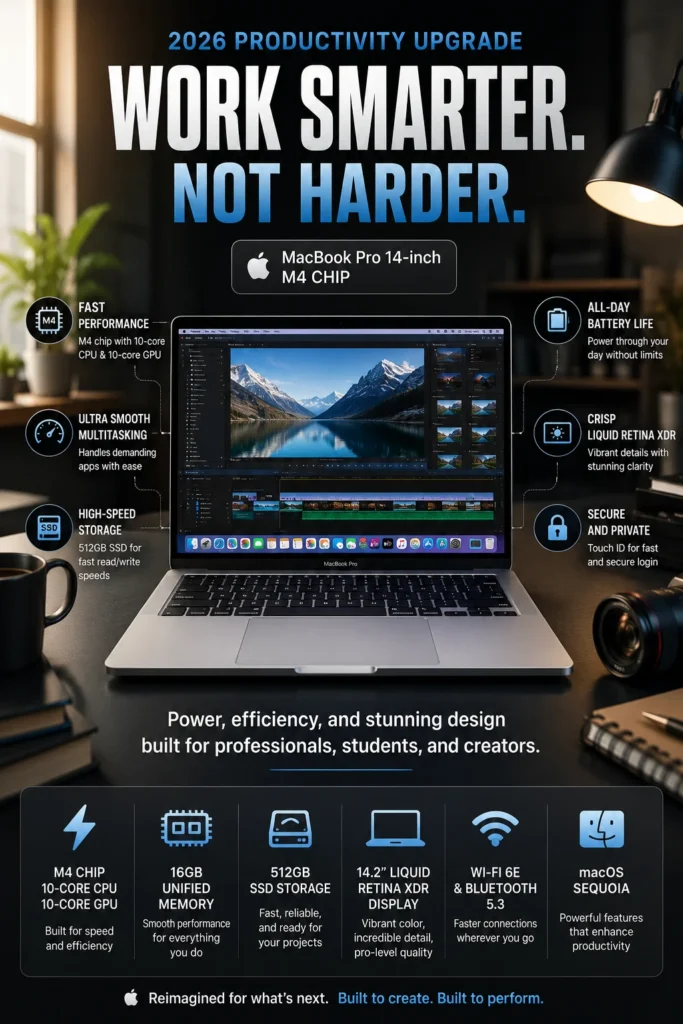
The Apple MacBook Pro 14-inch M4 is our top recommendation for the best overall video editing laptop in 2026. It delivers an excellent balance of editing performance, display quality, battery life, portability, thermal efficiency, and long-term usability. Whether you're editing YouTube videos, producing social media content, working with 4K footage, creating motion graphics, or handling professional creative projects, the MacBook Pro 14-inch M4 provides the performance and efficiency most editors need without the size and weight of a larger workstation-class laptop.
The MacBook Pro 14-inch M4 earns our Best Overall Video Editing Laptop award because it combines the features that matter most across a wide range of editing workflows. Its strong processing performance, excellent display, efficient thermal design, long battery life, compact form factor, and mature creative software ecosystem make it a particularly well-rounded choice for creators who want one laptop capable of handling both everyday editing and more demanding production work.
Compared with many Windows laptops in a similar premium category, the MacBook Pro 14-inch M4 places greater emphasis on efficiency, portability, battery life, and a tightly integrated hardware and software experience. Windows workstations can offer more powerful dedicated GPUs and greater upgrade flexibility, but for editors who value a balanced combination of performance, display quality, mobility, and long-term usability, the MacBook Pro 14-inch M4 remains one of the strongest all-around choices in 2026.
Key Features
ASUS ProArt P16
Best Windows Laptop for 4K Video Editing, Content Creation & GPU-Accelerated Workflows
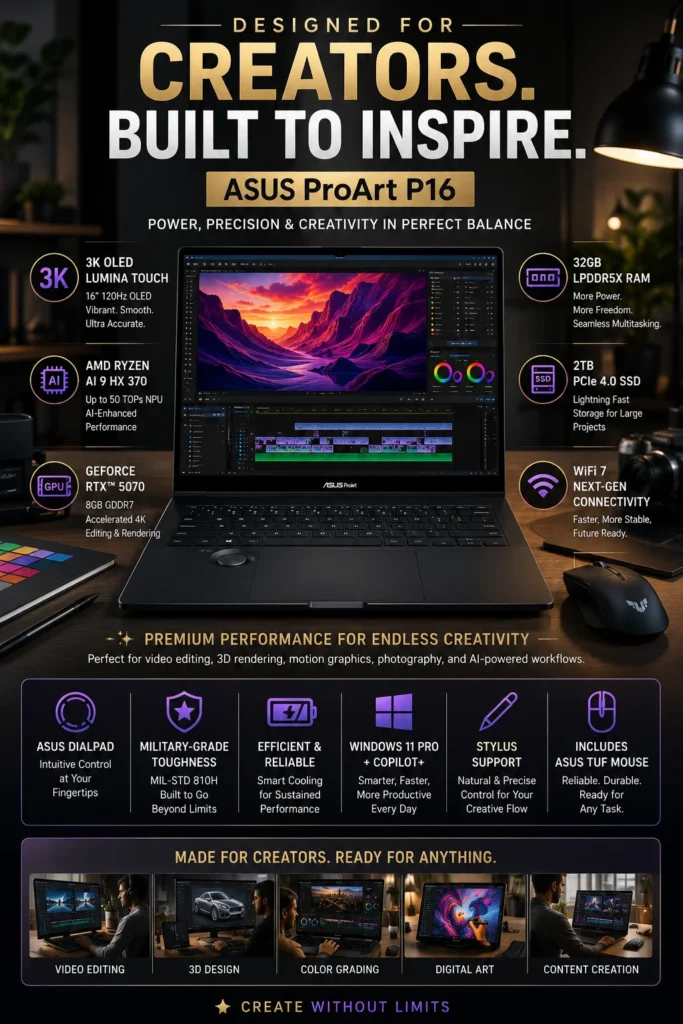
The ASUS ProArt P16 is our top recommendation for the best Windows laptop for video editing in 2026. It combines powerful AMD Ryzen AI processing, dedicated NVIDIA RTX graphics, a high-resolution OLED display, generous memory, fast NVMe storage, and creator-focused features in a relatively portable 16-inch design. For editors who rely on GPU acceleration for Premiere Pro, DaVinci Resolve, After Effects, 3D applications, and AI-assisted creative workflows, the ProArt P16 offers one of the most capable Windows-based packages in this lineup.
The ProArt P16 earns our Best Windows Video Editing Laptop award because it addresses several priorities that matter to serious creators at the same time: strong CPU performance, dedicated RTX graphics, a high-quality OLED display, ample memory, fast storage, and a creator-oriented design. Instead of treating the laptop as a gaming machine with a high-resolution screen added afterward, ASUS built the ProArt line around professional creative workflows and color-sensitive production.
Compared with traditional gaming laptops, the ASUS ProArt P16 places greater emphasis on display quality, portability, creator controls, and professional workflow features while still delivering the dedicated GPU performance editors need. It is especially compelling for Windows users who work with Premiere Pro, DaVinci Resolve, After Effects, Blender, photography applications, or AI-assisted creative tools and want more graphics acceleration than a similarly sized integrated-GPU laptop can provide.
Key Features
Dell XPS 16 (2025)
Premium Windows Laptop for Professional Video Editing, Creative Work & High-Resolution Production
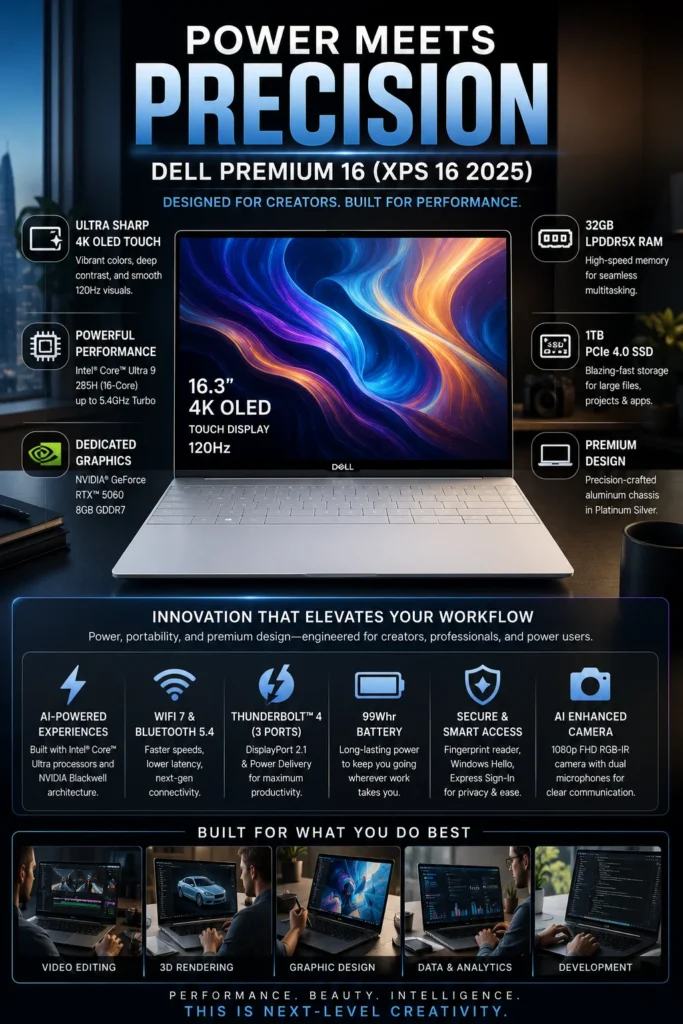
The Dell XPS 16 (2025) is our recommendation for the best premium Windows laptop for video editing in 2026. It combines a refined aluminum design, a large high-resolution display, Intel Core Ultra processing, dedicated NVIDIA RTX graphics in supported configurations, and a premium overall user experience. For creators who want a powerful Windows laptop that can handle demanding editing workloads while also feeling at home in a professional office or studio environment, the XPS 16 offers a compelling balance of performance, display quality, design, and everyday usability.
The Dell XPS 16 earns our Best Premium Windows Laptop for Video Editing recognition because it focuses on the complete professional experience rather than simply maximizing one specification. Its combination of a large high-resolution display, capable processing hardware, dedicated graphics in higher-end configurations, premium construction, and understated design makes it particularly attractive to creators who want their editing laptop to work equally well in a studio, office, meeting room, or professional travel environment.
Compared with creator-focused alternatives such as the ASUS ProArt P16, the Dell XPS 16 places greater emphasis on premium design, display size, build quality, and a refined Windows experience, while the ProArt is more explicitly optimized around creator controls and GPU-intensive workflows. The XPS 16 is therefore best suited to buyers who want strong creative performance without the visual style or gaming-oriented focus of a traditional high-performance laptop.
Key Features
Apple MacBook Air M4
Best Portable Laptop for Video Editing, Travel & Everyday Creative Work
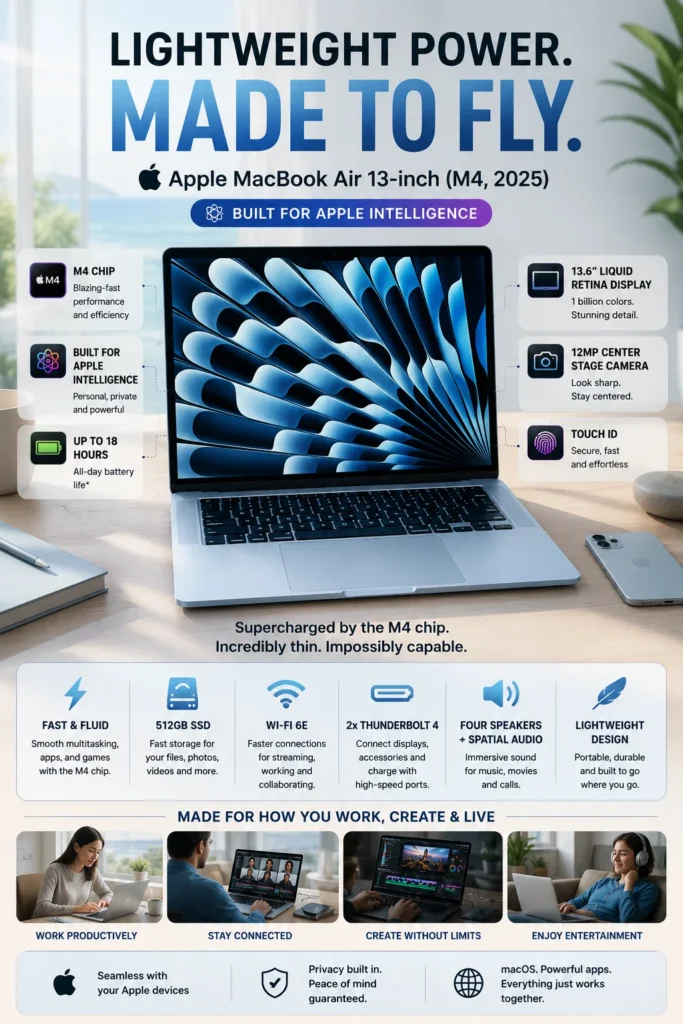
The Apple MacBook Air M4 is our recommendation for the best portable video editing laptop in 2026. It combines the efficiency of Apple's M4 chip, a remarkably thin and lightweight design, long battery life, a high-quality display, and enough performance for everyday video editing and content creation. For creators who travel frequently, work from different locations, or simply want a capable editing laptop that is easy to carry, the MacBook Air M4 offers an excellent balance of portability and creative performance.
The MacBook Air M4 earns our Best Portable Video Editing Laptop recognition because it delivers an unusually strong combination of mobility, efficiency, performance, and everyday usability. Its fanless design keeps operation quiet, while the M4 platform provides enough performance for YouTube production, social media content, short-form projects, educational videos, and many 4K editing workflows.
Compared with the MacBook Pro 14-inch M4, the MacBook Air is better suited to creators who place a higher priority on weight, simplicity, silence, and portability than on sustained performance under the heaviest workloads. The MacBook Pro remains the stronger choice for demanding long-duration rendering and professional production, while the MacBook Air is an excellent fit for editors who want a highly portable system that can handle creative work without carrying a larger professional laptop.
Key Features
Lenovo LOQ 15
Best Performance-per-Dollar Laptop for Video Editing, GPU-Accelerated Workflows & Content Creation
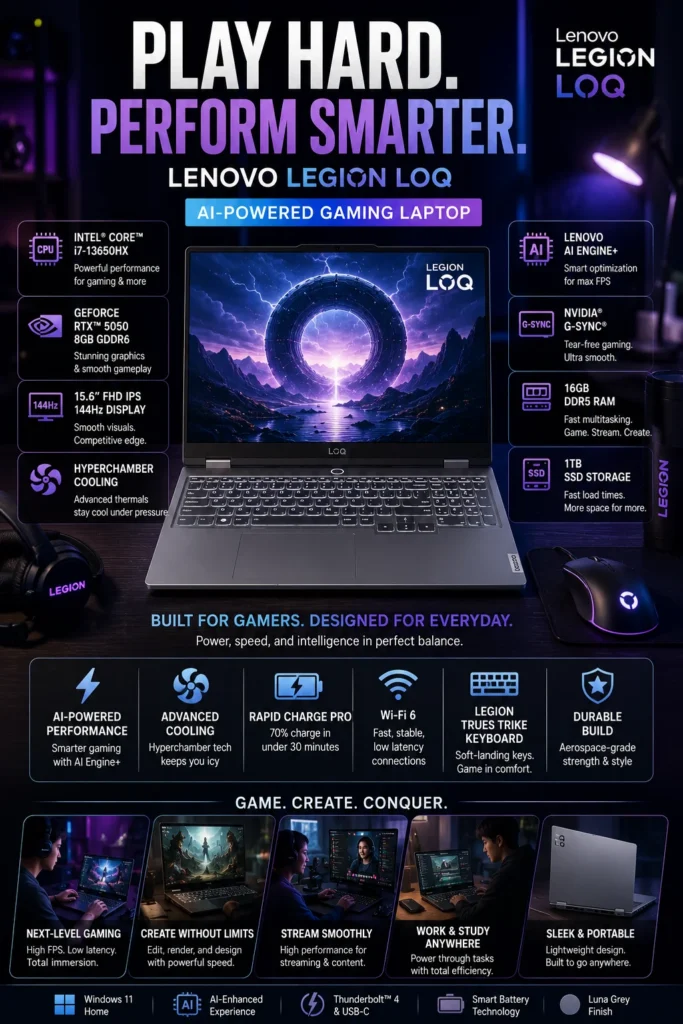
The Lenovo LOQ 15 is our recommendation for the best value video editing laptop in 2026. It delivers a strong combination of processor performance, dedicated NVIDIA RTX graphics, upgrade-friendly memory and storage options, and effective thermal management at a lower price than premium creator workstations. For editors who want more GPU performance than a thin integrated-graphics laptop can provide without moving into a significantly more expensive professional system, the LOQ 15 offers an excellent balance of capability and cost.
The Lenovo LOQ 15 earns our Best Value Video Editing Laptop recognition because it concentrates spending on the components that have the greatest impact on demanding creative workloads. Instead of paying primarily for premium materials, ultra-thin dimensions, or workstation branding, buyers can put more of their budget toward CPU performance, dedicated graphics, memory, storage, and cooling.
Compared with premium creator laptops such as the MacBook Pro 14-inch M4, ASUS ProArt P16, and Dell XPS 16, the LOQ 15 does not offer the same combination of display quality, portability, battery efficiency, or premium construction. Its advantage is different: it provides a much more performance-focused configuration at a lower entry cost, making it particularly compelling for creators who care more about editing capability per dollar than luxury design or maximum mobility.
Key Features
Acer Nitro V
Best Affordable Laptop for Video Editing, 1080p Projects & GPU-Accelerated Creative Work
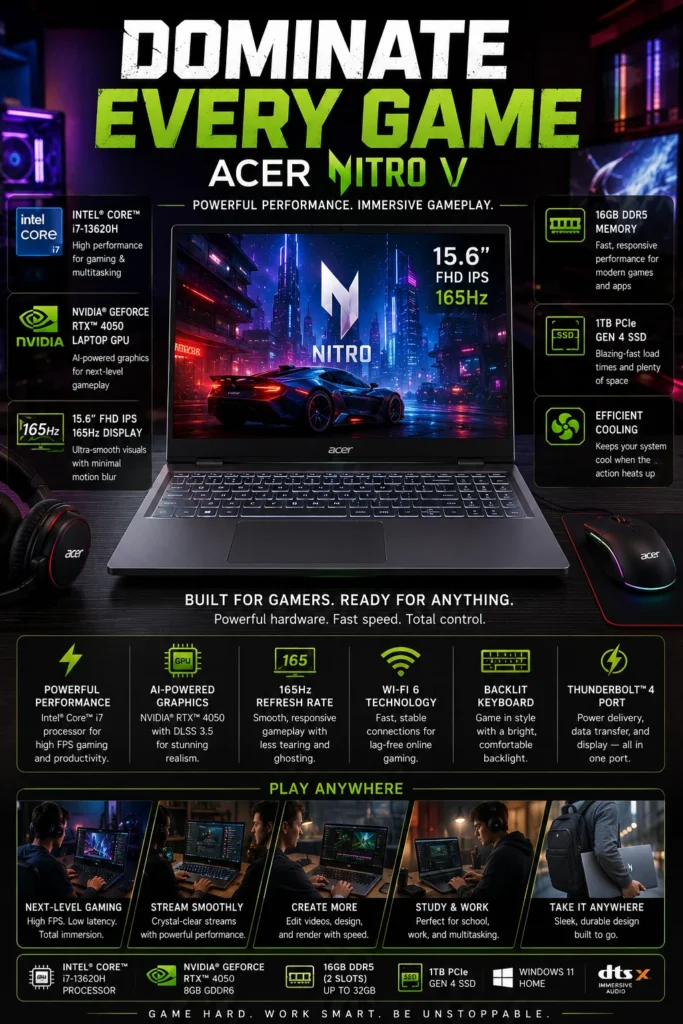
The Acer Nitro V 15 is our recommendation for the best budget video editing laptop in 2026. It brings a capable Intel processor, dedicated NVIDIA RTX graphics, upgradeable DDR5 memory, and fast NVMe storage to a lower price category than premium creator systems. For students, beginner editors, and budget-conscious creators who need real GPU acceleration rather than an office laptop with integrated graphics, the Nitro V offers an attractive entry point into video editing.
The Acer Nitro V 15 earns our Best Budget Video Editing Laptop recognition because it brings dedicated graphics and capable processing into a much more accessible class of laptop. Instead of requiring buyers to move into a premium creator machine, the Nitro V provides the core hardware needed for many 1080p workflows and a range of lighter 4K projects.
Compared with the Lenovo LOQ 15 at #5, the Nitro V is positioned as the more cost-conscious choice rather than the stronger overall performance-per-dollar system. Its main compromises are typically found in areas such as display quality, battery life, chassis refinement, and overall premium features. For buyers whose priority is simply getting dedicated RTX graphics and enough CPU performance for modern video editing at a lower cost, the Nitro V remains a compelling option.
Key Features
HP Victus 15
Best Entry-Level Laptop for Beginner Video Editors, 1080p Projects & Everyday Content Creation
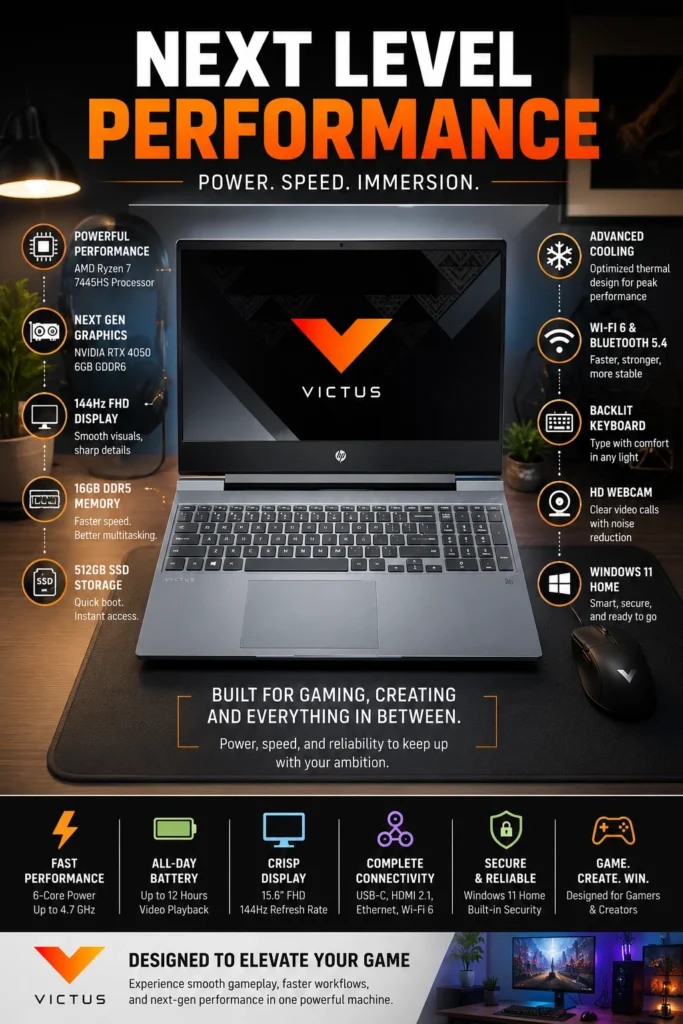
The HP Victus 15 is our recommendation for the best entry-level video editing laptop in 2026. It combines an AMD Ryzen 7 processor, dedicated NVIDIA RTX graphics, DDR5 memory, and fast NVMe storage in a practical 15.6-inch design that gives new creators a solid foundation for learning video editing and producing real-world content. For students, aspiring YouTubers, freelancers, and beginners who need more graphics capability than a conventional productivity laptop can provide, the Victus 15 offers an accessible starting point without requiring a premium creator budget.
The HP Victus 15 earns our Best Entry-Level Video Editing Laptop recognition because it gives new creators the core hardware needed to move beyond basic editing tasks without forcing them into the cost of a premium workstation. Its Ryzen 7 processor, dedicated RTX graphics, 16GB memory, and fast SSD create a capable starting platform for learning professional editing software and producing everyday content.
Compared with the Acer Nitro V at #6, the Victus 15 is positioned more heavily toward beginners and first-time creators rather than maximum budget performance. It still provides dedicated RTX graphics and capable processing, but buyers should understand its compromises, particularly the relatively modest color coverage of the referenced FHD display. HP's 15.6-inch FHD configuration provides 144Hz refresh, 300 nits brightness, and 62.5% sRGB coverage, making it practical for general editing but less suitable for advanced color-critical production. ([HP Ecuador](https://www.hp.com/ec-es/products/laptops/product-details/2103125713)) :contentReference[oaicite:1]{index=1}
Key Features
Best Video Editing Laptops in 2026
Ranked by Editing Performance, GPU Acceleration, Display Quality, Portability, Battery Life & Overall Value
Choosing the best video editing laptop in 2026 requires more than comparing processors or graphics cards. Different laptops are designed around very different creative priorities, with meaningful differences in sustained performance, GPU acceleration, display quality, memory, storage, battery efficiency, portability, upgradeability, and overall value.We evaluated these seven laptops based on the needs of modern video editors, including 1080p and 4K production, content creation, motion graphics, professional workflows, mobile editing, and budget-conscious creative work. The ranking reflects each laptop's overall strengths, limitations, and intended audience to help you choose the system that best matches your editing workflow.
| Laptop | CPU & Key Specs | Best For | Why It Wins | Editor's Verdict |
|---|---|---|---|---|
Best Overall
Apple MacBook Pro 14-inch M4
Check Price | Apple M4 10-core CPU / 10-core GPU 16GB Unified Memory 512GB SSD 14.2" Liquid Retina XDR | Professional Editors 4K Creators Filmmakers Content Creators | The MacBook Pro delivers the strongest overall balance in this ranking, combining excellent CPU and GPU performance, hardware-accelerated video processing, a high-quality Liquid Retina XDR display, long battery life, portability, and efficient thermal behavior. It is not the most GPU-heavy Windows workstation, but its complete package makes it the most versatile choice for the majority of editors. | Best Overall Video Editing Laptop in 2026 |
Best Windows Creator Laptop
ASUS ProArt P16
Check Price | Ryzen AI 9 HX 370 RTX 5070 8GB GDDR7 32GB LPDDR5X 1TB SSD 16" 3K OLED 120Hz | 4K Editors Motion Graphics 3D Creators Professional Windows Users | The ProArt P16 combines powerful RTX graphics, a high-quality OLED display, strong Ryzen AI processing, generous memory, fast storage, and creator-focused controls. Its biggest advantage is the combination of GPU acceleration and display quality in a Windows platform designed specifically around creative workflows. | Best Windows Video Editing Laptop for Creators |
Best Premium Windows
Dell XPS 16 (2025)
Check Price | Intel Core Ultra 9 285H RTX 5060 8GB GDDR7 32GB LPDDR5X 1TB SSD 16.3" 4K OLED Touch | Creative Professionals Premium Windows Users Advanced Editors Hybrid Workflows | The XPS 16 combines strong CPU and RTX graphics performance with a large high-resolution OLED display, premium aluminum construction, modern connectivity, and an understated professional design. It sacrifices some value and upgrade flexibility compared with performance-focused alternatives, but delivers a more refined overall Windows experience. | Best Premium Windows Laptop for Video Editing |
Best Portable
Apple MacBook Air M4
Check Price | Apple M4 16GB Unified Memory 512GB SSD 13.6" Liquid Retina Fanless Design | Mobile Editors Travel Creators Students YouTubers | The MacBook Air provides an excellent combination of M4 performance, silent fanless operation, long battery life, and a remarkably thin and lightweight design. It is not intended to replace a MacBook Pro for prolonged heavy rendering, but it is one of the strongest choices for creators who prioritize mobility and everyday editing. | Best Portable Video Editing Laptop in 2026 |
Best Value
Lenovo LOQ 15
Check Price | Intel Core i7-13650HX RTX 5050 8GB GDDR7 16GB DDR5 1TB SSD 15.6" Performance Display | Budget-Conscious Editors Intermediate Creators Students Performance-Focused Buyers | The LOQ 15 puts a large portion of its cost into the hardware that directly affects creative performance, including a high-performance HX processor, dedicated RTX graphics, DDR5 memory, fast NVMe storage, and performance-oriented cooling. Its display and portability are less refined than premium creator laptops, but its performance-per-dollar proposition is excellent. | Best Performance-per-Dollar Video Editing Laptop |
Best Budget Pick
Acer Nitro V 15
Check Price | Intel Core i7-13620H RTX 4050 6GB GDDR6 16GB DDR5 1TB SSD 15.6" FHD IPS 165Hz | Beginner Creators Students YouTube Editors Budget Buyers | The Nitro V brings a capable Core i7 processor, dedicated RTX 4050 graphics, 16GB DDR5 memory, and fast NVMe storage into a more accessible price category. Its main compromises are display quality, battery efficiency, and overall refinement, but it provides a practical path into GPU-accelerated video editing without the cost of a premium creator laptop. | Best Budget Video Editing Laptop |
Best Entry-Level
HP Victus 15
Check Price | Ryzen 7 7445H RTX 4050 6GB GDDR6 16GB DDR5 512GB SSD 15.6" FHD IPS 144Hz | Beginner Editors Students First-Time Creators Social Media Content | The Victus 15 provides a capable Ryzen 7 processor and dedicated RTX 4050 graphics in an accessible configuration that makes it a sensible starting platform for new editors. Its 512GB storage and modest display color coverage are meaningful limitations, but the system provides enough hardware for learning professional editing software and producing everyday content. | Best Entry-Level Video Editing Laptop |
Recommended Next Reads
Still deciding which video editing laptop is right for you? Explore our related buying guides covering MacBooks, OLED displays, laptop GPUs, processor platforms, and different budget levels.
Whether you're choosing between Apple and Windows, deciding how much to spend, comparing OLED displays, or trying to understand which GPU and processor combination makes the most sense for video editing, these guides can help you make a more informed decision.
Best Laptops Under $1000 in 2026
Working with a tighter budget? Compare the strongest laptops under $1,000 across gaming, productivity, business, and everyday workloads to see which models deliver the best overall value.
Explore Laptops Under $1000 →Apple MacBook Air M4 (2026) Review
Thinking about our #4 pick? Take a closer look at the MacBook Air M4's portability, battery life, performance, display, and everyday creative capabilities.
Read the MacBook Air M4 Review → MacBook ComparisonMacBook Pro M5 vs MacBook Air M4 in 2026
Not sure whether you need a MacBook Air or a MacBook Pro? Compare Apple's latest portable options to understand which model better fits your editing workload and budget.
Compare MacBook Pro vs MacBook Air → Display Buying GuideBest OLED Laptops in 2026
OLED displays are a major advantage on creator laptops such as the ASUS ProArt P16 and Dell XPS 16. Explore the best OLED laptops for color, contrast, creative work, and everyday use.
Explore the Best OLED Laptops → GPU Buying GuideRTX 5060 vs RTX 5070 Ti vs RTX 5080 Laptop GPUs in 2026
Understanding laptop GPU tiers can help you decide how much graphics performance you actually need for rendering, effects, AI tools, and other GPU-accelerated creative workloads.
Compare Laptop GPU Performance → Mid-Range Buying GuideBest Laptops Under $1500 in 2026
Have a little more room in your budget? Explore laptops under $1,500 to see what additional performance, displays, features, and hardware you can get beyond entry-level systems.
Explore Laptops Under $1500 → Processor Buying GuideIntel Core Ultra 9 vs AMD Ryzen AI 9 in 2026
Choosing between Intel and AMD? Learn how Core Ultra 9 and Ryzen AI 9 platforms compare for performance, multitasking, AI workloads, and demanding creative applications.
Compare Intel vs AMD →EDITOR'S FINAL RECOMMENDATIONS
After comparing video editing laptops across editing performance, GPU acceleration, display quality, memory, storage, portability, battery efficiency, thermal performance, and overall value, these are our final recommendations for 2026. Whether you prioritize the best overall editing experience, a powerful Windows creator platform, portability, performance per dollar, or an affordable entry point, there is a strong option for your workflow and budget.
Apple MacBook Pro 14-inch M4
The strongest overall video editing laptop in this lineup. The MacBook Pro 14-inch M4 combines strong CPU and GPU performance, hardware-accelerated video processing, a Liquid Retina XDR display, excellent battery efficiency, compact dimensions, and a mature creative software ecosystem. It is the most balanced choice for creators who want one laptop capable of handling both everyday editing and demanding creative workloads.
- ✓ Apple M4 with 10-core CPU and 10-core GPU
- ✓ Liquid Retina XDR Display
- ✓ Hardware-accelerated ProRes and HEVC workflows
- ✓ Excellent battery efficiency and portability
ASUS ProArt P16
The creator-focused Windows choice for editors who need dedicated RTX graphics and a high-quality OLED display. The ProArt P16 combines Ryzen AI processing, RTX 5070 graphics, 32GB memory, a 3K OLED panel, and dedicated creator controls, making it particularly well suited to 4K editing, motion graphics, AI-assisted workflows, and 3D applications.
- ✓ AMD Ryzen AI 9 HX 370
- ✓ NVIDIA GeForce RTX 5070
- ✓ 16-inch 3K OLED Display
- ✓ 32GB LPDDR5X Memory
Dell XPS 16 (2025)
The premium Windows choice for creators who want strong editing capability combined with a large high-resolution display and refined professional design. The XPS 16 pairs Intel Core Ultra processing with RTX graphics in supported configurations, premium aluminum construction, and a large OLED display for users who value both creative performance and an understated professional experience.
- ✓ Intel Core Ultra 9 285H
- ✓ NVIDIA GeForce RTX 5060
- ✓ 16.3-inch 4K OLED Touch Display
- ✓ Premium Aluminum Construction
Apple MacBook Air M4
The best choice for creators who value mobility above maximum sustained performance. The MacBook Air M4 combines a thin and lightweight fanless design with capable M4 performance, long battery life, a high-quality Liquid Retina display, and silent operation, making it particularly appealing to students, travelers, YouTubers, and mobile editors.
- ✓ Apple M4 Chip
- ✓ Fanless Silent Design
- ✓ Up to 18 Hours Video Streaming
- ✓ Thin and Lightweight Chassis
Lenovo LOQ 15
The performance-per-dollar choice in this ranking. The Lenovo LOQ 15 directs more of its budget toward a high-performance processor, dedicated RTX graphics, DDR5 memory, fast NVMe storage, and performance-oriented cooling. It is especially attractive to editors who care more about usable editing performance than premium materials or ultra-portable dimensions.
- ✓ Intel Core i7-13650HX
- ✓ NVIDIA GeForce RTX 5050
- ✓ 16GB DDR5 Memory
- ✓ Performance-Oriented Cooling
Acer Nitro V 15
The budget-focused option for creators who need dedicated RTX graphics without moving into premium laptop pricing. The Nitro V combines a Core i7 processor, RTX 4050 graphics, 16GB DDR5 memory, and fast NVMe storage, giving students and budget-conscious editors a practical platform for 1080p production and many lighter 4K workflows.
- ✓ Intel Core i7-13620H
- ✓ NVIDIA GeForce RTX 4050
- ✓ 16GB DDR5 Memory
- ✓ 1TB NVMe SSD
HP Victus 15
The easiest starting point for new video editors, students, and first-time creators. The HP Victus 15 combines a Ryzen 7 processor, RTX 4050 graphics, 16GB DDR5 memory, and a practical 15.6-inch design, giving beginners enough hardware to learn professional editing software and build real-world content without paying for a premium workstation.
- ✓ AMD Ryzen 7 7445H
- ✓ NVIDIA GeForce RTX 4050
- ✓ 16GB DDR5 Memory
- ✓ 15.6-inch FHD Display
Which video editing laptop should you buy in 2026?
Apple MacBook Pro 14-inch M4
ASUS ProArt P16
Dell XPS 16
Apple MacBook Air M4
Lenovo LOQ 15
Acer Nitro V 15
HP Victus 15
- Choose the Apple MacBook Pro 14-inch M4 if you want the strongest overall balance of editing performance, display quality, battery efficiency, portability, and creative workflow support.
- Choose the ASUS ProArt P16 if you use Windows and need dedicated RTX graphics, an OLED display, generous memory, and strong support for GPU-intensive creative applications.
- Choose the Dell XPS 16 if you want a premium Windows laptop with a large high-resolution display, capable dedicated graphics, and a refined professional design.
- Choose the Apple MacBook Air M4 if portability, silence, battery efficiency, and everyday creative work matter more than maximum sustained rendering performance.
- Choose the Lenovo LOQ 15 if your priority is getting as much CPU, GPU, cooling, and upgrade potential as possible for your budget.
- Choose the Acer Nitro V 15 if you need dedicated RTX graphics and capable editing hardware at a more accessible price.
- Choose the HP Victus 15 if you are beginning your editing journey and want a practical first system for learning, YouTube, social media content, and everyday creative work.
EDITOR'S FINAL VERDICT
After comparing video editing laptops across CPU and GPU performance, media acceleration, display quality, memory, storage, sustained performance, portability, battery efficiency, and overall value, one conclusion stands out:The best video editing laptop in 2026 is not necessarily the model with the fastest processor or most powerful GPU. It is the system that provides the right combination of performance, display quality, efficiency, portability, memory, storage, and reliability for the way you actually edit.
Modern video editing workloads vary enormously. A creator producing YouTube videos and short-form social content has very different requirements from a filmmaker working with high-resolution footage, a motion designer using After Effects, or a professional editor handling long 4K projects. That is why choosing the right editing laptop requires looking beyond benchmark numbers and considering the complete workflow.
For most creators in 2026, a strong video editing laptop should provide at least 16GB of memory, fast SSD storage, capable CPU and GPU acceleration, a high-quality display, effective thermal performance, and enough sustained performance for the projects you actually create.- Choose the Apple MacBook Pro 14-inch M4 if you want the strongest overall combination of editing performance, display quality, battery efficiency, portability, and creative workflow support.
- Choose the ASUS ProArt P16 if you use Windows and need dedicated RTX graphics, an OLED display, generous memory, and strong support for GPU-intensive creative applications.
- Choose the Dell XPS 16 if premium Windows design, a large high-resolution display, and a refined professional experience are important alongside strong editing performance.
- Choose the Apple MacBook Air M4 if portability, silence, battery efficiency, and everyday creative work matter more than maximum sustained performance.
- Choose the Lenovo LOQ 15 if your priority is getting as much CPU, GPU, cooling, and upgrade potential as possible for your budget.
- Choose the Acer Nitro V 15 if you need dedicated RTX graphics and capable editing hardware at a lower entry price.
- Choose the HP Victus 15 if you are beginning your editing journey and want a practical first system for learning, YouTube, social media, and everyday creative work.
Top Video Editing Laptop Recommendations in 2026
Apple MacBook Pro 14-inch M4
Our Editor's Choice for most video editors because it delivers the strongest overall balance of processing performance, media acceleration, display quality, battery efficiency, portability, and long-term usability. It is the safest recommendation for creators who want one professional-quality laptop that can handle a wide range of editing workflows.
- ✓ Apple M4 with 10-core CPU and GPU
- ✓ Liquid Retina XDR Display
- ✓ Hardware-accelerated video processing
- ✓ Excellent battery efficiency
ASUS ProArt P16
The strongest Windows recommendation for creators who benefit from dedicated RTX graphics and a high-quality OLED display. Its Ryzen AI 9 HX 370, RTX 5070, 32GB memory, and creator-focused design make it particularly well suited to 4K editing, motion graphics, AI-assisted workflows, and 3D applications.
- ✓ AMD Ryzen AI 9 HX 370
- ✓ NVIDIA GeForce RTX 5070
- ✓ 3K OLED Display
- ✓ 32GB LPDDR5X Memory
Lenovo LOQ 15
The performance-per-dollar choice for creators who care more about usable editing hardware than premium materials. The LOQ combines a high-performance processor, dedicated RTX graphics, DDR5 memory, fast storage, and performance-oriented cooling, making it one of the most compelling value-focused systems in the ranking.
- ✓ Intel Core i7-13650HX
- ✓ NVIDIA GeForce RTX 5050
- ✓ 16GB DDR5 Memory
- ✓ Performance-Oriented Cooling
- ✓ You want the best overall editing experience
- ✓ Display quality and battery efficiency matter
- ✓ You use Final Cut Pro, Premiere Pro, or DaVinci Resolve
- ✓ You want a compact professional editing system
- ✓ You need serious Windows creator performance
- ✓ Dedicated RTX GPU acceleration is important
- ✓ OLED color quality matters to your workflow
- ✓ You work with 4K editing, motion graphics, or 3D
- ✓ Prioritize at least 16GB memory for modern editing workloads
- ✓ Consider 32GB for demanding 4K and motion graphics workflows
- ✓ Check the display's color coverage rather than focusing only on resolution or refresh rate
- ✓ Make sure the CPU, GPU, cooling, and storage match your actual editing workload
A video editing laptop is not simply a faster version of a normal notebook. Editors spend hours moving through timelines, reviewing footage, applying effects, rendering projects, managing media, and exporting finished work. Because of that, sustained performance, display quality, memory, storage, thermal behavior, battery efficiency, and portability can have as much impact on the ownership experience as benchmark performance.
Among the models evaluated in this guide, the Apple MacBook Pro 14-inch M4 provides the strongest overall combination of editing performance, media acceleration, display quality, efficiency, portability, and usability. That balance makes it our Editor's Choice for the best video editing laptop in 2026.
Prices, configurations, and availability can change frequently. Before purchasing, compare the current price, memory and storage configuration, display specification, warranty coverage, and available promotions to make sure the laptop matches your editing workflow.
Check Latest DealsEDITOR'S FAQ
Choosing the best video editing laptop in 2026 requires more than comparing CPU and GPU specifications. Real-world editing performance also depends on sustained performance, GPU acceleration, display quality, memory capacity, storage speed, thermal design, battery efficiency, and the type of footage and software you use.These frequently asked questions address the most important buying decisions for video editors, YouTubers, filmmakers, students, freelancers, content creators, and professionals looking for the right balance of editing performance, portability, display quality, and value.
It provides one of the strongest overall combinations of editing performance, hardware-accelerated media processing, display quality, battery efficiency, portability, and long-term usability in this ranking.
- Apple M4 with 10-core CPU and 10-core GPU
- Liquid Retina XDR display
- Hardware acceleration for H.264, HEVC, ProRes, and ProRes RAW
- 16GB unified memory in the base configuration
- Strong battery efficiency and compact 14-inch design
It is particularly well suited to creators working with YouTube videos, 4K projects, client work, Final Cut Pro, Premiere Pro, and DaVinci Resolve. The ASUS ProArt P16 can be a better choice for Windows users who prioritize dedicated RTX graphics, while the MacBook Air M4 is better suited to creators who prioritize portability and silence.
Check Price4K editing places substantially more demand on CPU performance, GPU acceleration, memory, storage, and thermal behavior than basic 1080p editing. The right laptop therefore depends on how complex your projects are and which applications you use.
- Apple MacBook Pro 14-inch M4 → Best overall balance of performance, media acceleration, display quality, and efficiency.
- ASUS ProArt P16 → Strong Windows option for GPU-intensive 4K editing, motion graphics, and creative applications.
- Dell XPS 16 → Premium Windows choice with strong CPU and RTX graphics performance and a large high-resolution display.
For lighter 4K projects, additional models in this ranking can also be capable. For heavy multicamera editing, complex effects, advanced color work, or long rendering sessions, moving to a stronger GPU and 32GB of memory can provide more headroom.
The ProArt P16 is particularly compelling for Windows users because it combines dedicated NVIDIA RTX graphics, a high-quality OLED display, strong AMD Ryzen AI processing, generous memory, fast storage, and creator-focused controls.
- AMD Ryzen AI 9 HX 370 processor
- NVIDIA GeForce RTX 5070 graphics
- 32GB LPDDR5X memory in the referenced configuration
- 16-inch 3K OLED display
- Creator-oriented controls and ProArt workflow features
It is especially well suited to Premiere Pro, DaVinci Resolve, After Effects, Blender, motion graphics, AI-assisted creative tools, and other workloads that can benefit from dedicated GPU acceleration.
View DealThe distinction matters. The LOQ 15 is aimed at buyers who want the strongest combination of performance, cooling, and upgrade potential for their money. The Nitro V is aimed more directly at buyers who need dedicated RTX graphics at a lower entry price.
- Lenovo LOQ 15 → Best performance-per-dollar choice.
- Acer Nitro V 15 → Best budget-oriented choice with dedicated RTX graphics.
- HP Victus 15 → Best entry-level choice for first-time editors.
For buyers working with a limited budget, prioritize dedicated graphics, at least 16GB of memory, fast SSD storage, and a configuration with a display suitable for your editing needs rather than choosing purely by processor model.
Check DealFor video editing, resolution alone does not determine display quality. Color gamut, contrast, brightness, HDR capability, panel technology, and overall color consistency can matter much more depending on the workflow.
- ASUS ProArt P16 → 3K OLED with 100% DCI-P3 coverage, Pantone Validation, and HDR support in supported configurations.
- Dell XPS 16 → Available 4K OLED touchscreen provides a large, highly detailed workspace for creative work.
- MacBook Pro 14-inch M4 → Liquid Retina XDR display with wide P3 color and strong HDR capability.
For professional color-sensitive workflows, always verify the exact display specification of the laptop you are purchasing. Some laptop families are sold with multiple panel options, and not every configuration provides the same color coverage or HDR capability.
View ProArt P16The amount of memory you need depends on your footage, software, project complexity, and how many applications you use simultaneously.
- 16GB → Suitable for many YouTube videos, social media projects, 1080p editing, and lighter 4K workflows.
- 32GB → Better for demanding 4K editing, multicamera projects, motion graphics, After Effects, DaVinci Resolve, and heavier multitasking.
- 64GB+ → Useful for particularly demanding professional workflows, large compositions, advanced 3D work, or specialized production environments.
For most buyers, it is better to start with 16GB on a well-balanced laptop than to sacrifice GPU performance, cooling, or display quality simply to obtain more memory. However, creators who expect to work with demanding 4K or motion-graphics projects should strongly consider 32GB.
MacBooks are particularly attractive for creators who value efficiency, battery life, quiet operation, portability, and the integration of Apple's hardware and software ecosystem.
- MacBook advantages → Strong efficiency, long battery life, quiet operation, excellent displays, and access to Final Cut Pro.
- Windows advantages → Wider hardware selection, more dedicated GPU options, greater configuration variety, and broader flexibility for GPU-intensive workflows.
- Creative software → Premiere Pro and DaVinci Resolve work across both platforms, while Final Cut Pro is exclusive to macOS.
For most creators in this ranking, the MacBook Pro 14-inch M4 is the better all-around choice, while the ASUS ProArt P16 is particularly compelling for Windows users who need RTX GPU acceleration.
Premiere Pro and DaVinci Resolve can benefit from both CPU and GPU resources, so the ideal system depends on the complexity of your projects and the effects you use.
- ASUS ProArt P16 → Dedicated RTX 5070 graphics and 32GB memory provide strong headroom for GPU-intensive workflows.
- MacBook Pro 14-inch M4 → Excellent media acceleration, strong overall performance, and efficient operation across a wide range of editing tasks.
- Dell XPS 16 → Strong premium Windows alternative with dedicated RTX graphics and a large high-resolution display.
For editors who use heavy GPU effects, advanced color workflows, motion graphics, or other GPU-accelerated features, a dedicated NVIDIA GPU can be especially valuable. For editors who prioritize efficiency, portability, and Apple's integrated creative ecosystem, the MacBook Pro remains highly compelling.
Basic video editing, short-form content, and some 1080p workflows can run well on efficient integrated graphics or Apple's integrated GPU architecture. More demanding projects benefit from dedicated graphics acceleration.
- 1080p editing → A capable integrated GPU can be sufficient for many basic workflows.
- 4K editing → More GPU resources become useful, especially for complex effects and higher-resolution timelines.
- Motion graphics and AI tools → Dedicated GPU resources can provide significant advantages in supported applications.
- 3D and advanced rendering → A stronger dedicated GPU is generally preferable.
This is one reason the ASUS ProArt P16, Dell XPS 16, Lenovo LOQ 15, Acer Nitro V, and HP Victus 15 can be attractive alternatives to thin integrated-GPU laptops. Their dedicated NVIDIA graphics provide additional headroom for supported GPU-accelerated workloads.
Video footage consumes storage quickly. Original camera files, proxies, project files, preview renders, cache data, exports, and backups can all occupy significant amounts of space.
- 512GB → Suitable as a starting point for smaller projects and creators who use external storage.
- 1TB → Better for editors who regularly keep active projects and media locally.
- 2TB+ → More practical for large footage libraries, frequent 4K production, and creators who prefer to keep more media on the internal drive.
A fast external SSD is also an excellent companion for video editing. This allows you to keep the operating system and applications on the internal drive while storing large project libraries and archived footage externally.
Gaming and video editing both benefit from high-performance CPU and GPU hardware, although the ideal configuration is not identical for every workload.
- Dedicated RTX graphics can accelerate supported editing and rendering workloads.
- High-performance processors provide strong performance for encoding and multitasking.
- Larger chassis designs often provide more thermal headroom during sustained workloads.
- Upgradeable memory and storage can improve long-term flexibility.
The main compromises are usually weight, battery efficiency, fan noise, and display quality. For creators who prioritize performance per dollar, models such as the Lenovo LOQ 15 and Acer Nitro V 15 can therefore be compelling alternatives to premium creator laptops.
Use these recommendations as a quick starting point:
- Best Overall → Apple MacBook Pro 14-inch M4
- Best Windows Creator → ASUS ProArt P16
- Best Premium Windows → Dell XPS 16
- Best Portable → Apple MacBook Air M4
- Best Value → Lenovo LOQ 15
- Best Budget → Acer Nitro V 15
- Best Entry-Level → HP Victus 15
If you want the most balanced combination of editing performance, display quality, battery efficiency, portability, and long-term usability, choose the MacBook Pro 14-inch M4. If you need Windows and dedicated RTX graphics, the ASUS ProArt P16 is the strongest creator-focused alternative. Buyers on tighter budgets should look closely at the Lenovo LOQ, Acer Nitro V, and HP Victus depending on how much performance and upgrade potential they need.
Check Best MacBook Pro DealVIDEO EDITING LAPTOP BUYING GUIDE
Choosing a video editing laptop in 2026 is not simply about finding the fastest processor or the most powerful GPU. Editing performance depends on the complete system, including CPU performance, GPU acceleration, memory, storage, display quality, thermal behavior, battery efficiency, and the type of projects you actually create.A laptop that looks impressive on a specification sheet can still be a poor choice if it has limited memory, inadequate storage, a weak display, poor sustained performance, or hardware that does not match your editing software and workflow.Avoid these common mistakes before choosing your next video editing laptop in 2026.
Video editing is a mixed workload. Timeline playback, encoding, rendering, effects, color work, AI tools, and media management can place very different demands on CPU, GPU, memory, storage, and cooling.For most creators in 2026, a sensible starting point is 16GB of memory, fast SSD storage, a capable CPU, and sufficient GPU acceleration for the software and resolution you use. Creators working with demanding 4K projects, motion graphics, multicamera timelines, or heavy effects should consider 32GB or more when their budget and configuration allow.
Buying Based Only on the CPU
- Video editing can benefit significantly from both CPU and GPU resources, depending on the application and workload.
- GPU-accelerated effects, rendering, AI tools, and other creative features can make dedicated graphics extremely valuable.
- A powerful processor does not automatically guarantee the best overall editing experience.
Better decision: Evaluate the complete platform. Consider CPU performance, GPU capability, memory, storage, cooling, display quality, and the specific applications you use rather than choosing a laptop based on processor branding alone.
Assuming 16GB Is Always Enough
- 16GB can be perfectly practical for many 1080p projects and lighter creative workloads.
- Large 4K timelines, multicamera projects, motion graphics, and multiple creative applications can consume considerably more memory.
- Browsers, communication tools, media applications, and background processes also compete for available memory.
Better decision: Treat 16GB as a practical starting point and consider 32GB for demanding 4K, motion graphics, After Effects, DaVinci Resolve, or heavy multitasking workflows. Choose higher memory when your actual workload justifies it.
Ignoring Display Color Quality
- Resolution alone does not determine whether a laptop display is suitable for video editing.
- Color gamut, contrast, brightness, HDR capability, and panel technology can significantly affect editing decisions.
- Some affordable performance laptops use panels that are perfectly usable for general content creation but are less suitable for professional color work.
Better decision: Look beyond “1080p,” “3K,” or “4K.” Check the panel's color gamut, brightness, contrast, HDR capability, and technology. OLED and Mini-LED can be excellent choices, but the exact panel specification matters more than the marketing label.
Choosing a Powerful Laptop Without Checking Cooling
- Rendering and encoding can place sustained CPU and GPU loads on a laptop for extended periods.
- Poor thermal design can reduce sustained performance and increase fan noise.
- Short benchmark results do not necessarily represent performance during long editing sessions.
Better decision: Pay attention to the laptop's cooling design and sustained-performance behavior. Performance-oriented systems such as the Lenovo LOQ 15 can be particularly attractive when long rendering and export sessions are part of your workflow.
Underestimating Storage Requirements
- 4K footage, proxies, cache files, project files, and exports can consume storage extremely quickly.
- A 512GB SSD can become restrictive once the operating system, applications, and active projects are installed.
- Slow or crowded storage can make media management unnecessarily frustrating.
Better decision: Consider 1TB as a more comfortable starting point for regular video production, especially when working with local footage. If you maintain large media libraries, plan for additional internal or external SSD storage.
Buying the Wrong Laptop for Your Editing Workflow
- A portable laptop may be perfect for travel editing but less suitable for long rendering sessions.
- A gaming-oriented laptop can offer excellent performance per dollar but may compromise display quality, battery life, or portability.
- A premium creator laptop may provide better displays and design but cost significantly more than necessary for basic editing.
Better decision: Match the laptop to your workflow. Consider your editing resolution, software, project complexity, mobility requirements, budget, and how many hours you expect to spend rendering or exporting before deciding which category makes the most sense.
Smart Buying Advice for Video Editors
You want the strongest overall balance of editing performance, display quality, media acceleration, battery efficiency, portability, and long-term usability. It is our preferred choice for creators who want one versatile professional editing system.
You need Windows, dedicated RTX graphics, an OLED display, generous memory, and strong support for GPU-intensive creative applications such as Premiere Pro, DaVinci Resolve, After Effects, and Blender.
Key takeaway: The best video editing laptop in 2026 is not necessarily the most powerful or most expensive model. It is the laptop that provides the right combination of CPU and GPU performance, memory, storage, display quality, thermal behavior, portability, and value for the way you actually work.
After evaluating the laptops featured in this guide, these are our Editor's top recommendations:
- Best Overall Video Editing Laptop: Apple MacBook Pro 14-inch M4 — the strongest overall combination of editing performance, display quality, media acceleration, efficiency, portability, and long-term usability.
- Best Windows Video Editing Laptop: ASUS ProArt P16 — the strongest Windows creator platform for buyers who need dedicated RTX graphics, OLED display quality, generous memory, and GPU-intensive creative performance.
- Best Premium Windows Laptop: Dell XPS 16 — a refined choice for creators who want a large high-resolution display, capable RTX graphics, premium construction, and an understated professional design.
- Best Portable Video Editing Laptop: Apple MacBook Air M4 — the best choice for creators who prioritize portability, silent operation, battery efficiency, and everyday editing.
- Best Value Video Editing Laptop: Lenovo LOQ 15 — an excellent performance-per-dollar option that puts CPU performance, dedicated RTX graphics, cooling, memory, and storage ahead of premium materials and ultra-portable design.
- Best Budget Video Editing Laptop: Acer Nitro V 15 — a practical choice for buyers who need dedicated RTX graphics and capable editing hardware at a lower entry price.
- Best Entry-Level Video Editing Laptop: HP Victus 15 — a sensible starting platform for students, beginner editors, YouTubers, and first-time creators who want dedicated graphics without paying for a premium workstation.
Need help choosing your laptop?
Not sure which option fits your workflow? Get a personalized recommendation based on your budget, performance needs, and usage.
Get personalized recommendation⚡ Usually responds within 24 hours